
You are here:
Population of the Opportunity ID
The opportunity ID is populated for each lead that’s populated in the source data.
In Salesforce for example, if upon Lead conversion the appropriate ‘Convert Lead’ button is pressed (as shown below), then this field is automatically populated. You still must make sure that you include this field in your data stream query so that it’s included in the returned result. You can then map it to the Lead Converted Opportunity Key appropriately.
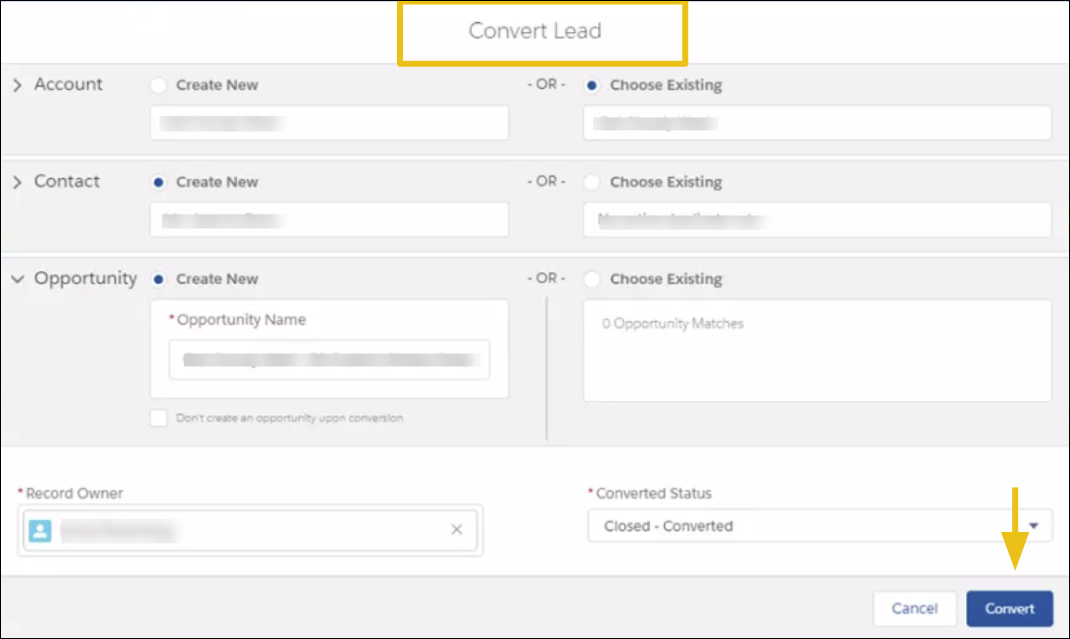
If this procedure isn’t regularly followed within Salesforce, you have to pull this dimension value from elsewhere (perhaps using another field or even perhaps another table within Salesforce). Otherwise the fusion can’t work without the Lead Converted Opportunity Key being mapped.
When looking at fused or connected data for Leads and Opportunities, expect to see ‘gaps’, for example, leads or opportunities, which don’t seem to be connected to anything. For example, if you have leads that haven’t matured into opportunities yet, or opportunities that never started off as leads in the first place. In both cases, the leads and opportunities don’t have matching keys and the fusion doesn’t work, leaving these items to appear as gaps in a fused display.
