
You are here:
Developer Portal Tools
The Developer Portal offers different tools for developers to create their own apps, queries, and build tools.
API Docs
Is divided into two subtabs: Platform API and Query API.
Platform API
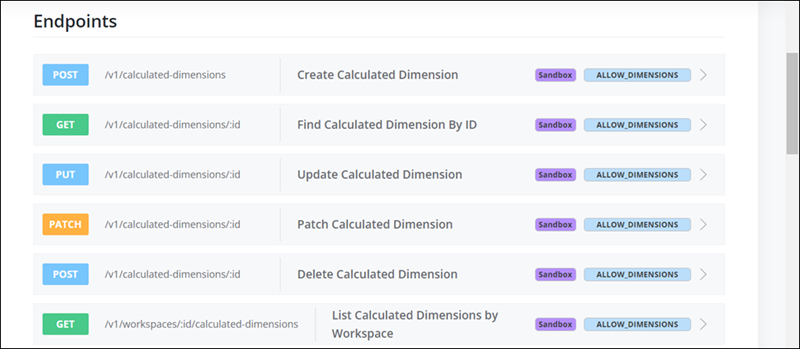
Here you can find all the API documentation you need for all available endpoints, including Data Streams, Measurements, Dimensions, Calculated Measurements, Data Lakes, Patterns, and Harmonized Dimensions. You can automate processes or build tools to manage Marketing Cloud Intelligence installation. For example, you can use the Platform API to update Data Streams in bulk.
To execute API calls in Sandbox mode, a sandbox-mode header must be passed with the value ‘true’. Supported endpoints are marked with a purple ‘Sandbox’ tag.
Query API
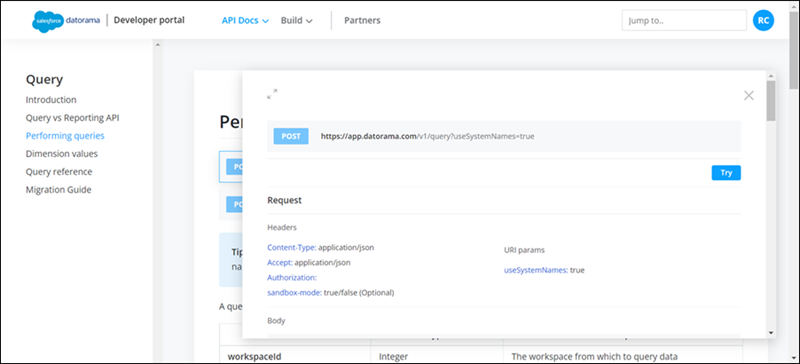
The Query API allows you to pull marketing data from Marketing Cloud Intelligence into other tools and platforms or to show in-house visual platforms you developed. If you click a query, you can see more information about the query so you can try it out for yourself:
Build
This tab is divided into two subtabs: Apps and Connectors.

Apps
An app is a web application that’s built using Marketing Cloud Intelligence API and SDKs. An app can be submitted to the Marketing Cloud Intelligence Marketplace for other users to install or even purchase, or it can be available to your account only. All apps can use Marketing Cloud Intelligence functionalities, including visualization, data integration, data activation and more. An app can be developed using CLI (Command Line Interface). For more information, see Quick Start.
Connectors
Custom connectors are API connectors, developed independently from the Marketing Cloud Intelligence infrastructure. These custom API connectors integrate with external code based on a set of configurations managed from inside the platform. Custom connectors can be used to develop API integrations for any platform. For example, you can use custom connectors to integrate with marketing vendors or internal client platforms. Documentation on how to build a Custom Connector appears under the Build section in the Developer Portal. All connectors can be found in the Marketplace under Connectors.
Partners
This section is for partners who are interested in developing and submitting their own apps. Here you can find detailed information about the process for building, publishing, and submitting apps and more.
