
You are here:
Get Automation History
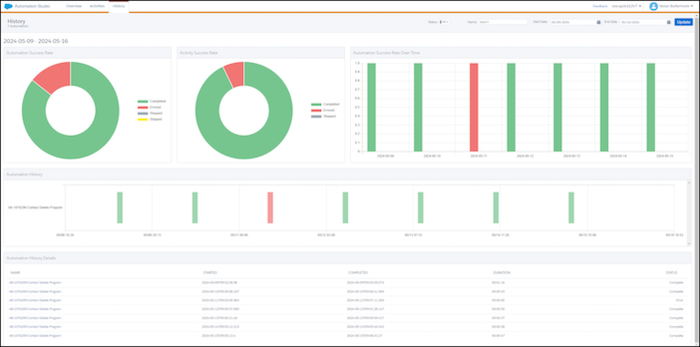
Monitor and enhance automation performance with the History dashboard in Automation Studio. View run frequency, success rates, errors, and skipped automatons. You can also identify automations that overlap and could negatively impact run times. The dashboard is updated daily and loads the latest data each time you access it.
-
In Automation Studio, click the History tab.
The dashboard shows only completed automation runs. It doesn’t include automations that are running or scheduled to run.
-
Apply filters to focus your search by automation, name, or status.
Did this article solve your issue?
Let us know so we can improve!
