
You are here:
Get Automation Studio Notifications
Add your email address to get notified when an automation run is skipped, encounters an error, or completes. You can also receive alerts through the Event Notification Service (ENS).
Use these steps to set up email notifications for skipped, failed, and completed automations.
- Open an automation.
- Go to the automation’s Activity tab.
- In Notification Settings, enter your email address.
-
(Optional) Add a note to include in the email
notification.
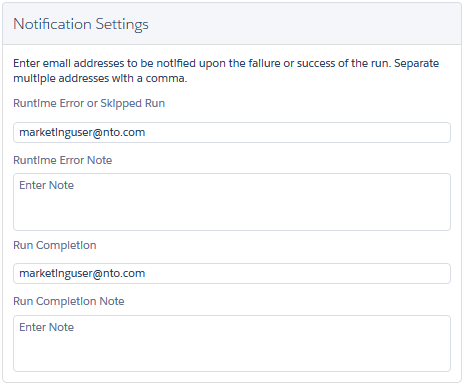
To unsubscribe, remove your email address.
You can also use the Event Notification Service (ENS) to configure and subscribe to automation alerts.
Did this article solve your issue?
Let us know so we can improve!
