
You are here:
Contact Deletion in Contact Builder
To remove contact information from Marketing Cloud Engagement for any reason, including compliance regulations, delete contacts from Contact Builder. This feature applies only to contacts in Email Studio - All subscribers, MobileConnect, MobilePush, Journey Builder, and Contact Builder.
Enablement
Enable Contact Delete for your account in the Contact Configuration section of Contact Builder. For Enterprise 2.0 accounts, enablement occurs at the parent account level for the entire organization.
When enabled, this feature operates differently for different types of tenants.
- Enterprise 2.0 accounts require deletions to originate from the parent account.
- Lock-and-Publish accounts isolate deletions to that account, no matter which accounts exist in the larger structure.
- On-Your-Behalf accounts require deletions to originate in the parent account and cascade to child accounts.
- Agency and Agency Client accounts isolate deletions to that account, no matter which accounts exist in the larger structure.
All contact deletion processes are final, and Engagement can’t restore deleted contact information.
Process
The process includes a 2-day default period where Contact Builder suppresses contact information from showing in channel apps such as Email or MobileConnect. You can change the length of this time period in your account. The information remains in your account, but you can’t view contact records or access it for send activities. After the period elapses, we delete contact information for deleted contacts from lists and sendable data extensions. This process doesn’t apply to any non-sendable data extensions not included in a population via Data Designer. You’re responsible for deleting applicable information from those sources on your own.
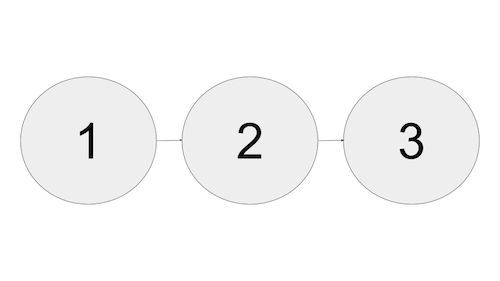
- Deletion process initiated
- Suppression period—Contact information remains in your account, but you can't view or access it
- Final deletion—Engagement removes deleted contact information from your account

MobileConnect and MobilePush Contact Deletion
By deleting this contact, you also delete all opt-out preferences associated with that contact. As a result, if you reintroduce this contact into Engagement, previous opt-out preferences stored for this contact aren’t reinstated. If you reimport the contact, you must also import the contact’s opt-out status or that information is lost. Ensure that you receive express permission to send messages to an individual before you import or reimport the contact into Engagement. Honor the individual’s prior opt-outs, and confirm that your messaging complies with all applicable laws.
It’s assumed that all MobilePush contact deletions are associated with a compliance deletion based on GDPR or other regulatory requirements. The MobilePush SDK and platform restrict future push notification registrations from that contact’s specified mobile device. To reestablish themselves as a contact, the contact must delete and reinstall the mobile app on their device.
If a contact texts a STOP keyword on a valid code, they receive a stop confirmation message if one is configured, and their subscription status isn’t changed. Prevent returning a response to STOP requests by selecting the Suppress STOP response option in the administration section in MobileConnect.
Journey Builder Contact Deletion
After a contact is deleted, the corresponding reference in Journey Builder is removed. This reference information includes all contact data used in decision splits, goals, exits, and Wait Until activities. A deleted contact can rejoin a journey even if their reentry was previously set to Never.
Synchronized Data Sources Contact Deletion
For Synchronized Data Sources, delete the information from the original data source in Sales Cloud, Service Cloud, or another cloud. This action deletes the corresponding record in the Synchronized Data Extension, but it doesn’t delete the contact record from Engagement.
- Contact Delete Best Practices in Contact Builder
Apply these best practices to implement Contact Delete. All contact deletion processes are final, and Marketing Cloud Engagement can’t restore deleted contact information. - Enable Contact Delete in Contact Builder
An admin can enable contact deletion for Marketing Cloud Engagement users in Contact Builder. - Delete Contact Information from Your Account in Contact Builder
You can delete contact information from your account using Contact Builder.
