
You are here:
Get Started with Content Builder Approvals
In Marketing Cloud Engagement, you can submit a draft email for approval. Requiring approvals can help you maintain control and consistency over your email communications and branding. Launch the approval process from the Content Builder grid, the Approvals dashboard, or when you’re creating an email.
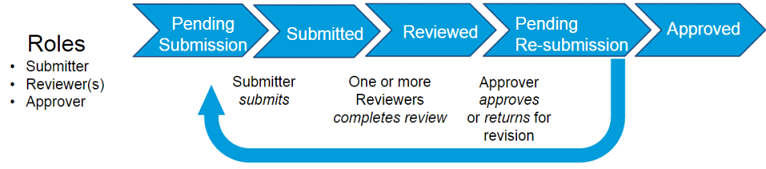
Before a user can use the approval workflow, an admin must select and configure a team workflow. The standard workflow features a submitter, at least one reviewer, and an approver. Its statuses are pending submission, submitted, reviewed, pending resubmission, and approved.
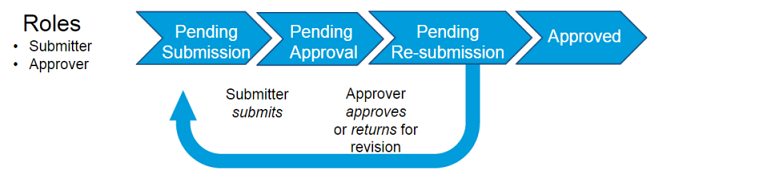
The two-step workflow features only a submitter and an approver, and the statuses pending submission, pending approval, pending resubmission, and approved.
- Create and save an email message.
-
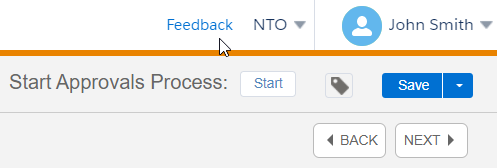
Next to Start Approvals Process, click Start.
- Select an audience, add instructions, assign a team, and include an expected completion date.
-
The reviewer or approver receives a notification about the request.
A complete list of messages in the approval process is available on the Approvals dashboard. The reviewer can annotate and comment on the email. Orange icons represent unresolved comments, and green icons indicate resolved comments.
-
An approver reviews the message.
- If the email needs more work, it’s returned to the submitter who can resubmit for approval.
- If the email is approved, the submitter can send the message to any audience,
- Content Builder Approvals Considerations
Before you use Approvals with Content Builder in Marketing Cloud Engagement, review these considerations.
