Use Behavioral Triggers to reach customers who abandon unpurchased items or services in
their cart in Marketing Cloud Engagement (Einstein).
Required Editions
Available in Marketing Cloud Engagement Messaging and Journeys Pro, Corporate, and
Enterprise editions.
Horizontal vs Vertical Layout
To display product information to your customers, you can use either a horizontal or a
vertical view.
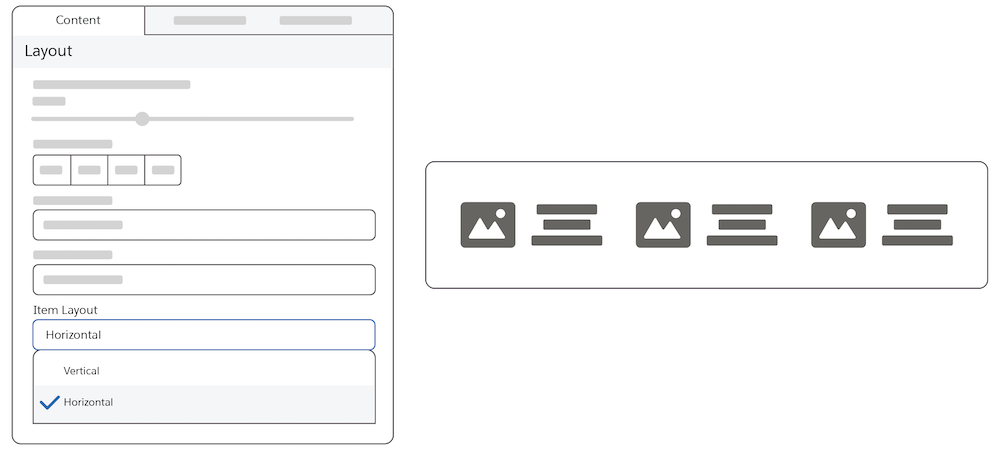
Horizontal:
In a horizontal layout, images and text are side by side. The picture of the selected item is
on the left, and the text describing the item is on the right.
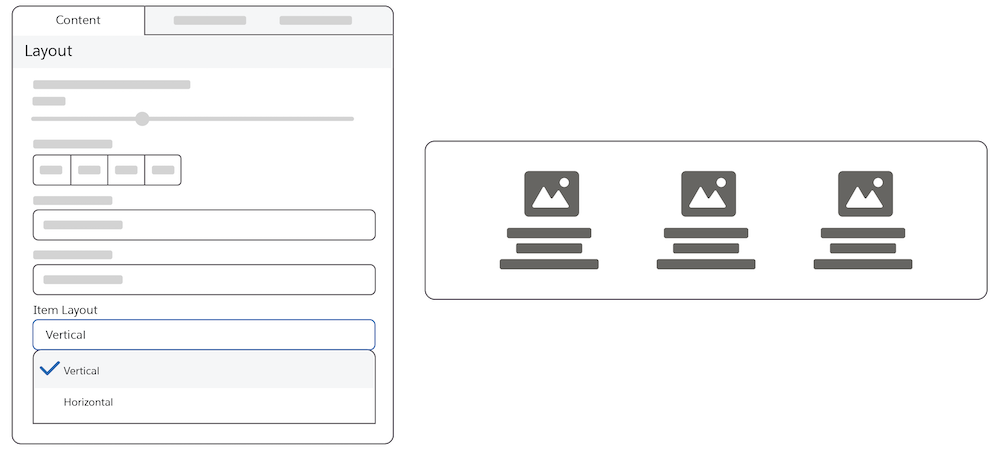
Vertical:
In a vertical layout, images are above the text.
Use Current Cart Feature
This feature reflects the cart at the time the message is sent. If the user edits the cart,
the message remains in its original state and isn’t updated.
If the check box isn’t selected, the message reflects the items that were originally
abandoned.
Rating Stars Feature
Select the rating field in the catalog so that your customers can use the rating stars
feature. Customers can rate products on a scale of four to ten. And they can view the products
sorted by their ratings from lowest to highest or highest to lowest. Marketers can show a
product's average rating. The product catalog must contain this information. To build the rating
visualization, indicate the maximum rating value.
Styling Tab
Customers can change the color of the actual stars from the specified class.
How to Use Reference Data
AMPscript variables contain data about items in the original cart initialized for example
item_<field_name>_<index>
If the user has an updated cart, the updated cart is stored in the field, for example
@cart_<field_name>_<index>
Did this article solve your issue?
Let us know so we can improve!
Loading
Salesforce Help | Article
Cookie Consent Manager
General Information
Required Cookies
Functional Cookies
Advertising Cookies
General Information
We use three kinds of cookies on our websites: required, functional, and advertising. You can choose whether functional and advertising cookies apply. Click on the different cookie categories to find out more about each category and to change the default settings.
Privacy Statement
Required Cookies
Always Active
Required cookies are necessary for basic website functionality. Some examples include: session cookies needed to transmit the website, authentication cookies, and security cookies.
Functional Cookies
Functional cookies enhance functions, performance, and services on the website. Some examples include: cookies used to analyze site traffic, cookies used for market research, and cookies used to display advertising that is not directed to a particular individual.
Advertising Cookies
Advertising cookies track activity across websites in order to understand a viewer’s interests, and direct them specific marketing. Some examples include: cookies used for remarketing, or interest-based advertising.