
You are here:
View Email Activity Statistics
In Marketing Cloud Engagement, see the results of each email activity send on the Journey Builder canvas.

Note Users with standard Engagement roles can access expanded email activity metrics by default.
Users with custom roles or permissions don’t have access. To gain access, enable the View
permission for Reporting in the Analytics application for your account. Contact your Marketing
Cloud Engagement administrator for more information. Tell me more
-
Click an email activity in a running or stopped journey.
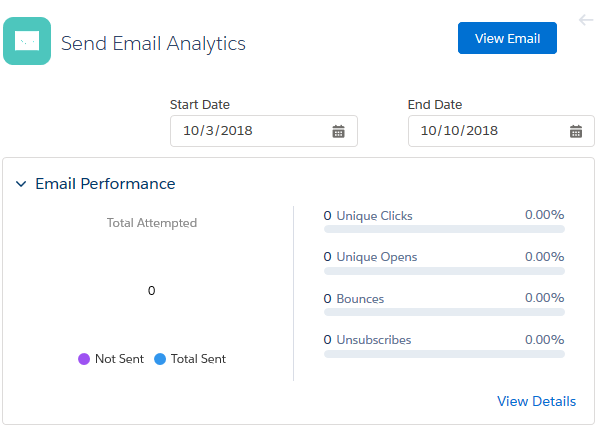 The Send Email Analytics pane displays the Email Performance tile. Detailed email performance analytics appear, including a configurable date range.Note When selecting a date range, the returned tracking data is based on the subscriber batch sent to during the defined date range.
 - For a breakdown of email activity statistics, click View Details.
See Also
Did this article solve your issue?
Let us know so we can improve!
