
You are here:
Delete a Phone Number from Your WhatsApp Business Account in Marketing Cloud Engagement
After you remove a connected or pending phone number from your WhatsApp Business account, WhatsApp messages aren’t sent for journeys configured with the deleted number.
- In the app switcher, from the Mobile Studio dropdown list, select WhatsApp.
-
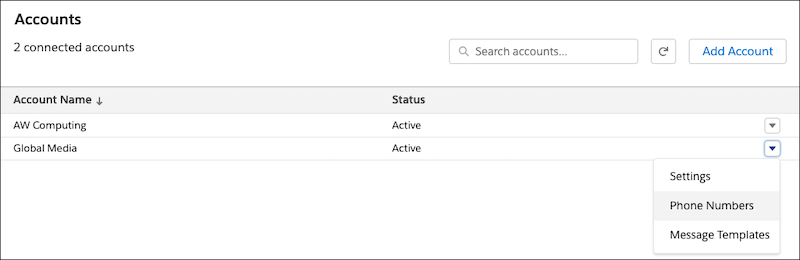
From the dropdown list for your active WhatsApp Business account, select Phone
Numbers.
If prompted, log in to the Facebook account associated with your business.
- In WhatsApp Business Manager, select the phone number that you want to delete, and click Delete.
-
Confirm that you want to delete the number.
If prompted, enter the password for the Facebook account connected to your WhatsApp Business account.
Did this article solve your issue?
Let us know so we can improve!
