
You are here:
Send Automated Personalized Messages
Use Automation Studio and the MobileConnect outbound message template to automatically send personalized messages in Marketing Cloud Engagement.
For example, Northern Trail Outfitters wants to send regular reminders to their subscribed customers about ongoing or upcoming sales. They create an outbound message in MobileConnect for each sale and include personalization strings in each message. At send time, MobileConnect replaces the personalization strings with applicable customer attributes, ensuring that each subscriber gets a personalized message. Automation Studio manages the sends for all the outbound messages, making sure that the correct message goes out at the correct time.
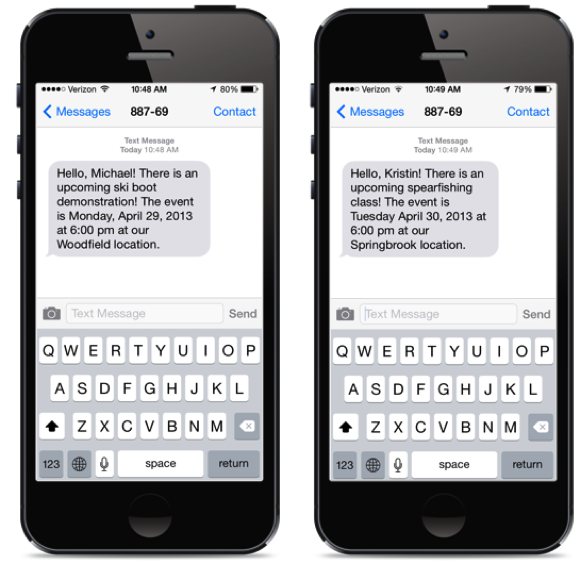
-
In Contact Builder, link all applicable data extensions to the
MobileConnect Demographic attribute group.
For example, to use information about past purchases in your message, link MobileConnect Demographics to another data extension that contains purchase history for each mobile number.
-
In MobileConnect, create an outbound message.
- Select the automation send method so that the message appears in Automation Studio.
- To insert personalization strings into your message, click Insert Content. Use AMPscript to add additional information.
- In Automation Studio, add the outbound message to an automation.
