
You are here:
Identify Attributes That Can Introduce Bias
To help you ensure that your customer profile attributes don’t facilitate intentional or unintentional bias, Einstein Content Selection scans and flags English language profile attributes that can introduce bias. Einstein scans attribute names and attribute values, then notifies you that an attribute you created can introduce bias so that you can decide whether to include, edit, or exclude the attribute.
Salesforce defines bias as using a person's immutable traits to classify them or market to them. Because Einstein bases its selections on the profile attributes that you create, it’s essential that the attributes you create don’t permit or enable harmful bias.
To help you ensure that you don’t introduce bias, Einstein Content Selection flags an attribute if that attribute could intentionally or unintentionally introduce bias when used. Attributes are flagged when the attribute itself as a category could contribute to bias or when the attribute’s values could contribute to bias.

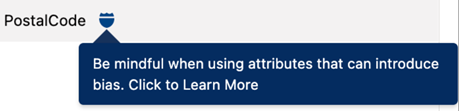
When an attribute that you create is flagged, Einstein Content Selection still allows you to save and use the attribute. Salesforce customers can use a flagged attribute as a way to ensure that they aren’t enabling conscious or unconscious bias. For this reason, the app flags attributes so you can evaluate all the ways that they could be used, then make a responsible decision to keep or discard them.
A guideline that can promote responsible use of attributes is to focus your marketing on behavioral and preferential attributes, not just demographic attributes such as age or gender. Examples of behavioral and preferential attributes include activity preferences and favorited content.

Potentially Sensitive Attributes
The following attribute names are flagged, as are their synonyms, abbreviations, and the formatting consistent with their use in English.
| Potentially Sensitive Attributes |
|---|
| First or Last Name |
| Sexual Orientation |
| Age |
| Gender or Gender Identity |
| Race |
| Postal Code |
| Nationality |
| Religion |
| Marital Status |
| Disability |
| Status as Recipient of Public Assistance |
| Criminal Convictions |
| Trade Union Memberships |
| Medical Condition |
| Financial Status |
| Political Opinions |
| Philosophical Beliefs |
| Family Status, including pregnancy |
| Genetic Information |
| Citizenship Status |
