
You are here:
Revenue Report
Use the Revenue report to compare first-time and returning visitors against various metrics.
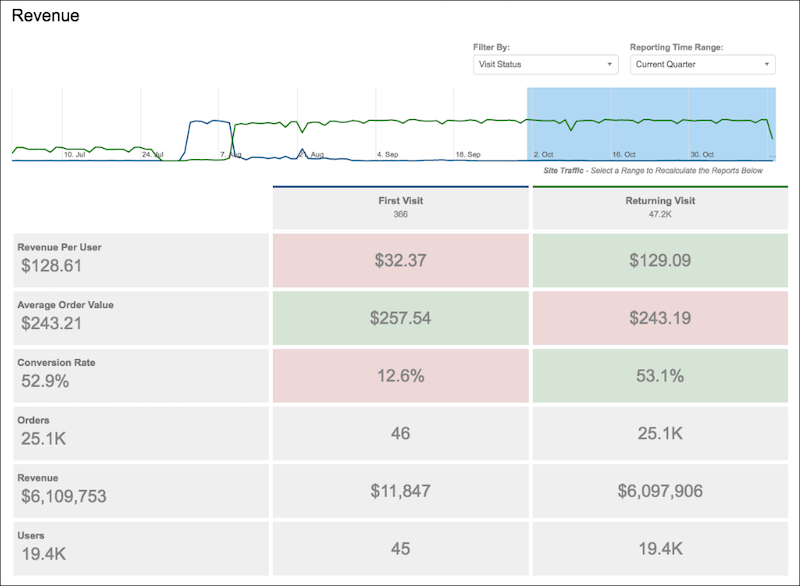
This table lists the revenue-based metrics tracked by Personalization.
| Item | Description |
|---|---|
| Revenue per user | Total revenue divided by number of visitors |
| Average order value | Total of all orders divided by visitors who place an order |
| Conversion rate | Percentage of visitors who place an order |
| Orders | Number of orders on the site |
| Revenue | Total revenue on the site |
| Users | Total site visitors |
You can select filters from any that you configure and from the preconfigured filters available on your site. You can also select a predefined Reporting Time Range to narrow the report to the current or previous week, month, or quarter.
Did this article solve your issue?
Let us know so we can improve!
