
You are here:
Integrate Marketing Cloud Personalization with CRM Analytics
In Salesforce CRM Analytics, connect to Marketing Cloud Personalization’s Data Warehouse and explore personalization data. Import prediction scores from CRM Analytics into Personalization using ETL data feeds.
About the Personalization Data Warehouse

The Personalization Data Warehouse contains personalization data that is optimized for analysis and available in a preformatted schema. Marketing Cloud Personalization provides daily updates to the Data Warehouse from its operational data store.
Integration Prerequisites
To gain access to the Personalization Data Warehouse, you need a user account and connection information. You must also be added to the IP Allowlist. For instructions, see Set Up Access to the Personalization Data Warehouse.
Connect and Explore Data
CRM Analytics connects to the Personalization Data Warehouse using its Amazon Redshift connector. See Amazon Redshift Connection.
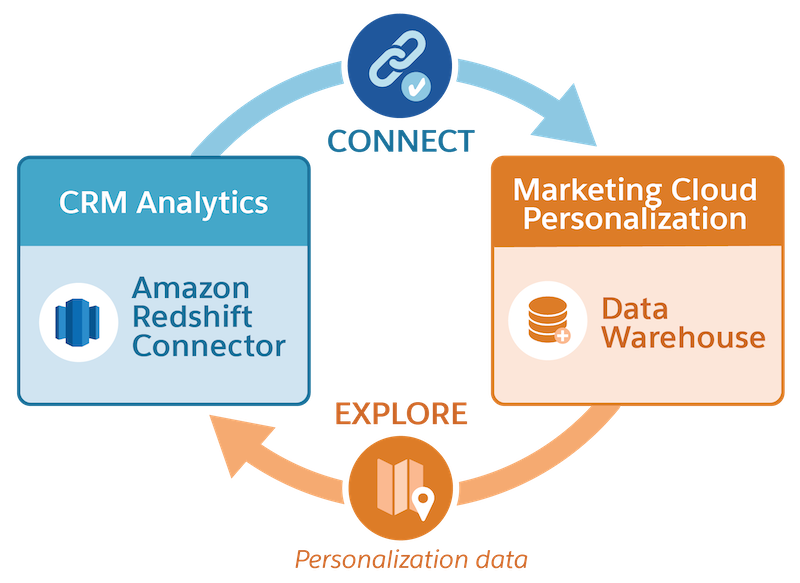
After you connect, use SQL commands to explore the data in the Data Warehouse. For schema details, see Developer Documentation: Marketing Cloud Personalization Data Analytics.
Import Prediction Scores from CRM Analytics
Import predictive stores from CRM Analytics for use in segmentation and targeting, or as input to feature engineering for Einstein Decisions.
| Sequence | Task | Description |
|---|---|---|
| 1 | Generate the Prediction Scores | Generate the prediction scores using Einstein Discovery. For instructions, see Predict and Improve Outcomes. |
| 2 | Create the File to Import | To prepare the file to import, use the data integration features in CRMA Analytics. For instructions, see Integrate and Prepare Data for Analysis. The file must comply with the specifications in User ETL Data Feed. |
| 3 | Upload the File Into Marketing Cloud Personalization | Upload the file, either as a one-off upload or posted to Personalization’s SFTP site for processing on a recurring (nightly) basis. For instructions, see ETL Integration. |
