A marketing app extension represents a third-party app that you use to work with
prospects outside of Account Engagement. We recommend setting up a marketing app extension for
each third-party app that you use to interact with prospects and store data. For example, if you
have a webinar provider, a video platform, and you send out surveys, set up an extension for each
vendor.
Required Editions
Available in: Account Engagement Plus,
Advanced, and Premium
Editions
User Permissions Needed
To access Marketing Setup in Salesforce:
Customize Application
To access Marketing App Extension for the first time:
Manage Public List Views
Even if you only have one business unit, the extension must be assigned to a business unit and
have associated activity or action types.
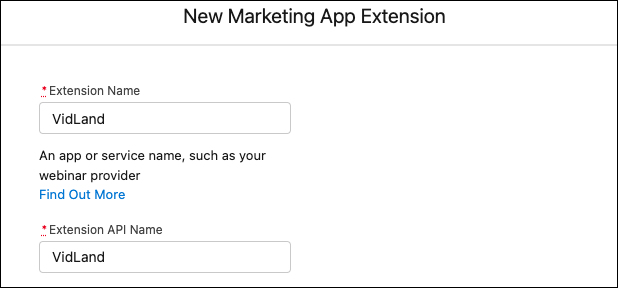
From Marketing Setup, select Marketing App Extensions.
Click New and enter a name for your extension.
Enter an API name for your extension, or you can use the name generated when you enter the
name of your extension.
If needed, enter a description for your extension for internal use.
To use the extension’s activities or actions in automations, select Active in
Automations. You can always return to this step later to activate your
extension.
Save your work.
You can create as many marketing app extensions as you want. The number of active extensions
that you can have at one time depends on your edition. After you create an extension, assign the
extension to a business unit.
We use three kinds of cookies on our websites: required, functional, and advertising. You can choose whether functional and advertising cookies apply. Click on the different cookie categories to find out more about each category and to change the default settings.
Privacy Statement
Required Cookies
Always Active
Required cookies are necessary for basic website functionality. Some examples include: session cookies needed to transmit the website, authentication cookies, and security cookies.
Functional Cookies
Functional cookies enhance functions, performance, and services on the website. Some examples include: cookies used to analyze site traffic, cookies used for market research, and cookies used to display advertising that is not directed to a particular individual.
Advertising Cookies
Advertising cookies track activity across websites in order to understand a viewer’s interests, and direct them specific marketing. Some examples include: cookies used for remarketing, or interest-based advertising.