
You are here:
Design a Referral Program
Marketing managers can design a referral program and its promotions by completing a few simple steps in the Referral Marketing app.
Here are the steps to design a referral program:
| Sequence | Task |
|---|---|
| 1 | Create a referral program |
| 2 | Add rewards for your referral promotion |
| 3 | Add advocates for your referral program |
| 4 |
|
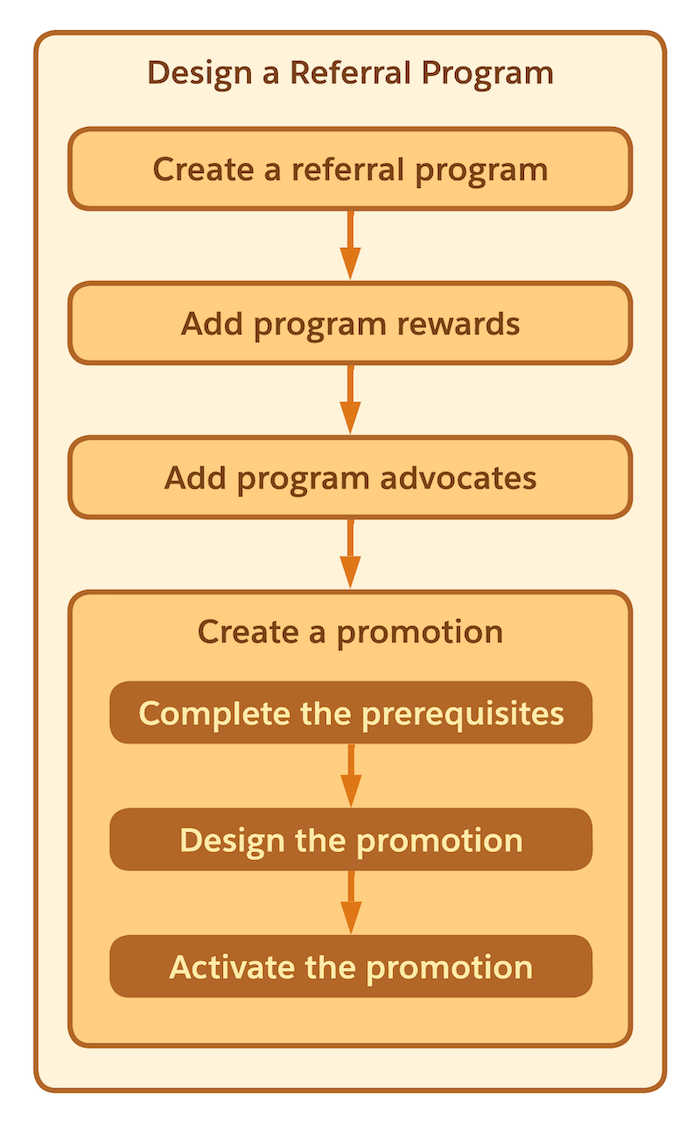
How Referral Programs and Promotions Work Together
Different dynamics come into play when a brand decides to run a referral program. The timing and the messaging for the brand’s referral program can vary depending on the target audience and the timing of the planned customer outreach programs. Referral Marketing is designed to support the unique needs of each customer.
A referral program can consist of multiple promotions. Each promotion can be tailored to the referral program's various needs. Brands can run evergreen and time-bound referral promotions that are targeted towards different sections of the brand's customer base or all customers.

Explore and Learn
Watch this video to understand how to create a referral program and design its promotions.
If you can’t watch the video in full screen, open the video on
a new tab:  Design a Referral
Program.
Design a Referral
Program.
- Create a Referral Program
The launchpad for any referral strategy is the referral program. After marketing managers create a referral program, they can manage and implement all aspects for their referral strategy from the referral program. - Add Rewards
Referral programs incentivize the advocates and referred friends for engaging with the brand. Marketing managers can design a range of rewards such as commission payouts, cashbacks, or gift cards that appeal to the target audience. They can add multiple rewards types in a referral program and offer different rewards to advocates and their friends. If a referral program includes multiple promotions, each promotion can offer a unique set of rewards to both advocates and their friends. - Add Advocates
Advocates of a referral program are the customers who are willing to refer your brand to their friends. Marketing managers can either add all customers as advocates or add a select set of customers to the referral program. If the number of customers to be added is small, marketing managers can add the advocates one by one. Or, marketing managers can work with the admin to set up a process that adds all the advocates simultaneously. - Promotion Template
Promotion templates determine the configuration of promotions. In a promotion template, decide stage names, the stages at which advocates and their referred friends are rewarded, and the activities that rewards are provided for. Each promotion is based on a promotion template. The promotion template decides the promotion's stage names, the activities for which the promotion rewards advocates and their referred friends, and the promotion's email content. Before you create a promotion, decide if you want to use an existing promotion template or create a unique template for your promotion. - Create a Promotion
Promotions are the primary vehicle that runs your referral program. Marketing managers can design different types of promotions with varying duration, audience, rewards, and stages. - Use Marketing Cloud Next for Outbound Engagement
When you set your communication method as Marketing Cloud, you must add Marketing Cloud Next as an outbound engagement to send emails at different stages of the promotion journey. Emails at the Promotion Launched stage are segment-based and uses Data 360 segments to target the right audience. For all other stages, emails are event-based, that trigger a flow for content distribution.
