
Custom Firewall Rule Expressions on the Salesforce CDN
Custom web application firewall (WAF) rule expressions evaluate incoming traffic based on IP address, autonomous system number (ASN), or country. After you write an expression, choose whether to allow, block, or run a managed challenge on incoming traffic that matches the expression.
Required Editions
| Available in: Lightning Experience |
| Available in: Enterprise, Performance, and Unlimited Editions. |
| Applies to: LWR sites |
To write expressions for custom WAF rules, go to the Salesforce CDN Settings page.
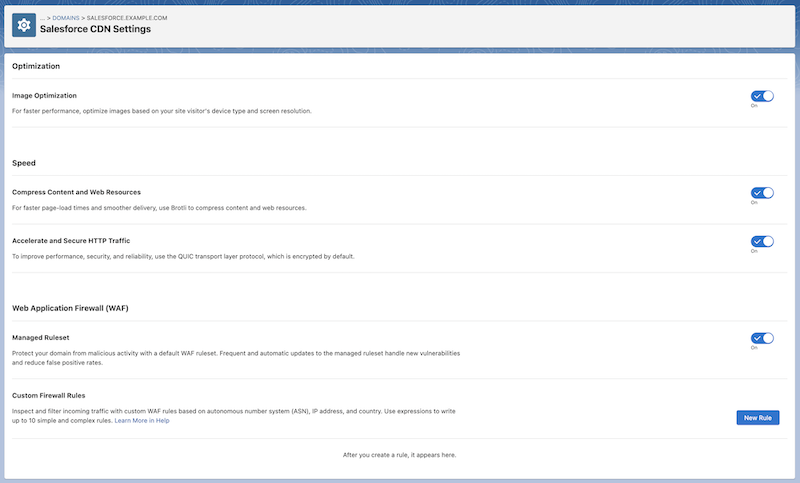

From the Salesforce CDN Settings page, click New Rule, and write a simple or complex expression in the Condition field. A simple expression defines a value against which incoming traffic is evaluated. A complex expression combines one or more simple expressions to create more focused evaluations for incoming traffic.
A simple expression’s syntax has three components.
<field> <comparison_operator> <value>

ip.src in { 203.0.113.0 203.0.113.1 }, and select
Allow from the Action dropdown menu.In this example,
ip.src is the field, in is the comparison operator, and { 203.0.113.0 203.0.113.1 } is the
value.
To write a complex expression, combine one or more simple expressions using one of
the logical operators and, or, or not.
<expression> <logical_operator>
                    <expression>
(ip.src.country eq “DE”) and
                (ip.src eq 1.1.1.1)
, and then from the Action dropdown menu, select
Block.Be careful not to create complex expressions that are too restrictive. Overly restrictive custom WAF rules can unintentionally block a large number of potential visitors from accessing your site.
Fields
The field specifies which of the incoming traffic’s properties to evaluate. For
example, if you want to allow traffic from a certain country, use the ip.src.country field in your custom WAF rule.
| Field | Description |
|---|---|
| ip.src.asnum | Represents the integer representing the autonomous system number (ASN) associated with the site visitor’s IP address. |
| ip.src.country | Represents the two-letter country code in ISO 3166-1 Alpha 2 format. |
| ip.src | Represents the IP packet’s source address. |
Comparison Operators
The comparison operator defines how values must relate to actual request data for an expression to remain true.
| Operator Name | Operator Notation |
|---|---|
| Equal | eq |
| Not equal | ne |
| Value is within a set of values | in |
in operator,
surround the value with curly brackets, and use a space to separate the items within
the value. For example, ip.src in { 203.0.113.0
203.0.113.1 }.Values
The value represents the data associated with a field. To evaluate a rule, the value is compared with the data from the incoming traffic request.
The Salesforce CDN supports valid values for the ip.src.asnum, ip.src.country, and
ip.src fields.
