
You are here:
Promote Individual Work Items as a Work Item Bundle
During pipeline configuration, your project manager can define a stage as the bundling stage. Instead of selecting individual work items to promote, you promote work items in this stage as a work item bundle. All unpromoted work items in this stage become part of the bundle.
- In the Pipeline view, in the bundling stage, click Promote as Work Item
Bundle.
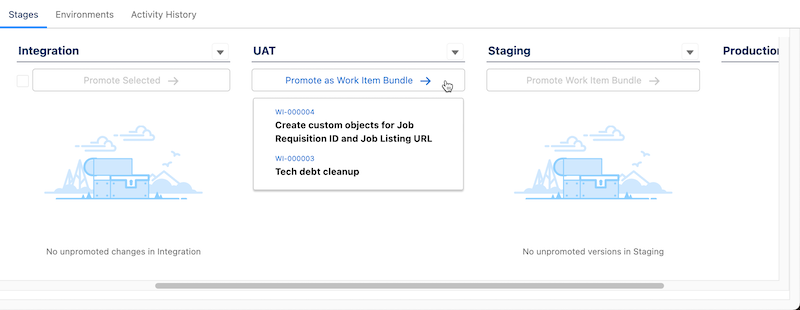
- If you haven’t logged in to the environment for the next pipeline stage from within DevOps Center, complete the login process, then click Promote as Work Item Bundle.
- In the Promotion Options dialog, select Promote Now, the changes to
promote, and which Apex tests to run.
Indicate the Version as an alphanumeric string of your choice. To perform a validate-only deployment, see Run a Validate-Only Deployment.
- Select which changes to promote and which Apex tests to run.
- Click Promote.
The work item bundle is created with the version you specified, then merged and deployed to the environment associated with the next stage.
See Also
Did this article solve your issue?
Let us know so we can improve!
