An event relay associates the channel in the Salesforce event bus with Amazon
EventBridge using a named credential. The creation of the event relay results in a partner
event source being created in Amazon EventBridge. The partner event source is created with a
pending status.
Required Editions
User
Permissions Needed
To create an event relay:
Customize Application
From Setup, in the Quick Find box, enter Event Relays,
and then select Event Relays.
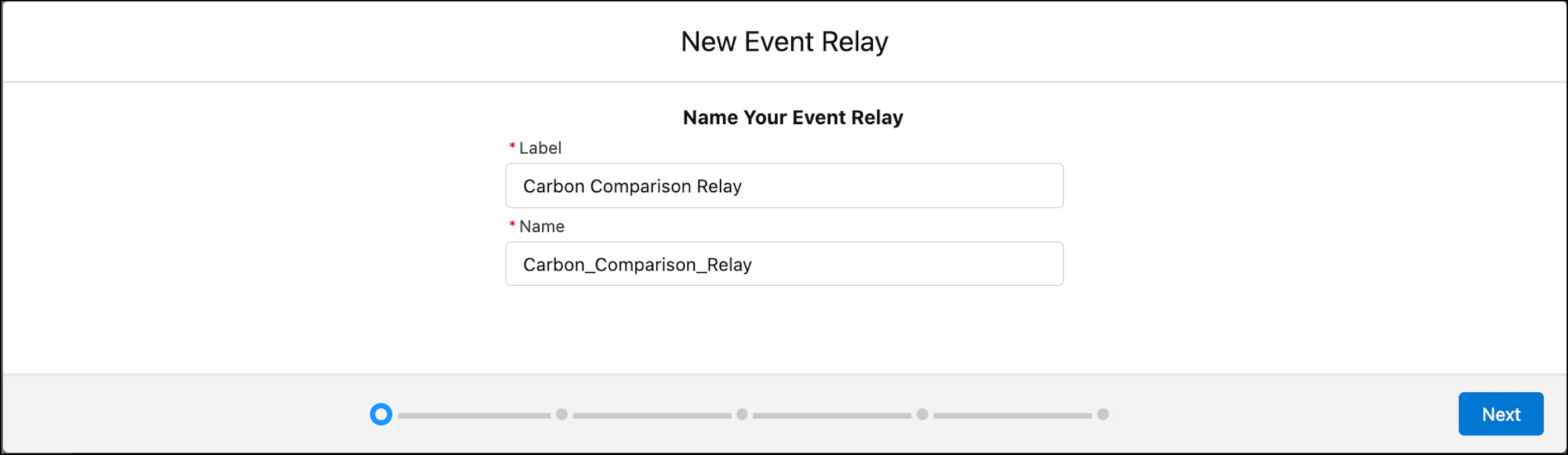
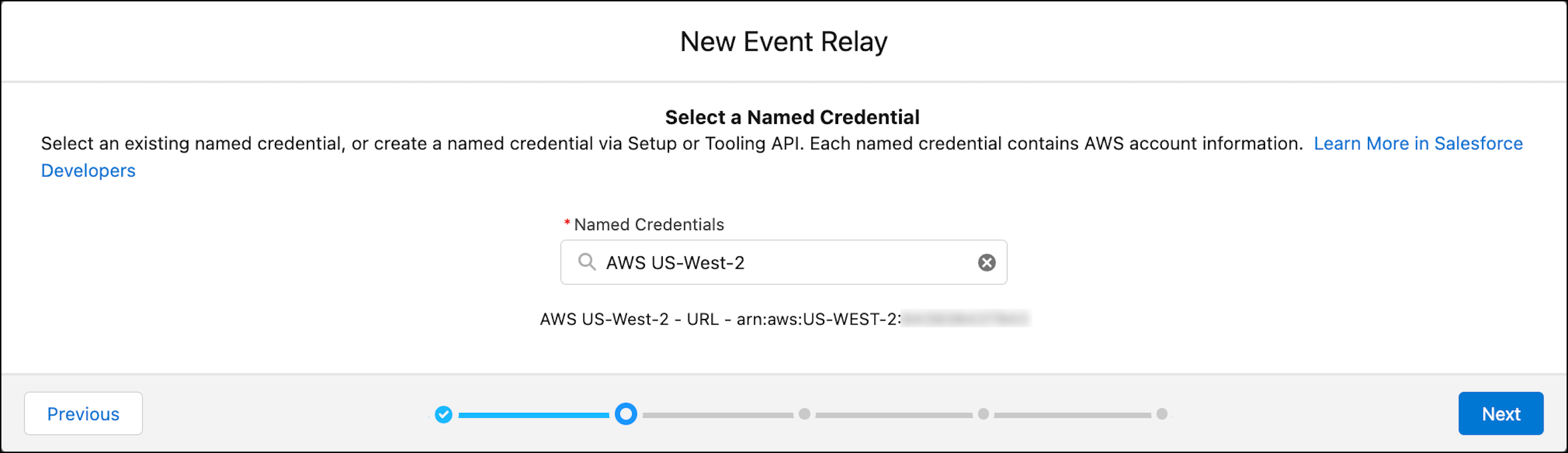
In the Event Relays page, click New Event Relay. Use the
event relay creation wizard and provide the requested information in each
step.
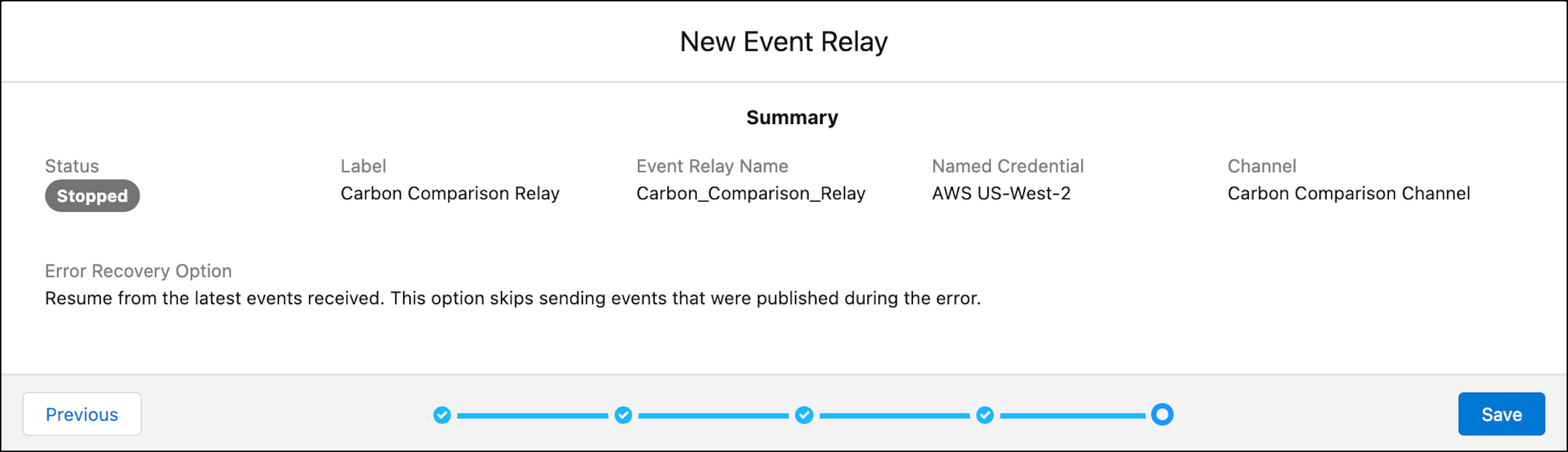
Enter a label for the event relay, for example, Carbon Comparison
Relay. The label appears in the event relays list view and the
event relay detail page. Make sure you choose a meaningful name and try to make
it unique. The name is auto populated based on the label that you provide.
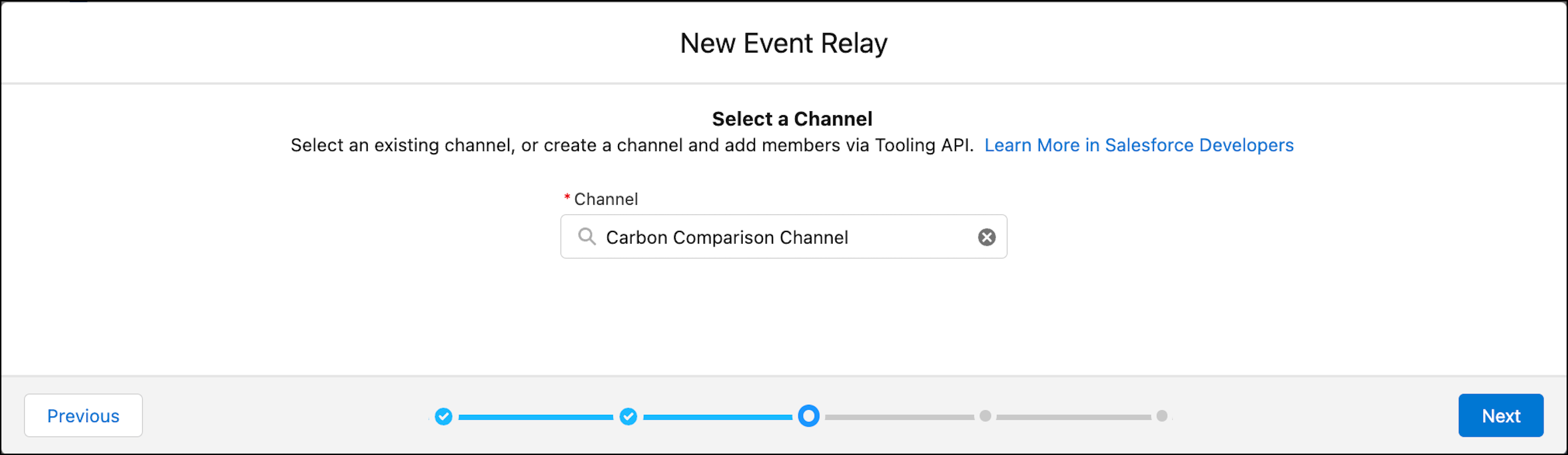
Select a channel that references the events that you want to send to
EventBridge from the dropdown. To create a channel, see Create a Channel and Channel Members.
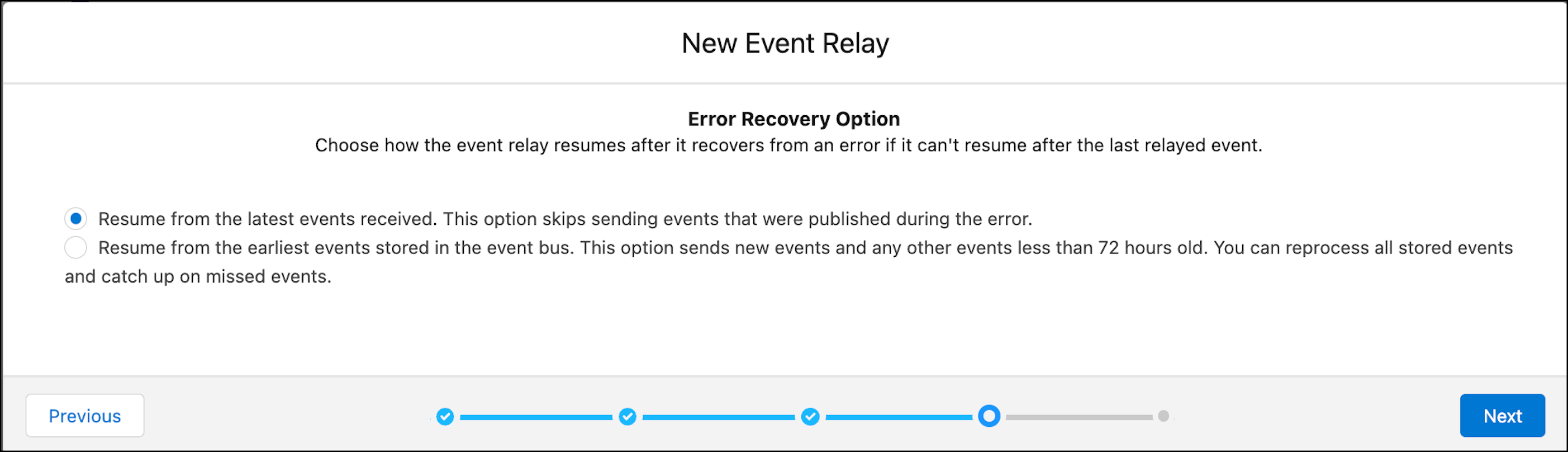
Select an error recovery option. This option is used when the system can't
resume from the last relayed event after it recovers from an error. You can keep
the default.
Review the summary screen, and save your changes to create the event
relay.
After you create the event relay, the event relay detail page contains the
Partner Event Source Name field. This field is populated
after a short delay with the name of the partner event source that’s created in
Amazon EventBridge. Wait and then refresh the detail page to get the partner event
source. You use this field value in the next step to find the partner event source
in Amazon EventBridge.
The event relay is created in a stopped state, and no events are relayed to Amazon
EventBridge. Before starting the event relay, activate the partner event source in
Amazon EventBridge. You perform these steps next.
Did this article solve your issue?
Let us know so we can improve!
Loading
Salesforce Help | Article
Cookie Consent Manager
General Information
Required Cookies
Functional Cookies
Advertising Cookies
General Information
We use three kinds of cookies on our websites: required, functional, and advertising. You can choose whether functional and advertising cookies apply. Click on the different cookie categories to find out more about each category and to change the default settings.
Privacy Statement
Required Cookies
Always Active
Required cookies are necessary for basic website functionality. Some examples include: session cookies needed to transmit the website, authentication cookies, and security cookies.
Functional Cookies
Functional cookies enhance functions, performance, and services on the website. Some examples include: cookies used to analyze site traffic, cookies used for market research, and cookies used to display advertising that is not directed to a particular individual.
Advertising Cookies
Advertising cookies track activity across websites in order to understand a viewer’s interests, and direct them specific marketing. Some examples include: cookies used for remarketing, or interest-based advertising.