You are here:
Lightning Pages
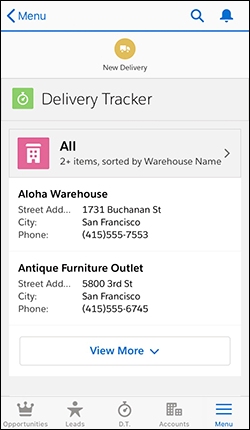
A Lightning page is a custom layout that lets you design pages for use in the Salesforce mobile app or Lightning Experience.
Lightning pages occupy a middle ground between page layouts and Visualforce pages. Like a page layout, Lightning pages allow you to add custom items to a page. However, these items, instead of being fields or Visualforce components, are Lightning components, which allow more flexibility.
The structure of a Lightning page adapts for the device it’s viewed on. The template you choose when creating the page controls how it displays on a given device. The Lightning page’s template divides the page into regions.
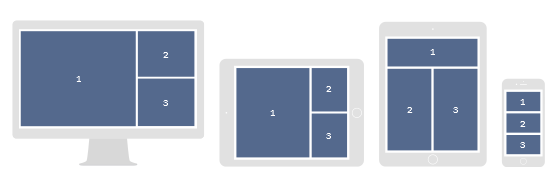
Lightning pages are built using Lightning components—compact, configurable, and reusable elements that you can drop into regions of the page in the Lightning App Builder.
You can use a Lightning page to create an app page that you can add to the navigation bar of a Lightning app, which makes it appear when that app is viewed in both Lightning Experience and the Salesforce mobile apps. An app page gives your users quick access to the objects and items that are most important in that app.
You can also use a Lightning page to create a customized Home page for Lightning Experience, or a custom record page for Lightning Experience and the Salesforce mobile app. And if you’ve integrated Salesforce with Microsoft® Outlook® or Gmail™, you can create a custom Email Application pane.
If you have a console app, you can create a Lightning page with pinned regions to let your users view and work with records while navigating between subtabs.

Lightning pages support these components:
- Standard Components—Standard components are Lightning components built by Salesforce.
- Custom Components—Custom components are Lightning components that you or someone else have created. With some configuration, custom Lightning components can work in the Lightning App Builder.
- Third-Party Components on AppExchange—The AppExchange provides a marketplace for Lightning components. You can find packages containing components already configured and ready to use in the Lightning App Builder.