
You are here:
Example: How Salesforce Scheduler Determines Available Time Slots
This example shows how Salesforce Scheduler populates time slots, how scheduled appointments affect time slots, and how events, such as Salesforce Calendar events, affect time slots.
Required Editions
| Available in: Lightning Experience. |
| Available in: Enterprise and Unlimited Editions |
Settings That Affect Time Slots
Here are the sample values of fields and settings that affect the time slots:
-
Availability Start Time: 8:30 AM (for Monday)
-
Availability End Time: 6:00 PM (for Monday)
-
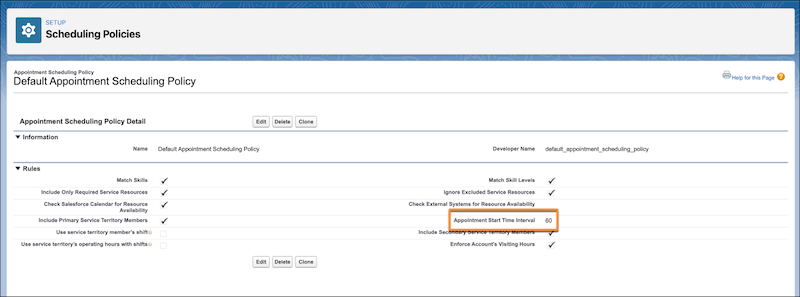
Appointment Start Time Interval: 60 minutes
-
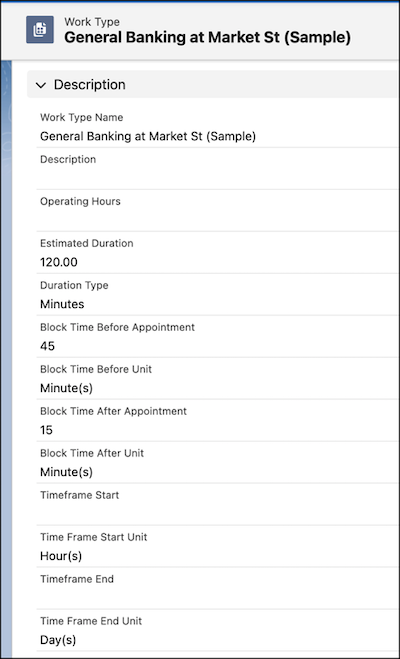
Block Time Before Appointment: 45 minutes
-
Block Time After Appointment: 15 minutes
-
Estimated Duration: 120 minutes
Time Slots Available by Default
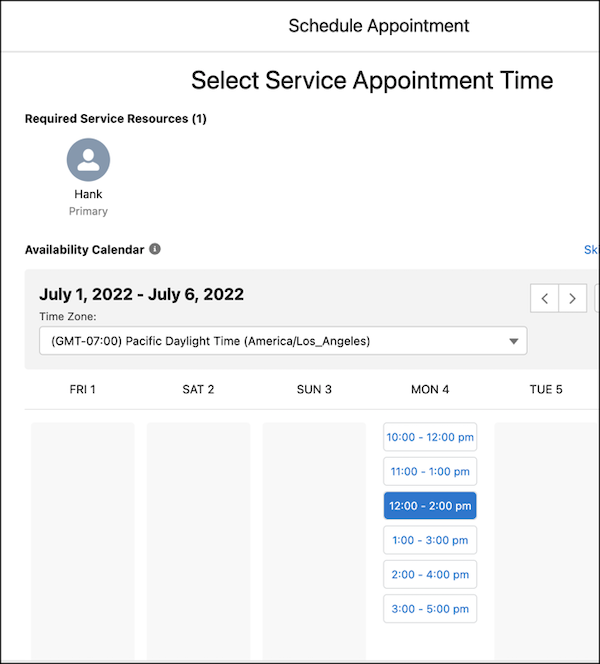
Based on the settings, these time slots are generated.
| Time Slot Number | Start Time | End Time |
|---|---|---|
| 1 | 10:00 AM | 12:00 PM |
| 2 | 11:00 AM | 01:00 PM |
| 3 | 12:00 PM | 02:00 PM |
| 4 | 01:00 PM | 03:00 PM |
| 5 | 02:00 PM | 04:00 PM |
| 6 | 03:00 PM | 05:00 PM |
Here’s how Salesforce Scheduler determines the start time of the first time slot when a value isn’t set for the Block Time Before Appointment field:
- Salesforce Scheduler identifies Minutes Past the Hour of Availability Start Time. In this example, the Availability Start Time is 8:30 AM, so Minutes Past the Hour of Availability Start Time is 30.
- Salesforce Scheduler checks the value of Minutes Past the Hour of Availability Start Time modulo Appointment Start Time Interval (Minutes Past the Hour of Availability Start Time % Appointment Start Time Interval). In this example, it’s 30%60 = 30.
- As the modulo value isn’t 0, Salesforce uses this formula to calculate the Start Time of the
first time
slot:
Start Time = Availability Start Time + (Appointment Start Time Interval - (Minutes Past the Hour of Availability Start Time % Appointment Start Time Interval))Start Time = 8:30 AM + (60 - (30%60)) = 8:30 AM + 30 Minutes = 9:00 AM.
Here’s how Salesforce Scheduler determines the start time of the next time slots:
Start Time = Start Time of Previous Slot + Appointment Start Time IntervalSo, the next time slots start at 10:00 AM, 11:00 AM, 12:00 PM, and so on.
As a value is set for the Block Time Before Appointment field, Salesforce Scheduler doesn’t show time slots that meet this criteria:
Time Slot Start Time < Availability Start Time + Block Time Before AppointmentTime Slot Start Time < 8:30 AM + 45 Minutes (9:15 AM)So, Salesforce Scheduler doesn’t show any time slots that start before 9:15 AM.
Here’s how Salesforce Scheduler determines the end time of the time slots.
End Time = Start Time + DurationIn this example, as the Duration is 120 minutes, the time slots end 120 minutes after their start time.
Also, the sum of Last Time Slot End Time and Block Time After Appointment (5:00 PM + 15 Minutes = 5:15 PM) is less than Operating Hours End Time.
Time Slots Available When There’s a Scheduled Appointment
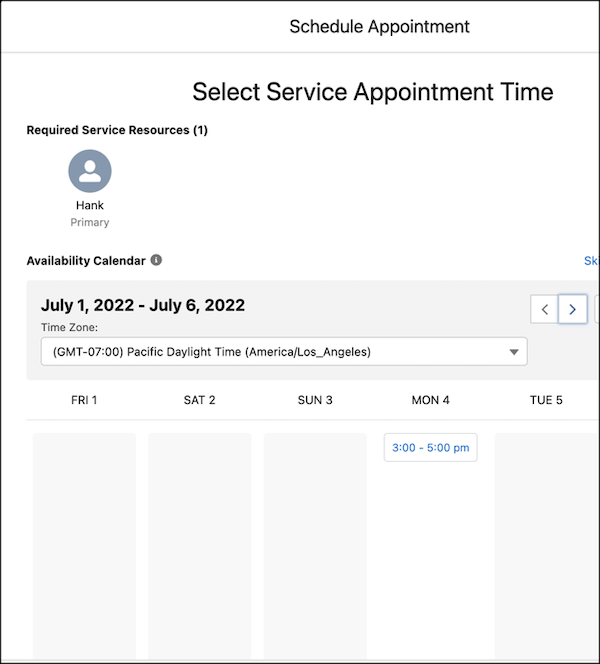
When concurrent scheduling is disabled and an appointment is scheduled from 12:00 PM to 2:00 PM, here’s the list of available time slots.
| Time Slot Number | Start Time | End Time |
|---|---|---|
| 1 | 03:00 PM | 05:00 PM |
The other time slots that meet either of these criteria are no longer available:
-
Time Slot End Time > 12:00 PM - 45 Minutes - 15 Minutes (11:00 AM) -
Time Slot Start Time < 2:00 PM + 45 Minutes + 15 Minutes
      (3:00 PM)

When concurrent scheduling is enabled with the Maximum Appointments value set as 3 and an appointment is scheduled from 12:00 PM to 2:00 PM, here’s the list of available time slots.
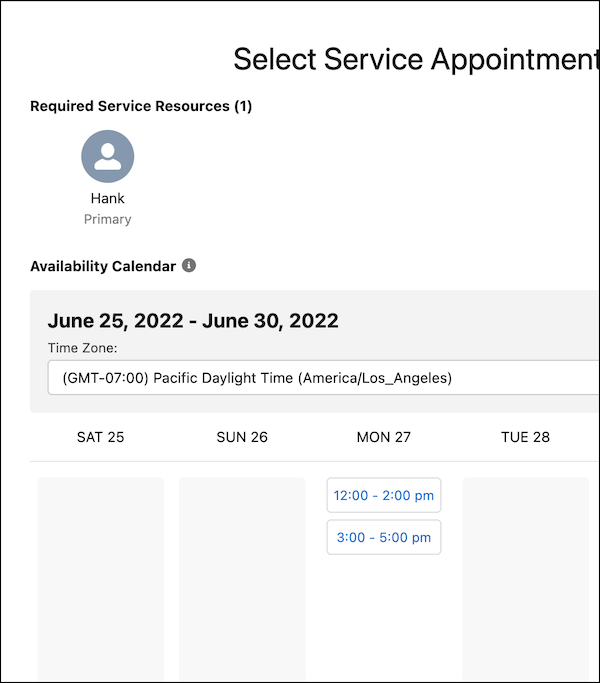
| Time Slot Number | Start Time | End Time |
|---|---|---|
| 1 | 12:00 PM | 02:00 PM |
| 2 | 03:00 PM | 05:00 PM |
As only one appointment is scheduled for the 12:00 PM to 2:00 PM time slot, the time slot is still available for two more appointments.
