
You are here:
Permission Set Groups
A permission set group streamlines permissions assignment and management. Use a permission set group to bundle permission sets together based on user job personas or roles. Permission set groups make managing access easier when you're maintaining multiple personas with overlapping permissions.
Required Editions
| Available in: both Salesforce Classic (not available in all orgs) and Lightning Experience |
| Available in: Contact Manager, Group, Essentials, Professional, Enterprise, Performance, Unlimited, Developer, and Database.com Editions |
Watch how you can assign permissions to users with permission set groups.
Users assigned the permission set group receive the combined permissions of all the permission sets in the group. You can include a permission set in more than one permission set group. Updates in a permission set propagate to all permission set groups that include the permission set. You can also remove individual permissions from a group with the muting feature, to further customize the group.

Suppose that you have users in your sales department with these requirements.
- Use Sales Cloud Analytics templates and apps
- Create, edit, and delete surveys
- Read, create, edit, and delete accounts and opportunities
- Create and customize list views and reports
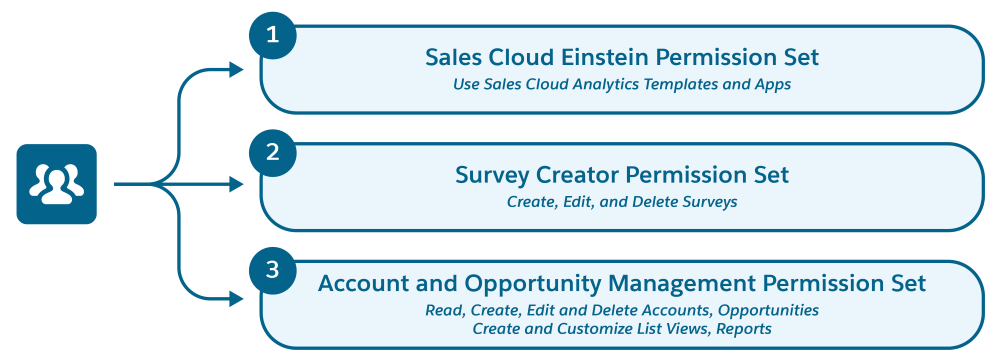
You have three permission sets that contain the permissions you need, plus other permissions.
- Sales Cloud Einstein
- Survey Creator
- A permission set based on the Standard User Profile
Without permission set groups, you assign each permission set separately to this set of users.
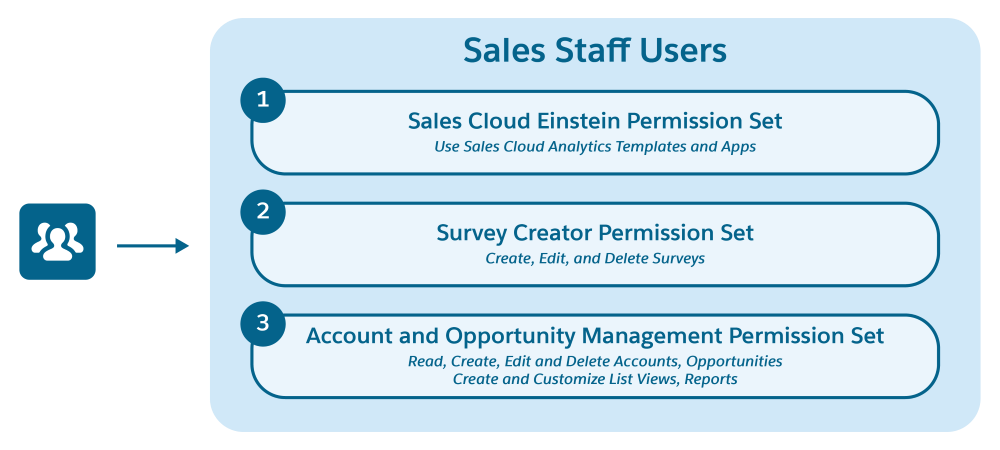
With permission set groups, you create a single group based on the tasks that your sales employees regularly perform. You can call it Sales Staff Users. Then, assign the group to the sales employees. The permission set group contains the combined permissions of all three permission sets.
- Create a Permission Set Group
Before you create a permission set group, assess your existing permission sets and users. Evaluate the types of job functions that your target group of users have, and group the permission sets based on their job functions. - Assign Permission Set Groups to Users
After you create a permission set group and add permission sets to it, assign the group to users. - Muting Permission Sets
Use a muting permission set to mute, or disable, selected permissions in a permission set group. If you don’t want to assign users all of the permissions in a permission set included in a permission set group, you can use a muting permission set. - Permission Set Group Status and Recalculation
A permission set group calculates the combined permissions from the included permission sets. The permission set group status indicates whether the calculation and resulting permissions in the group are up-to-date and available for the assigned users. - Permission Set Groups from Managed Packages
Partners can organize permissions into permission set groups to include in managed packages. Understand how to work with permission set groups installed from managed packages. - Permission Set Group Considerations
When working with permission set groups, keep these behaviors in mind. - Session-Based Permission Set Groups
A session-based permission set group applies to a specific user session and grants users functional access to the permission sets included in the permission set group. - Permission Set Groups and Combined Permissions View
The Combined permissions section provides a centralized view of all the permissions included in permission sets that make up your permission set group. - Permission Set Group FAQs
Get answers to common questions about permission set groups.
