
You are here:
Muting Permission Sets
Use a muting permission set to mute, or disable, selected permissions in a permission set group. If you don’t want to assign users all of the permissions in a permission set included in a permission set group, you can use a muting permission set.
Required Editions
| Available in: both Salesforce Classic (not available in all orgs) and Lightning Experience |
| Available in: Contact Manager, Group, Essentials, Professional, Enterprise, Performance, Unlimited, Developer, and Database.com Editions |
You can have up to one muting permission set per permission set group. You can mute object, field, and user permissions and other access settings. By using muting permission sets, you can avoid creating similar permission sets with slight variations on the included permissions. Instead, you can include all permissions related to a task or feature in the permission set that your different users require. Then, use a muting permission set in the persona-based permission set group to ensure that users have only the permissions they need for their role.
When you mute a permission in a permission set group, the muting affects only users assigned to the permission set group, not users assigned directly to a permission set outside of the permission set group. In addition, the muting permission set applies only to its related permission set group. For example, a user is assigned a permission set group that has muted permissions. If the user is assigned the same permissions via a profile, permission set, or different permission set group, the user still has these permissions despite the muting permission set.
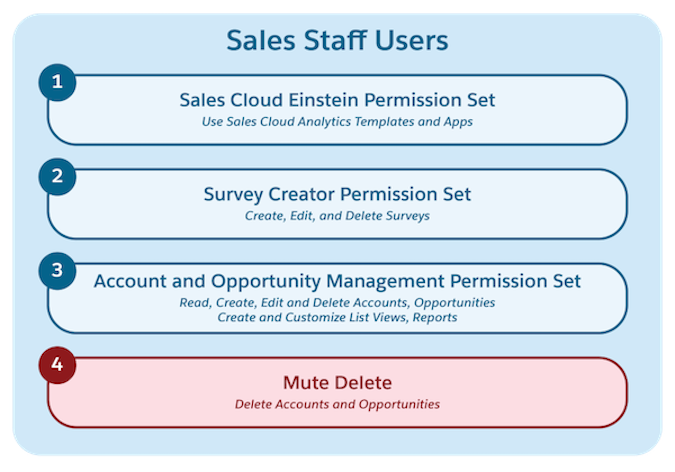
For example, you have a permission set group called Sales Staff Users that contains three permission sets. One permission set enables the Delete object permissions on Accounts and Opportunities, but you don’t want the permission set group’s members to have these Delete permissions. However, another permission set group also references this permission set, so you don’t want to remove the Delete permissions.
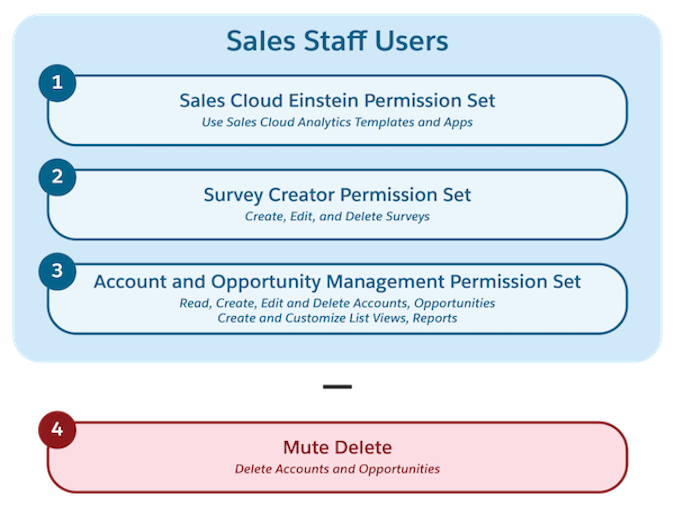
Instead of creating another permission set, create a muting permission set. Mute the Delete permissions on Accounts and Opportunities, and the assigned permission set group users no longer have the permission for these objects via this group. However, users assigned to the permission set outside of the group retain the ability to delete on the objects.
Muting permission sets are also useful if you install a managed package, but it includes features that you’re not ready to adopt yet. For example, you create a permission set group and then add a managed permission set installed from a managed package to it. You receive an automatic update for the package, but you aren’t ready to enable a new field that’s now available in the managed permission set. Use a muting permission set to mute this field permission in the permission set group while still receiving the update and the other benefits it offers.
- Mute a Permission in a Permission Set Group
You can mute one or more permissions in a permission set group. If you mute a permission in a permission set group, only the permission set group is affected. The permission sets themselves aren’t affected. - Permission Set Group Muting Dependencies
When you mute a permission in a permission set group, the muted permission impacts permissions that depend on it within the group. Understand how muting dependencies work and the effects of muting permissions on your users.
