You are here:
Check Your Data
Data Checker verifies whether you have sufficient records to build your recommendation. It provides rapid feedback on your recommendation settings and catches issues early. For example, find out sooner during setup if you have enough data or if the same records are used in both positive and negative examples.
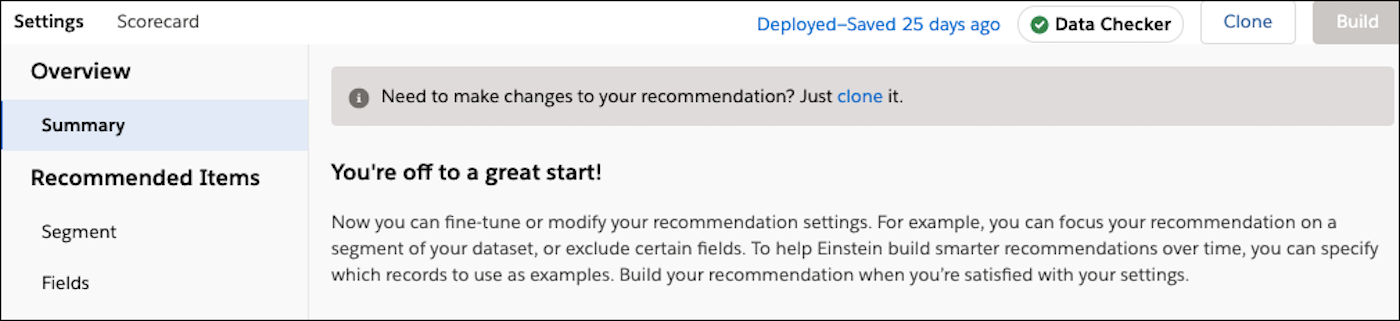
When building a recommendation, Data Checker runs every time you save or update your settings, such as:
- After you choose your three objects and create a recommendation.
- When you add or modify the segment data on your objects.
- If you define or update how you filter your positive and negative examples.
- When you modify your Interaction object fields.
As the Data Checker runs, a status appears at the top of the Settings page. It also explains why the record numbers change when you segment your data.
| Status | What It Does | Example | Action |
|---|---|---|---|
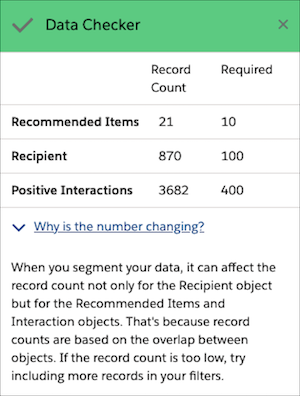
| Success | After saving your settings, Data Checker displays a check mark. It checks your Recommended Items, Recipients, and Interactions records, and finds that you have enough unique records in all your recommendation objects. There are no duplicate positive or negative records in your Interactions object. |
You’re recommending credit cards (Bank Product object for Recommended Items) to customers (Contacts object for Recipients) who have an account at your bank (Bank Account object for Interactions). Your dataset has 12 credit cards, 200 customers, and 500 positive interactions. |
Your current data settings are sufficient and you can build your recommendation without issues. |
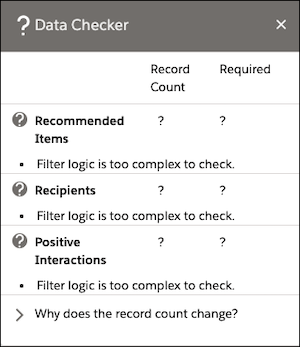
| Review | After saving your settings, Data Checker displays a question mark. It checks your Recommended Items and Recipients records and finds that your recommendation's filter formula or condition logic too complex. | You segment your bank data to focus on customers (Contacts object) who have been with the bank for at least 6 months and are home owners. You add more complex filter conditions, which narrow your dataset. After applying too many filters, you end up with a narrow dataset and not enough records on your objects. |
Adjust how you filter on r segments or condition logic. Or, check if your server has issues. |
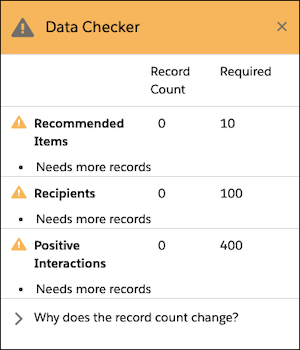
| Warning | After savings your settings, Data Checker displays a warning sign. It checks your Recommended Items and Recipients objects and finds that you don't have enough records. Or, your positive and negative interactions are using duplicate records. |
You segment your dataset to focus on bank customers who are also home owners. There are now 5 credit cards, 200 customers, 500 positive interactions, and many duplicate customer records. |
Provide enough records on the flagged object so that it has the minimum number of records and remove duplicate data before you build. |