
You are here:
Deploy Your Recommendation
When your recommendation is ready, deploy it with Einstein Next Best Action.
To get the most value out of Einstein Recommendation Builder, use with Next Best Action and Lightning Flow. Deploy Einstein Recommendations to Einstein Next Best Action with the Strategy Builder tool. With Strategy Builder, you can prevent duplicate recommendations, filter recommendations, and override recommendations to suit your business needs.
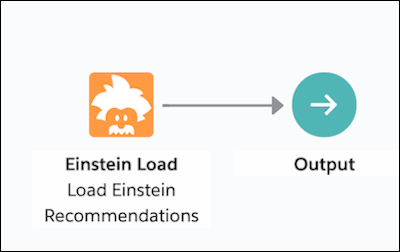
Add Einstein recommendations to a new or existing strategy using the Einstein Load element within Strategy Builder. Configure the Einstein Load element.
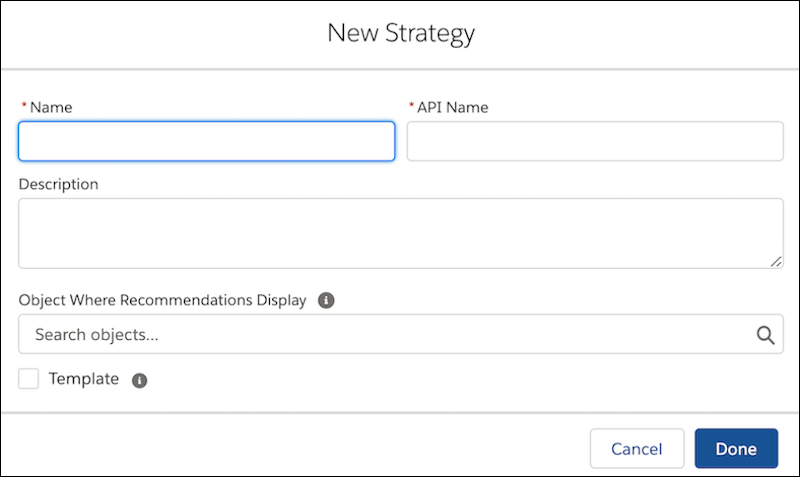
Here's how to create a strategy:
- Einstein Recommendation Builder leverages CRM data to generate personalized recommendations using Einstein’s AI capabilities.
- Display the right recommendations to the right people at the right time with Einstein Next Best Action. Create and display offers and actions for your users that are tailored to meet your unique criteria. Develop a strategy that applies your business logic to refine those recommendations. Learn more about Einstein Next Best Action.
- Lightning Flow allows you to automate your business process, which can be activated when end users accept or reject a recommendation. After a user accepts or rejects a recommendation, a flow executes. A flow can collect data and perform actions in your Salesforce org or an external system. After you’ve modeled the process that you want to automate, design and build the flow in Flow Builder. Learn more about how to Build a Flow.
-
Create a strategy using Strategy Builder.
-
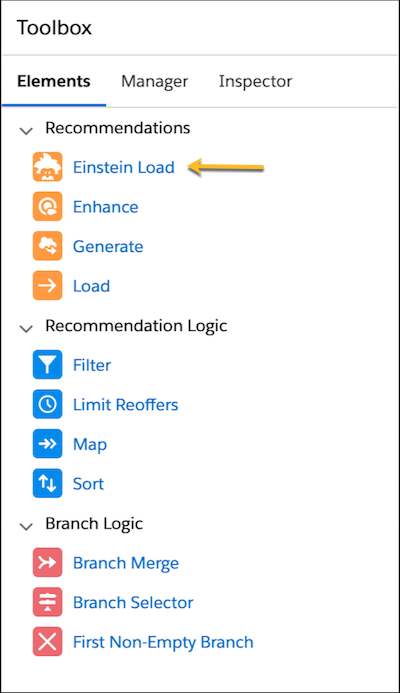
Drag the Einstein Load element from the left menu panel.
-
Add a name and description and select an Einstein Recommendation from the
dropdown.
 Note The dropdown shows Einstein Recommendations only where the Recipient object matches the Objects Where Recommendations Display setting in Strategy Builder.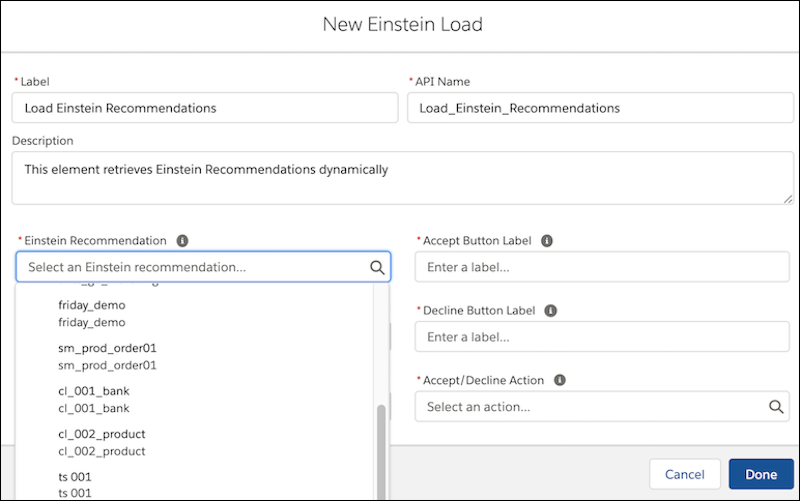
-
Select the Title and Description fields from the Recommended Item’s object that you want to
display on the Einstein Next Best Action component.
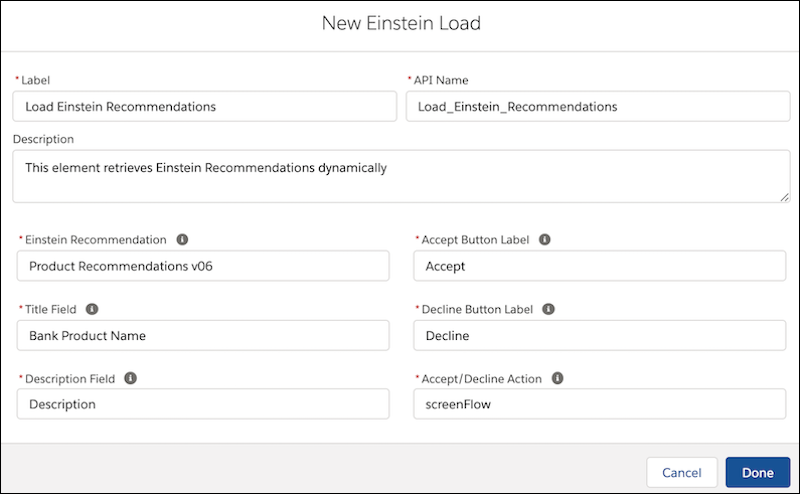
- Define the labels for the Accept and Decline buttons on the component.
-
Select the Action (Lightning Flow) that you want executed when the recipient end user accepts
or rejects the recommendation.
After creating a strategy in Strategy Builder, choose a page to display your recommendations and run your strategy. You can use a Lightning record page, an app’s Home page, a Community page, a Visualforce page, or another app, depending on where you want recommended offers to appear.
