Help your teams reach their customers with a few tips, including protocols that validate
outbound calls from your teams.
Required Editions
Available in: Lightning Experience
Available with Sales and Service in: Essentials, Professional,
Enterprise, Performance, and Unlimited Editions
Sales Dialer
is available for an additional cost as an add-on license.
Important Sales Dialer is scheduled for retirement. No new
features or enhancements are being added to Sales Dialer. Information regarding formal
end-of-life for features is posted on Salesforce Active Product & Feature Retirements.
To use
telephony features directly in Salesforce, we recommend that you modernize your experience
by moving to Salesforce Voice. Salesforce Voice offers many of the telephony
features that you love and more. See Get to Know Salesforce Voice.
Protect your teams’ calls from being marked as spam with the following recommendations:
Register all numbers through Free Caller Registry in order to submit business information directly
to major US wireless providers.
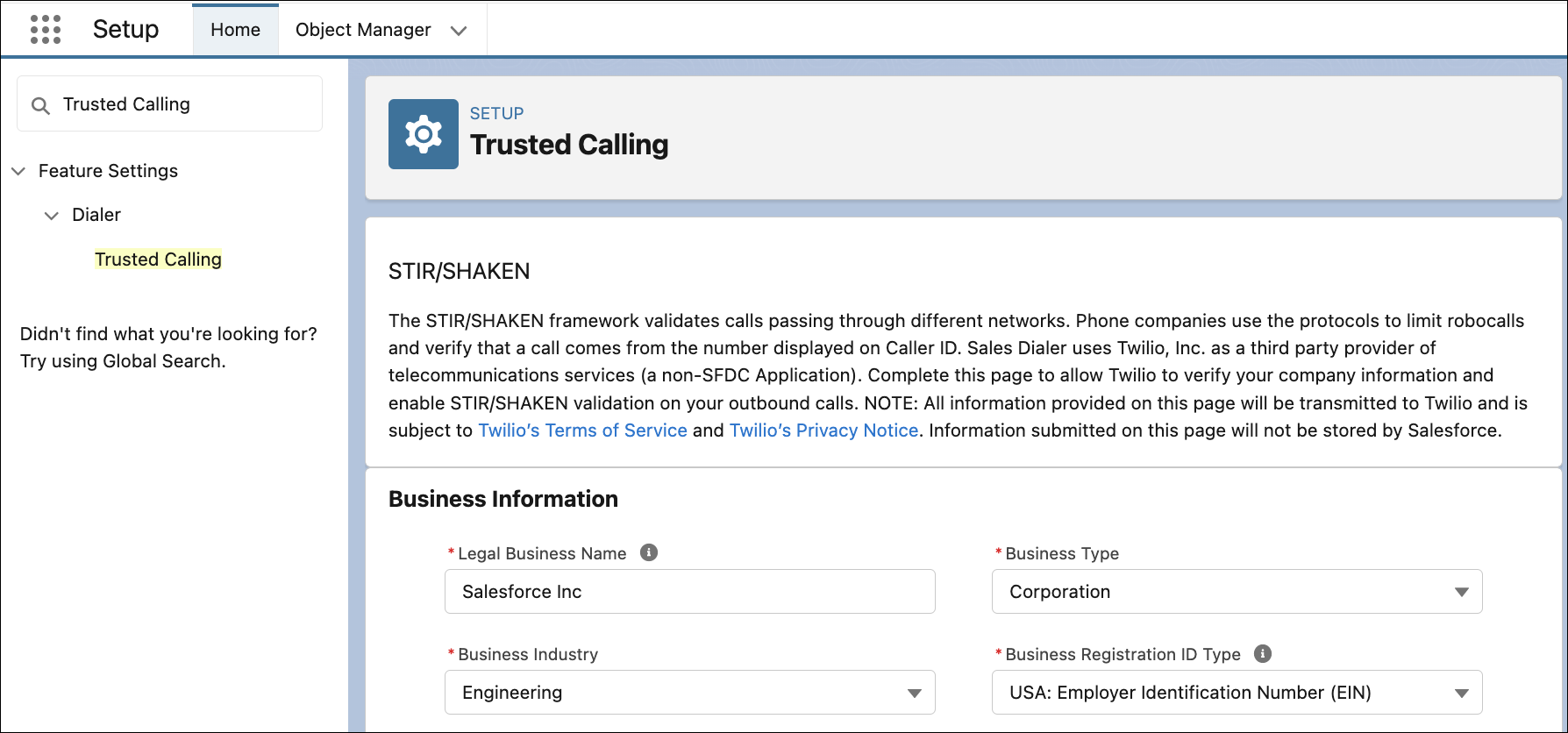
Use STIR/SHAKEN protocols to validate your teams’ outbound calls. From Setup, enter
Trusted Calling in the Quick Find box, and select Trusted Calling.
Enter your company’s information and submit it to Twilio. It can take from 24 to 48 hours for
Twilio to review your submission.
If a number has been flagged by wireless providers, the fastest fix is to release that number and have your user request a new number.
Did this article solve your issue?
Let us know so we can improve!
Loading
Salesforce Help | Article
Cookie Consent Manager
General Information
Required Cookies
Functional Cookies
Advertising Cookies
General Information
We use three kinds of cookies on our websites: required, functional, and advertising. You can choose whether functional and advertising cookies apply. Click on the different cookie categories to find out more about each category and to change the default settings.
Privacy Statement
Required Cookies
Always Active
Required cookies are necessary for basic website functionality. Some examples include: session cookies needed to transmit the website, authentication cookies, and security cookies.
Functional Cookies
Functional cookies enhance functions, performance, and services on the website. Some examples include: cookies used to analyze site traffic, cookies used for market research, and cookies used to display advertising that is not directed to a particular individual.
Advertising Cookies
Advertising cookies track activity across websites in order to understand a viewer’s interests, and direct them specific marketing. Some examples include: cookies used for remarketing, or interest-based advertising.