
You are here:
Stop Users from Creating Duplicate Records
When sales reps are in the process of creating or editing a record, alert them that the data they’re entering duplicates an existing record. Or block sales reps from creating duplicate records altogether, whether or not they have access to the existing record. Activate duplicate rules and customize the settings.
Required Editions
| Available in: Lightning Experience and Salesforce Classic |
| Available in: Essentials, Professional, Enterprise, Performance, Unlimited, and Developer Editions |
| User Permissions Needed | |
|---|---|
| To view duplicate rules and matching rules: | View Setup and Configuration |
| To create, edit, delete, activate, and deactivate duplicate rules and matching rules: | Customize Application |
Standard duplicate rules are activated by default for business accounts, contacts, and leads. If your org was created before Summer ’17, the rules came activated for you. To use duplicate rules for person accounts, first enable person accounts, and then activate person account matching and duplicate rules in Setup.
Here are three ways to use a duplicate rule to handle duplicates, using leads as an example.
-
Alert sales reps when they’re about to create a duplicate lead.
In Setup, use the Quick Find box to find Duplicate Rules. Make sure that the Standard Lead Duplicate Rule is set to display the alert.
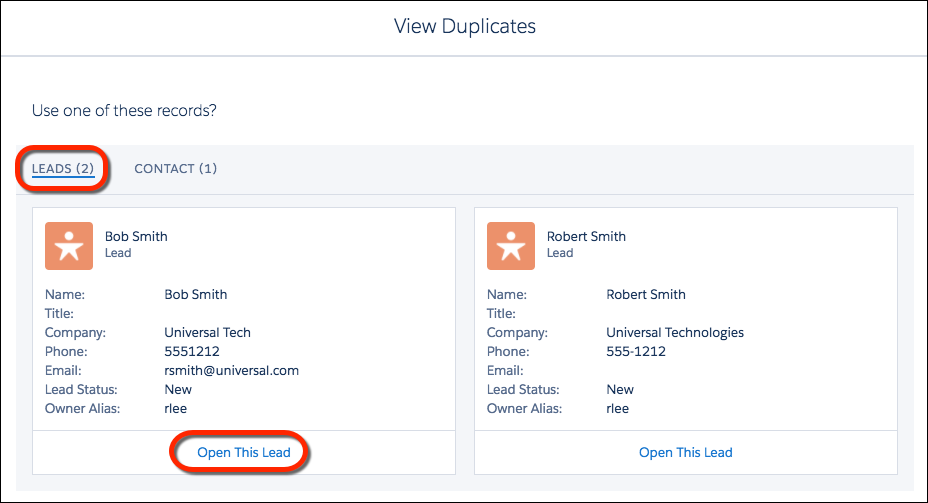
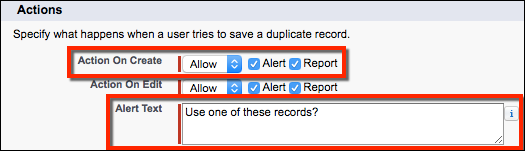 With the Standard Lead Duplicate Rule activated, suppose that a sales rep starts creating a lead. The rep enters a phone number that matches the phone number of a lead already in Salesforce. The rule detects the duplicate and alerts the rep. The rep can choose to save the lead, because the rule is set to show an alert but not block duplicates. Or the rep can click View Duplicates to see existing records instead.In this example, the lead the rep started to create is a duplicate of two other leads and a contact. Lightning Experience displays up to 15 duplicate records.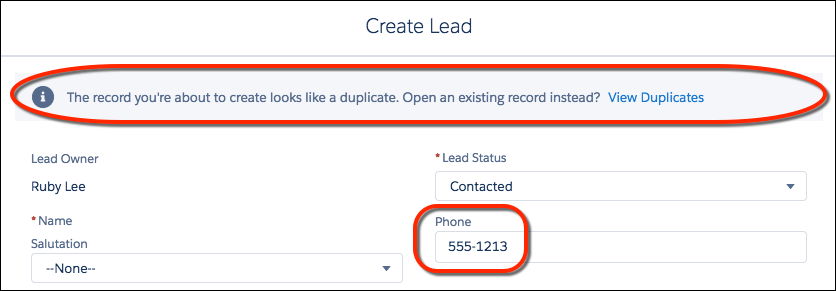
 Note In Salesforce Classic, when users create accounts using a quick action, they can’t view duplicate records or save the new record if it’s a duplicate. This condition applies even if you’ve set Action on Create to Allow.
 -
Block sales reps from creating duplicate leads.
In the Standard Lead Duplicate Rule, select Block instead of Allow.
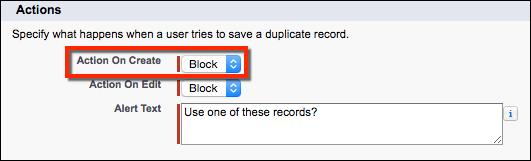 With the Standard Lead Duplicate Rule set to block duplicates, a rep can click to view duplicates of leads but can’t save a new lead.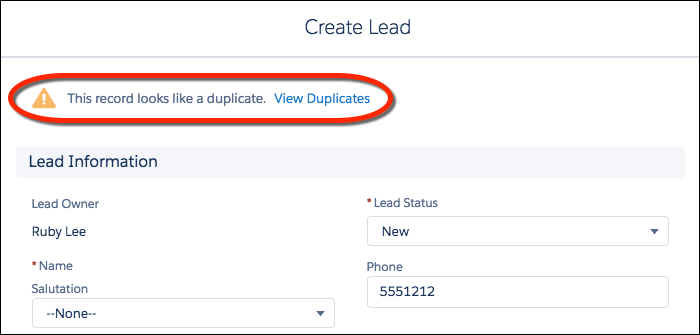
-
Prevent reps from creating duplicates of records they don’t have permission to
view.
In the duplicate rule, change Enforce sharing rules to Bypass sharing rules.
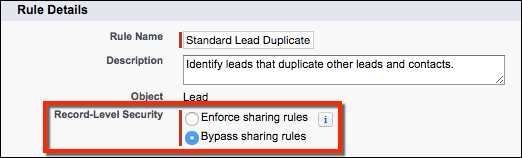 When the duplicate rule is set to bypass sharing rules, it operates on all potential duplicates regardless of ownership. Suppose that a rep starts creating a record that duplicates a record the rep doesn’t have access to. Salesforce alerts the rep and allows or blocks the duplicate according to your Action on Create setting. But Salesforce doesn’t display the record the rep doesn’t have access to.
