Header Only Email Capture with Sync Email as Salesforce Activity
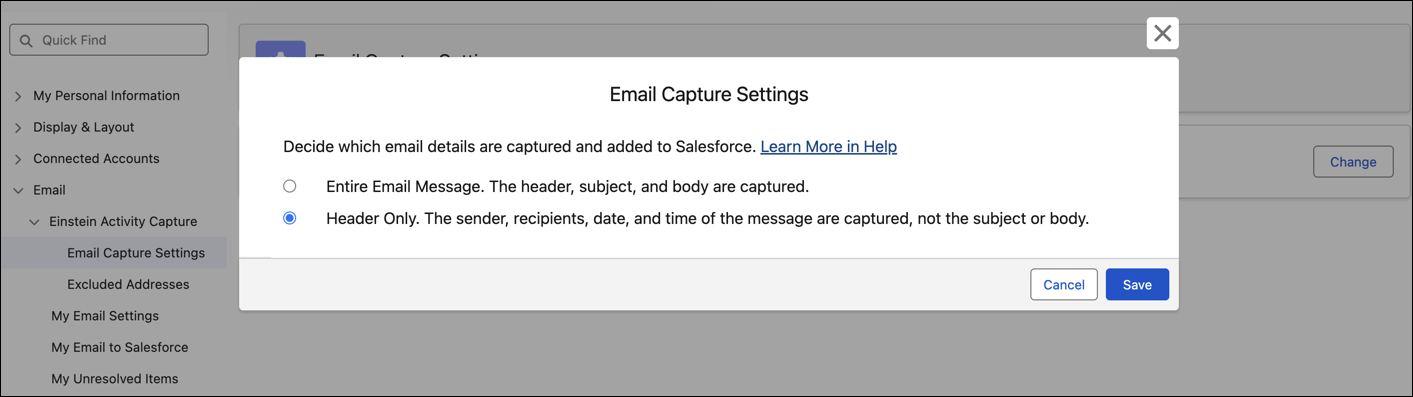
When the header only setting is turned on, capture only the sender, recipients, date,
and time an email is sent. The email subject and message body aren’t captured. Header only email
capture offers more privacy but isn’t compatible with some Einstein generative AI
features.
Required Editions
Available in: Lightning Experience
Available with Einstein Activity Capture Standard in Sales in Starter,
Pro Suite, Professional, and Enterprise Editions
Available with Unlimited Edition, Einstein 1 Sales Edition, and
Agentforce 1 Edition
Available with Einstein for Sales, which is included in Einstein 1 Sales
Edition and available for an extra cost in Enterprise and
Unlimited Editions
Available with Sales Engagement, which is included with Sales in
Performance and Unlimited Editions, and available for an extra cost
in Professional and Enterprise Editions
Available with Revenue Intelligence, which is available for an extra cost in
Enterprise and Unlimited Editions
Note We’re reorganizing the Einstein Activity Capture documentation. We’re
moving some information around, but we aren’t deleting anything.
When your Salesforce admin turns on Sync Email as Salesforce Activity, they select either
header only or entire email as the email capture setting. This setting determines what email
data is captured and synced to Salesforce: the sender, recipients, date, and time (header only
capture) or the message subject and body in addition to the email header data. Relevant
account, opportunity, and contact or lead records get associated with header only emails using
only the sender and recipients information.
To override the default, update the Email Capture Setting from your personal settings.
Updates to your settings apply only to emails captured after the change. Previously captured
emails are unchanged.
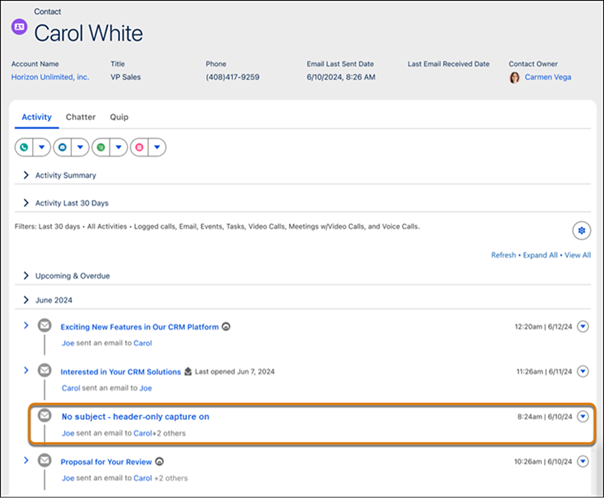
In the activity timeline, header only emails are displayed with just the sender, recipients,
date, and time of the message. Email insights are unavailable for header only emails.
Sometimes, emails captured with header only information might be replaced by full email
message information. For example, if an email is captured with the header only on April 17.
Then, the configuration is changed to capture the full email message. If email data is
resynced starting from April 15, the header only information of the email is replaced with the
full email message.
Emails sent by using the Salesforce Email Composer or that are manually logged from Outlook
or Gmail are always captured as an entire email message, even if you opt for header-only
capture.
We use three kinds of cookies on our websites: required, functional, and advertising. You can choose whether functional and advertising cookies apply. Click on the different cookie categories to find out more about each category and to change the default settings.
Privacy Statement
Required Cookies
Always Active
Required cookies are necessary for basic website functionality. Some examples include: session cookies needed to transmit the website, authentication cookies, and security cookies.
Functional Cookies
Functional cookies enhance functions, performance, and services on the website. Some examples include: cookies used to analyze site traffic, cookies used for market research, and cookies used to display advertising that is not directed to a particular individual.
Advertising Cookies
Advertising cookies track activity across websites in order to understand a viewer’s interests, and direct them specific marketing. Some examples include: cookies used for remarketing, or interest-based advertising.