
You are here:
Sales Signals Powered by Einstein Generative AI
Einstein Conversation Insights users can see the topics that matter most to customers. Users can filter topics by category and keyword to see a dashboard of relevant signals and conversations. These conversations are based on products or competitors you identified while setting up ECI. Drill into each topic for more details, so that you and your team can identify any obstacles or opportunities.
| Available in: Lightning Experience |
|---|
| Available in Starter, Pro, Enterprise, Performance, Unlimited, and Agentforce 1 Sales Editions with the Einstein for Sales add-on, Data 360, and Einstein Conversation Insights. |
Sales Signals is available to users with the Einstein Sales Signals permission set. Access to Einstein Conversation Insights is not required to see topics, but voice and video record access is required to see topic details.
To bring up Sales Signals, select the Signals tab in the Conversation Insights app.
Select a category (Product or Competitor) and a keyword to show a dashboard of relevant conversations about the keyword. Make sure you’ve configured keyword insights from the Call Insights page in Setup to effectively use Sales Signals.
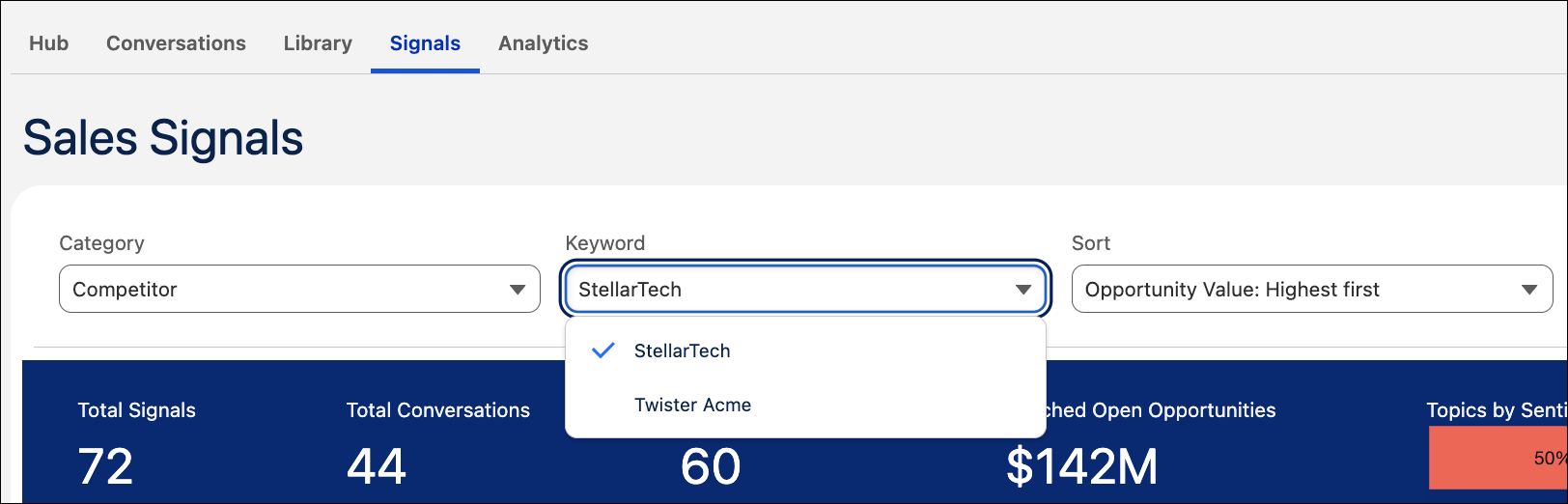
Conversations are sorted by topic across different cards, and relevant metrics are shown for each topic. Topics are sorted based on the highest opportunity value by default. Users can also sort by sentiment, total signals, and other criteria.
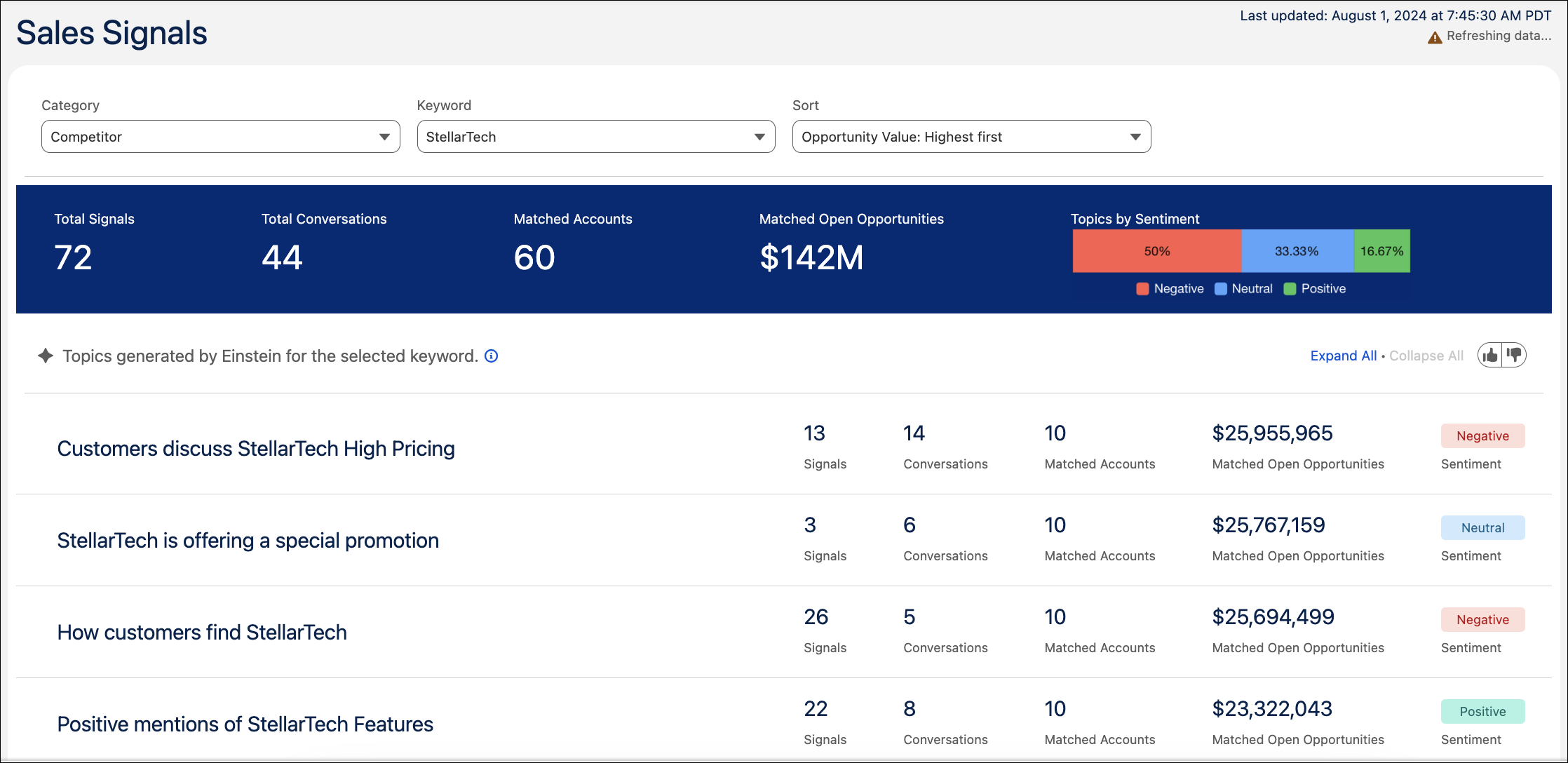
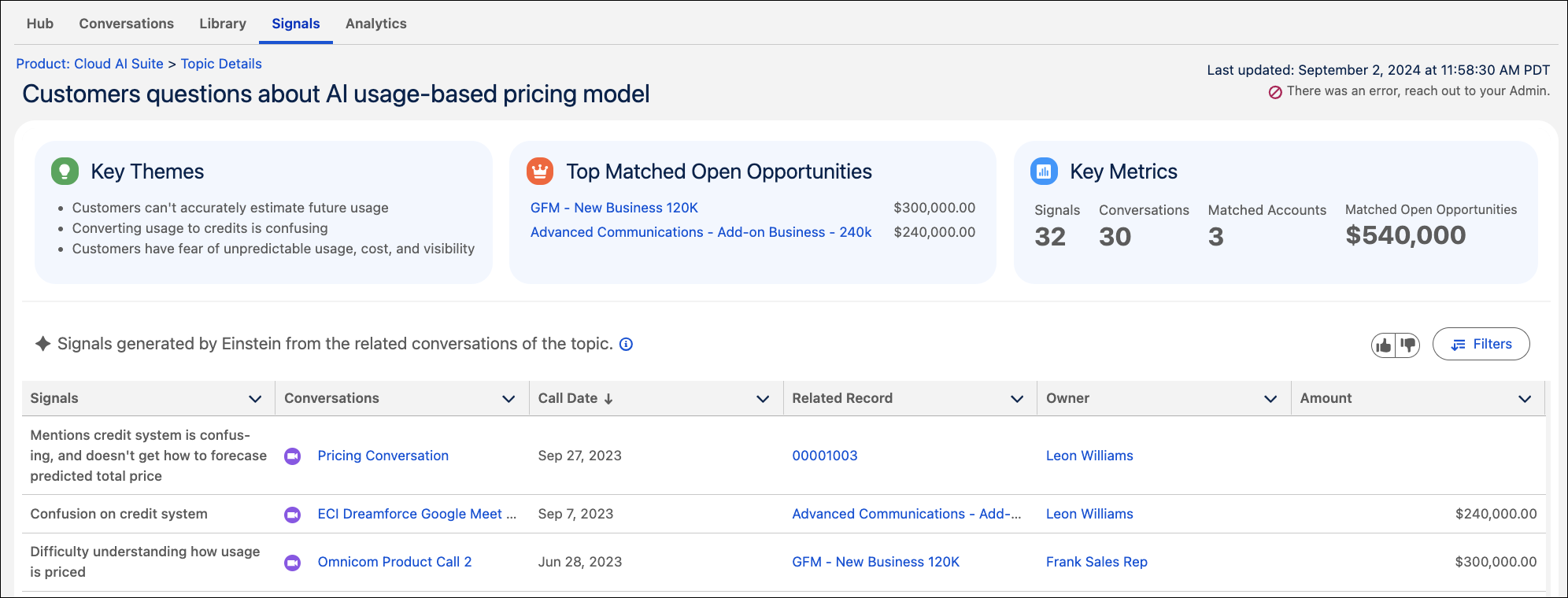
See information about topic signals, related opportunity value, and sentiment. Sales Signals users can also see high-level details about topics.
Users can also select topics to get additional details and information. To see more related information, click View Details on a topic.
Admins can refresh conversation data 7 days after the last update.
Turn on the feature from the Einstein for Sales page in Setup.
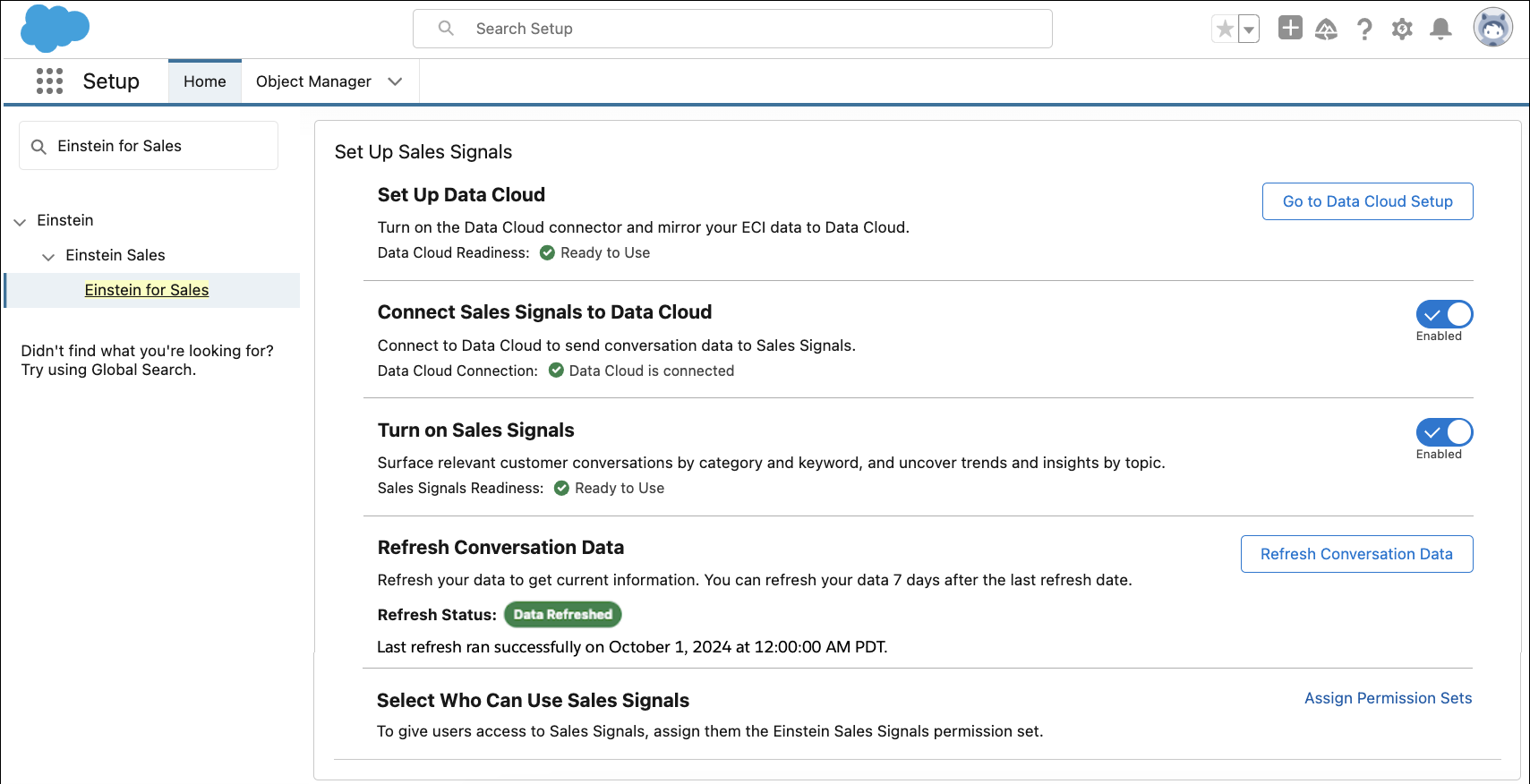
Data 360 must be set up prior to using Sales Signals. Connecting Sales Signals starts a Data 360 sync process of transcript and insight data from up to six months back, and ensures this data is captured moving forward. This operation incurs Data 360 usage costs.
Refresh conversation data to run recent ECI data in Data 360 through the Sales Signals pipeline to generate the Signals dashboard.
- Considerations for Sales Signals
To use Sales Signals, consider supported functionality, usage, limitations and allowances, limits, and other issues.
