How Enablement Drives Outcomes
Enablement teams identify the revenue outcomes or other business goals they want to achieve. With Enablement programs, they can set and track goals using Salesforce data and make programs available to users where they work. To get started, review how programs are structured, how users experience programs, and how your team can track progress.
Required Editions
| Available in: Lightning Experience |
| Enablement is available in Developer Edition with a limited number of add-ons. It is also available with Sales, Service, or the Salesforce Platform in: Enterprise, Performance, Unlimited, and Einstein 1 Sales Edition Editions for an additional cost |
| Enablement Lite is available with Sales in: Enterprise, Performance, and Unlimited Editions |
| Partner Enablement is available in Developer Edition with a limited number of add-ons. It is also available with Sales, Service, or the Salesforce Platform in: Enterprise, Performance, and Unlimited Editions for an additional cost. A supported PRM add-on license is required. |
Enablement programs are available for sales reps and other users in Lightning Experience. If your company uses Partner Relationship Management (PRM), you can also make Partner Enablement programs available to partners in supported Experience Cloud sites. Both types of programs can include these key moments for users.
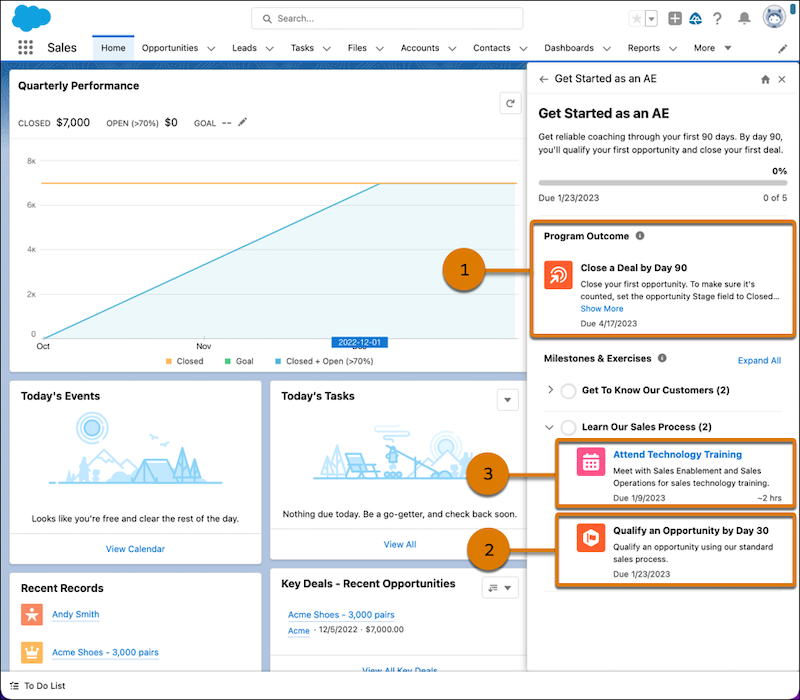
- A program’s major goal, called the outcome (1), which is due by the program’s conclusion
- Incremental goals called milestones (2), which encourage users to demonstrate their proficiency in on-the-job tasks required to achieve the program outcome
- Exercises (3), which let users build the skills that prepare them to achieve the program outcome and supporting milestones
Define outcomes and milestones around almost anything your company tracks in Salesforce. Exercises include your content and other resources that your company is using, such as videos, slide decks, PDFs, and webinars. Some programs also support giving feedback on users’ performance from peers and managers or from Einstein.
For sales programs in Lightning Experience, you can get started quickly by choosing from program templates. Templates offer recommendations for onboarding sales team members, closing more deals, selling new products, and other revenue-based outcomes. Or, install programs and their dependencies from a managed package.
When you’re ready, publish programs and make them available to users. You can assign programs to users directly or allow users to self-enroll in programs that you share.
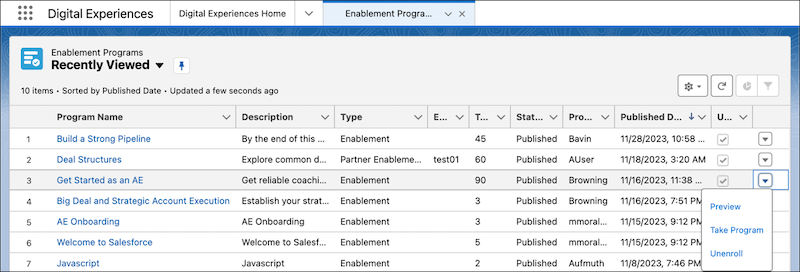
Users can access programs from the notifications they receive. In Lightning Experience, users can also preview and take programs from the Enablement Programs page, where they can see a full list of all programs available to them. Programs open in the Guidance Center, where users complete programs within the flow of their daily work.
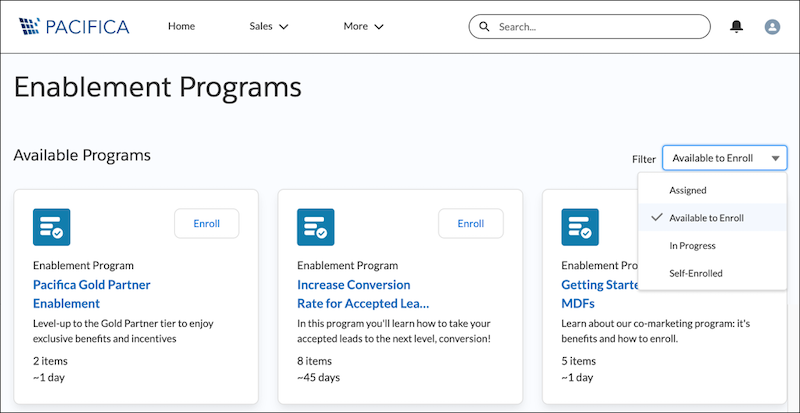
In supported Experience Cloud sites, partners can take programs from a page that shows available programs. These programs open in another site page.
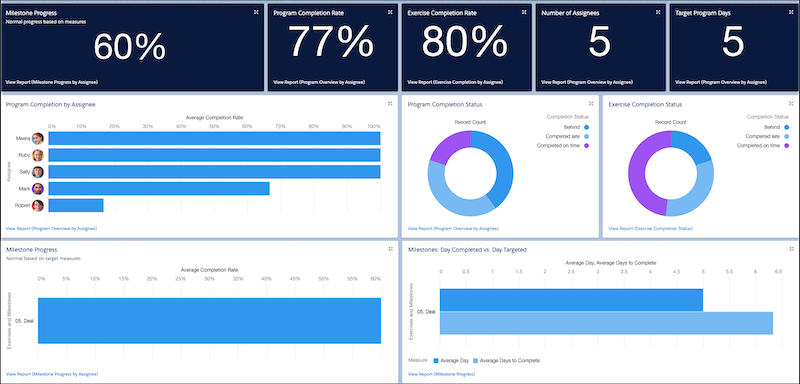
As users take programs, progress toward outcomes, milestones, and exercises are tracked. Users can see their progress as they complete programs, and you can see their progress with prebuilt reports and dashboards. Separate reports and dashboards are available for Enablement programs in Lightning Experience and Partner Enablement programs in supported Experience Cloud sites.