
You are here:
Use the Outlook or Gmail Integration to Select Which Events Sync
Sales reps can select Outlook calendar or Google Calendar events that they want to sync with Salesforce. After Salesforce admins set up the feature, reps can select which Outlook or Google events sync by logging them to Salesforce using the Outlook or Gmail integration. Event updates sync depending on a user’s sync direction and where they make the update.
Required Editions
| Available to sync records from: Salesforce Classic, Lightning Experience, and the Salesforce mobile app |
| Available to set up from: Salesforce Classic and Lightning Experience |
| Available in: Professional, Enterprise, Performance, Unlimited, and Developer Editions with Sales Cloud, Service Cloud, and Lightning Platform |
How Reps Select Which Events Sync to Salesforce
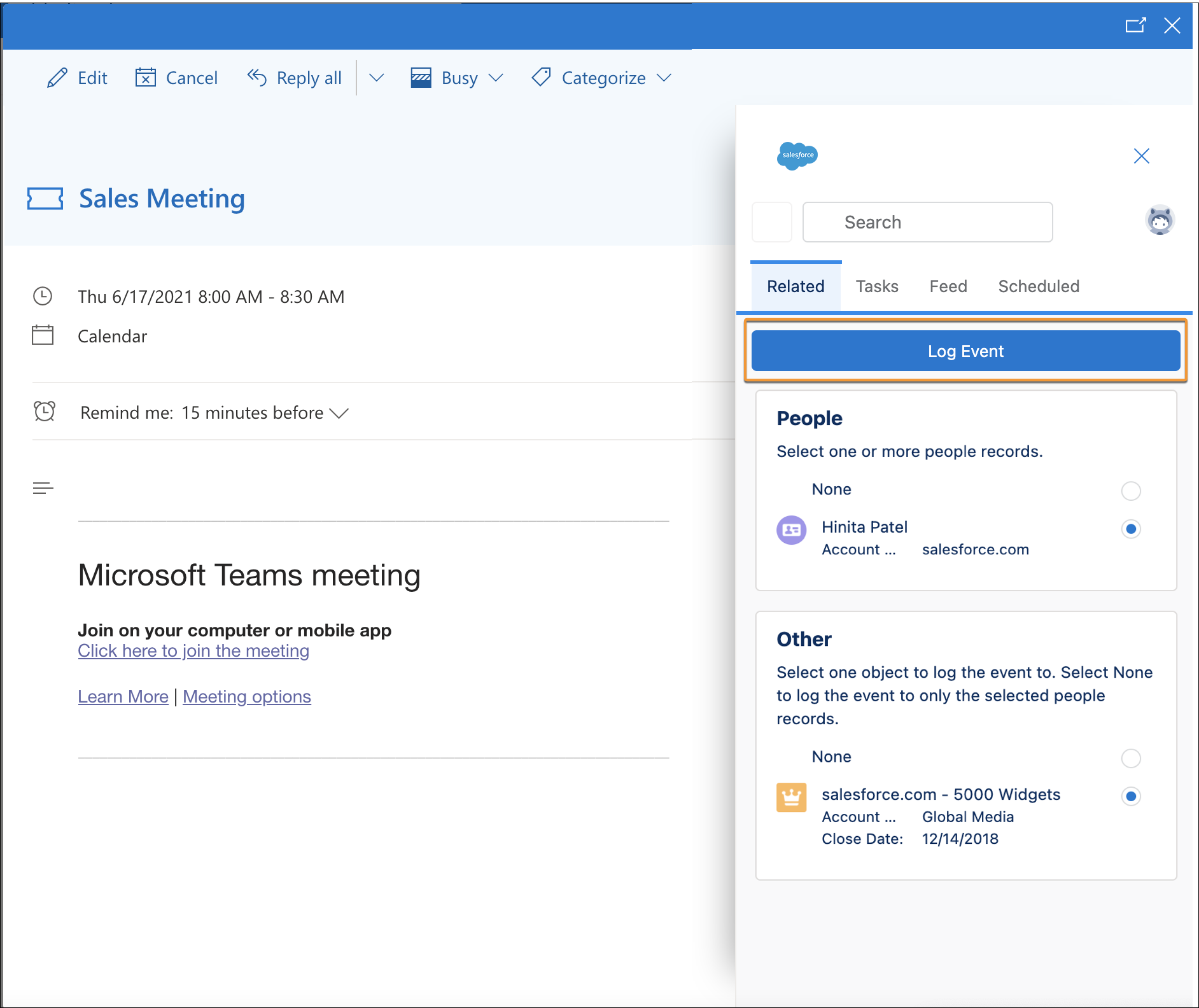
To select which Outlook or Google events sync, reps click Log Event from the Outlook or Google integration. Here’s an example of how it looks from the Outlook integration.
How Events Sync
After they’re logged, events sync based on the user’s sync direction and where the user updates the event.
| Sync direction | Sync details |
|---|---|
|
Reps log an event using the Outlook or Google integration.
|
| Sync both ways | Reps log an event using the Outlook or Google integration.
With the Sync both ways direction selected, remember that any events created in Salesforce (and their updates) still automatically sync to Outlook or Google. |
|
Because this feature requires Outlook or Google Calendar to initiate sync, the feature isn’t supported for these sync directions. Instead, all events sync from Salesforce to Outlook or Google |
How to Set Up the Feature
This table tells Salesforce admins how to set up the feature based on the calendar application that users’ work from.
| Calendar application | What to do |
|---|---|
| Microsoft Outlook (Microsoft Exchange) |
|
| Google Calendar |
|
How Events Are Logged When the Feature Is Turned Off
The Log Event button on the Outlook and Gmail integration works differently when admins choose these other event sync options for Lightning Sync.
- Admins can choose to sync all of users’ events (by selecting All events for the Specify Which Events Sync to Salesforce option).
- Admins can choose turned off event sync (by selecting the event sync direction Don’t Sync).
When these options are selected, users set up for the Outlook or Gmail integration can still log events to their Salesforce record from the side panel in Outlook or Gmail. But when subsequent activity occurs on the logged event, corresponding updates don’t sync to Salesforce. Instead, to add the new activity to Salesforce, the user must log the updated Outlook event to Salesforce again. See Guidelines for Logging Events from Outlook and Gmail to Salesforce.
