
You are here:
Thank Coworkers
Thank your coworkers by posting badges to their Chatter feed.
Required Editions
| Available in: Salesforce Classic |
WDC is available for existing WDC customers in Professional Edition, Enterprise Edition, Performance Edition, Unlimited Edition, and Developer Edition. |


WDC Recognition includes Thanks with unlimited custom badges. Managers can create reports and dashboards to view data on Recognition leaders. In addition to the required user permissions, your administrator must enable Thanks for your organization. Depending on how your administrator configured WDC, the Recognition tab and Badges tab may appear as top-level tabs. Additionally, the Recognition tab may appear as a subtab on your Chatter profile.
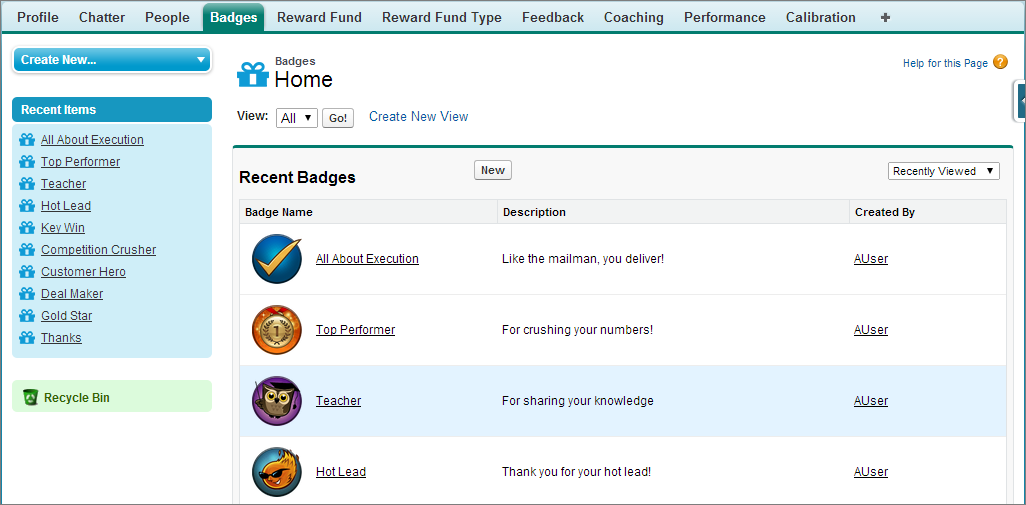
Access the library of available badges from the Badges tab. Click New to create a badge, or click a badge to see or edit badge details. You can only view the badges you have permission to give, and your ability to create or edit badges may be limited depending on how your feature is configured.
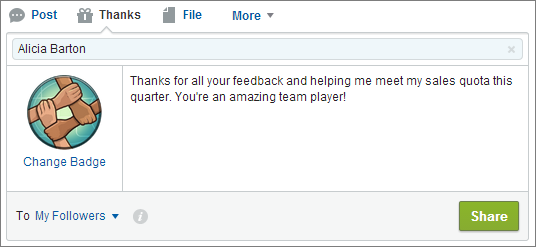
Give thanks badges from the Chatter publisher. Users are currently limited to giving badges to one user at a time. For more information, see Give Thanks to Coworkers.
View the badges a user has received on the Recognition tab of their Chatter profile.
- Create a Badge
Create custom badges to recognize and thank your coworkers. - Configure Access to Thanks Badges
Configure access to a thanks badge using its Access related list.
