
You are here:
What’s the Difference Between Sales Emails and Agentforce?
Sales reps have a choice of tools when creating emails. Determine which tool is best to meet your goals, and learn how to use generative AI in the flow of work.
Required Editions
| Available in: Lightning Experience |
| Available with the Einstein for Sales add-on, which is available for an extra cost in Performance and Unlimited Editions. |
Agentforce
This tool appears in several places, such as the side panel and Sales Cloud Everywhere.
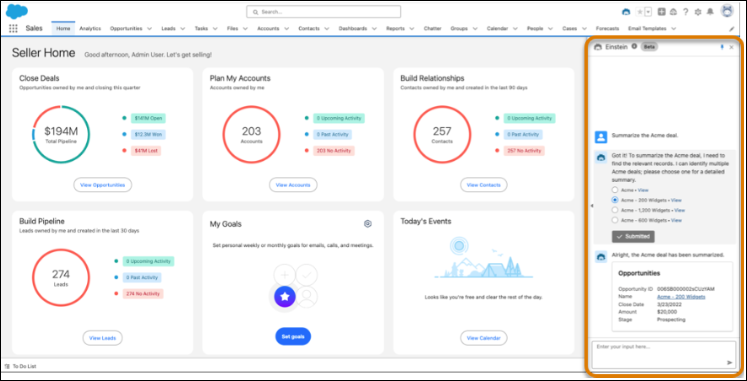
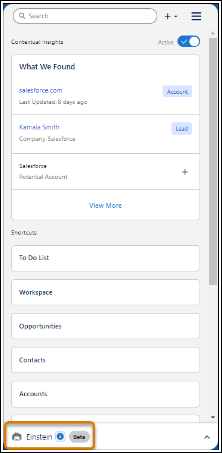
To use Agentforce, enter a question or instructions in the text box. The question can be about anything, but Agentforce assumes that the question is about the current record unless the instructions say otherwise.

Sales Emails
Users can also work with generative AI in Sales Emails, available in the email composer in Lightning Experience and the Outlook and Gmail integrations.
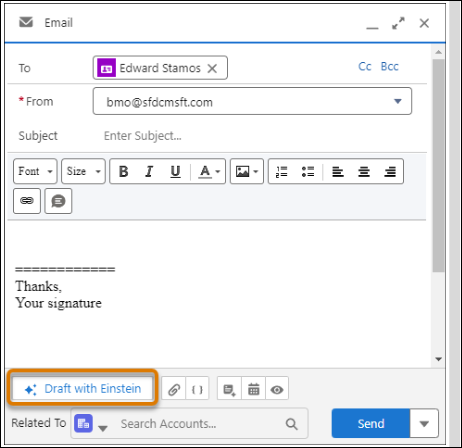
To start, click Draft with Einstein in the email composer.
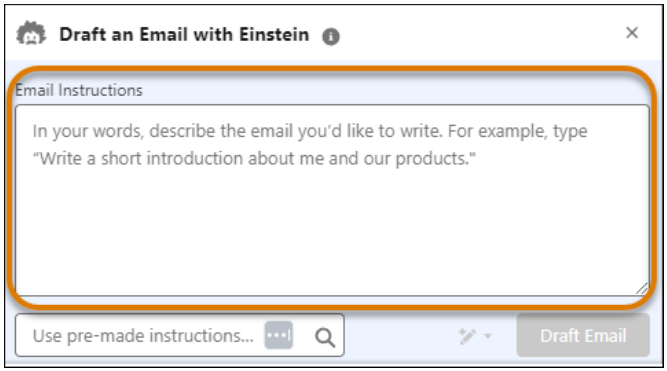
Enter instructions for Einstein to execute, using a conversational style.
Or, you can also choose premade instructions.
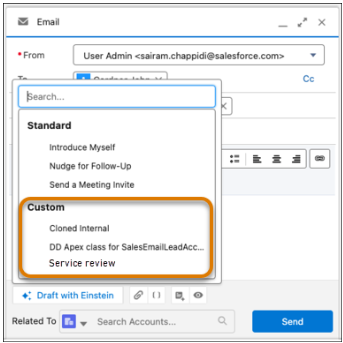
Some instructions come standard with Salesforce, while your company's Salesforce admins can create custom instructions. Similar to templates, these instructions can include merge fields that pull data from the Salesforce database.
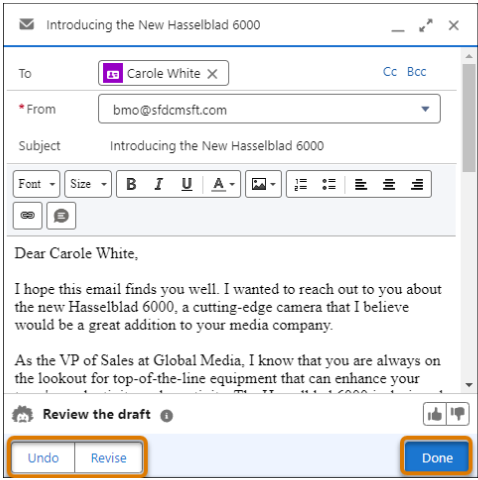
Regardless of how the output is generated, users can adjust the generated email draft.
| what you want to do | recommended tool |
|---|---|
| Create an email draft based on the current campaign messaging. | Sales Emails Choose an email template that’s been designed with the campaign's email messaging in mind. |
| Send an impromptu email to a customer you just ran into. | Agentforce Use Agentforce to generate a unique email draft for the customer. |
| Use the latest generative AI creation tool. | Both Agentforce and Sales Emails use the latest generative AI engine. |
