Quickly Update Multiple Records in Sales Cloud Everywhere with Workspace
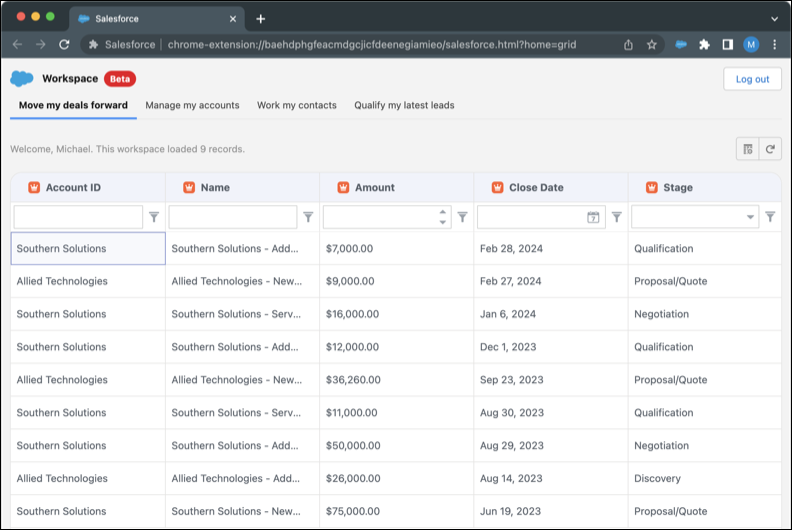
You can view, sort, query, and edit your latest leads, open opportunities, recently
updated contacts, and recently updated accounts in the Workspace list experience. Access Workspace
from the Salesforce Chrome extension side panel; it opens in a new browser tab.
Required Editions
Available in: Lightning Experience
Available in: Starter, Enterprise, Performance, Unlimited,
and Developer Editions with Sales Cloud
Open workspace from Sales Cloud Everywhere.
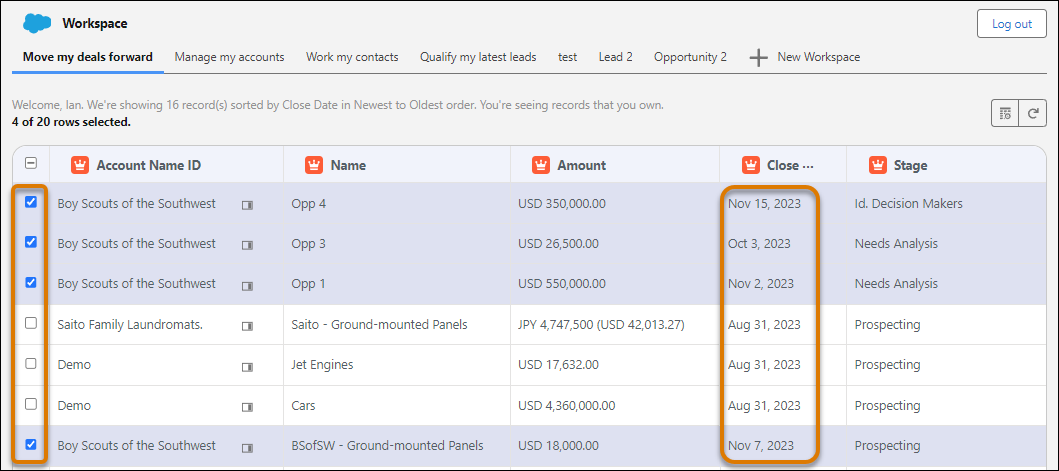
In your workspace, select up to 20 rows.
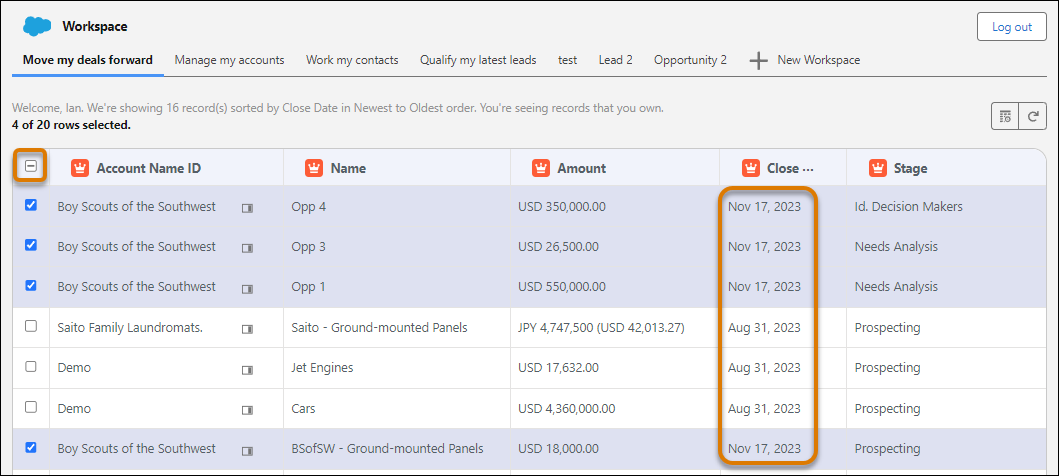
Change the field value in one row and press Enter. The field in every selected row
changes to that new value.
After you’re done changing the value, click the unselect icon above the row selection
boxes. Unselecting the rows prevents accidental data changes.
Example You want to make the close date the same for all the opportunities. In this example, we
chose the four rows for the Boy Scouts of the Southwest account.
Change the field value in one row and press Enter. The field in every selected row
changes to that new value.
We use three kinds of cookies on our websites: required, functional, and advertising. You can choose whether functional and advertising cookies apply. Click on the different cookie categories to find out more about each category and to change the default settings.
Privacy Statement
Required Cookies
Always Active
Required cookies are necessary for basic website functionality. Some examples include: session cookies needed to transmit the website, authentication cookies, and security cookies.
Functional Cookies
Functional cookies enhance functions, performance, and services on the website. Some examples include: cookies used to analyze site traffic, cookies used for market research, and cookies used to display advertising that is not directed to a particular individual.
Advertising Cookies
Advertising cookies track activity across websites in order to understand a viewer’s interests, and direct them specific marketing. Some examples include: cookies used for remarketing, or interest-based advertising.