Keep sales reps focused on their individual areas of responsibility using territory
models that you design in Territory Planning and then publish to Sales Territories. The model that
you activate limits your reps’ access to only their assigned accounts, leads, and
opportunities.
Required Editions
Available in: both Salesforce Classic (not available in all orgs) and Lightning
Experience
Available in: Enterprise, Performance, Unlimited, and
Developer Editions
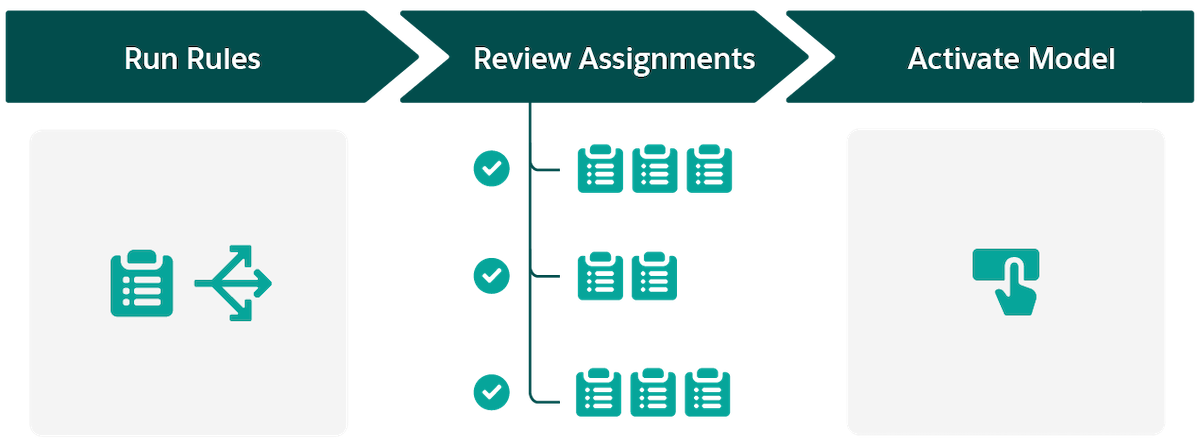
Get an idea of what’s involved in planning and managing territories when you pair Territory
Planning, an add-on product, with Sales Territories. After you design and publish your territory
model to Sales Territories, run assignment rules, review assignments, and then activate your
territory model. Here’s how.
High-Level Flow
How It Helps Your Business
Run assignment rules
Apply assignments to records based on rules and criteria that you define in Territory
Planning.
Review assignments
Verify that your account, lead, opportunity, and user assignments appear the way you
expect. Then fine-tune any assignments that require your attention.
Activate your territory model
Apply your assignments throughout your territory hierarchy. Activating your model:
Enforces the principle of least privilege and restricts your reps’ access to only their
assigned accounts, leads, and opportunities
Gives anyone above your reps in the territory hierarchy access to those records
Did this article solve your issue?
Let us know so we can improve!
Loading
Salesforce Help | Article
Cookie Consent Manager
General Information
Required Cookies
Functional Cookies
Advertising Cookies
General Information
We use three kinds of cookies on our websites: required, functional, and advertising. You can choose whether functional and advertising cookies apply. Click on the different cookie categories to find out more about each category and to change the default settings.
Privacy Statement
Required Cookies
Always Active
Required cookies are necessary for basic website functionality. Some examples include: session cookies needed to transmit the website, authentication cookies, and security cookies.
Functional Cookies
Functional cookies enhance functions, performance, and services on the website. Some examples include: cookies used to analyze site traffic, cookies used for market research, and cookies used to display advertising that is not directed to a particular individual.
Advertising Cookies
Advertising cookies track activity across websites in order to understand a viewer’s interests, and direct them specific marketing. Some examples include: cookies used for remarketing, or interest-based advertising.