To use a question with dynamic options with your enhanced bot, create an autolaunched
flow to populate the options from the objects and fields you specify. The flow must return
an ID list variable as output for use with the bot.
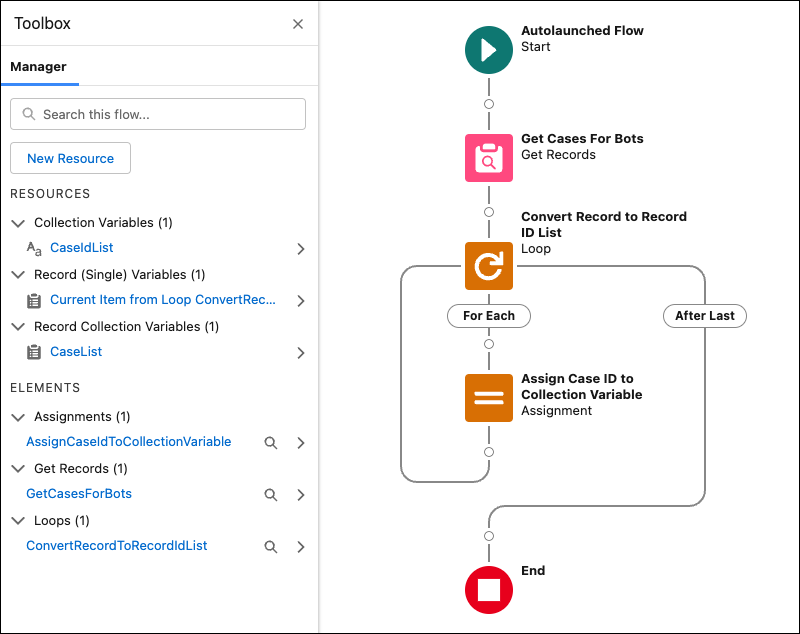
The Get Cases for Bots flow searches cases and filters by priority. It returns the three
most recent high-priority cases and stores the results in an ID list variable.
After you create a flow, in the bot, add a Flow action dialog step that references your
flow and store the output in an ID list bot variable. In the associated Question
(Dynamic) dialog step, reference the same ID list bot variable in the Record ID Options
input parameter.
A Closer Look at the Get Cases for Bots Example Flow
In this
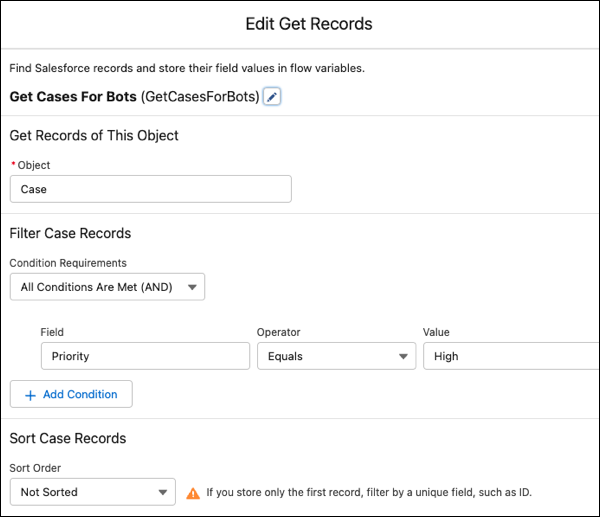
example, the Get Records element, Get Cases For Bots, searches the Case object for
recent high-priority cases.
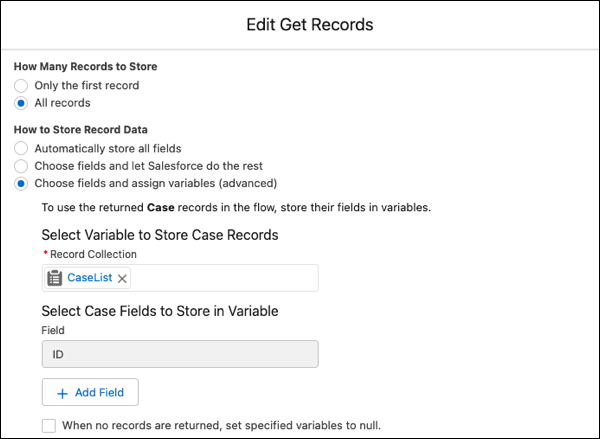
It selectively stores the ID field from the Case records in the CaseList record
collection (or record list) variable.
To convert the record collection to a record ID list, the flow uses the Loop
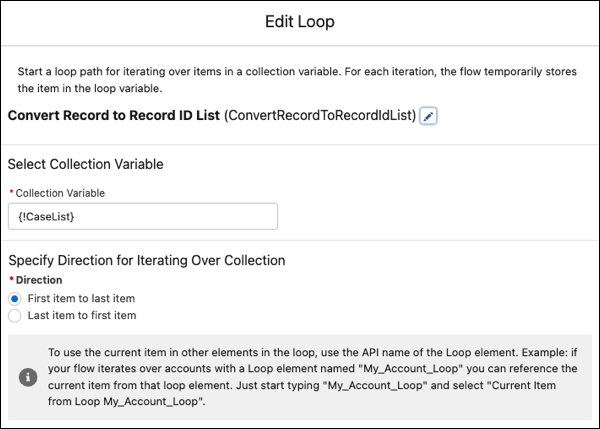
and Assignment elements. The Convert Record to Record ID List Loop element grabs the
ID field from each Case record stored in the CaseList record collection variable.
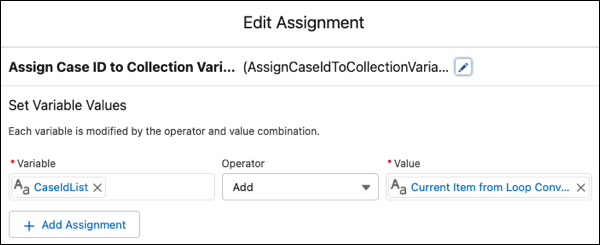
The Assign Case ID to Collection Variable Assignment element adds each record ID
field grabbed from the CaseList collection variable to the CaseIdList record ID list
variable.
Did this article solve your issue?
Let us know so we can improve!
Loading
Salesforce Help | Article
Cookie Consent Manager
General Information
Required Cookies
Functional Cookies
Advertising Cookies
General Information
We use three kinds of cookies on our websites: required, functional, and advertising. You can choose whether functional and advertising cookies apply. Click on the different cookie categories to find out more about each category and to change the default settings.
Privacy Statement
Required Cookies
Always Active
Required cookies are necessary for basic website functionality. Some examples include: session cookies needed to transmit the website, authentication cookies, and security cookies.
Functional Cookies
Functional cookies enhance functions, performance, and services on the website. Some examples include: cookies used to analyze site traffic, cookies used for market research, and cookies used to display advertising that is not directed to a particular individual.
Advertising Cookies
Advertising cookies track activity across websites in order to understand a viewer’s interests, and direct them specific marketing. Some examples include: cookies used for remarketing, or interest-based advertising.