Use the Log Conversations setting to store conversation data from the Chat Transcript
and Messaging Session objects in event logs. Then dig into bot sessions to troubleshoot your
bot.
Bot event logs allow you to review all bot conversation activity in one place. View the
event logs for a bot in the Performance area of the Bot Builder. When the Log Conversations
setting is enabled, you can click any Session ID to drill down and view customer input
alongside bot messages and events. When the Log Conversations setting is disabled, Message,
Input, and Output values are replaced with [logSensitiveData not
allowed].
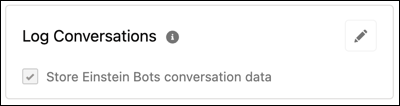
When you create a bot, the Log Conversations setting is disabled by default. You can edit
the Log Conversations setting for a bot on the Bot Overview page.
From the Bot Builder menu, select Overview.
In the Settings section, to edit the Log Conversations panel, click .
Select or deselect Store Einstein Bots conversation data.
To save your changes, click .
The Log Conversations setting applies to Einstein Bot event logs only. Conversation data
from Chat and Messaging sessions is stored based on the default settings for each channel your
bot is connected to.
We use three kinds of cookies on our websites: required, functional, and advertising. You can choose whether functional and advertising cookies apply. Click on the different cookie categories to find out more about each category and to change the default settings.
Privacy Statement
Required Cookies
Always Active
Required cookies are necessary for basic website functionality. Some examples include: session cookies needed to transmit the website, authentication cookies, and security cookies.
Functional Cookies
Functional cookies enhance functions, performance, and services on the website. Some examples include: cookies used to analyze site traffic, cookies used for market research, and cookies used to display advertising that is not directed to a particular individual.
Advertising Cookies
Advertising cookies track activity across websites in order to understand a viewer’s interests, and direct them specific marketing. Some examples include: cookies used for remarketing, or interest-based advertising.