Email templates help your business use consistent messaging in outgoing emails. Create
branded email templates to use in case assignment rules or auto-response rules, or to send to
customers in response to their inquiries.
Determine the types of email templates
you need. Here are some ideas to get you started.
General communication: A generic template for service reps to use when communicating
with customers.
Case creation: Notify contacts that a case was created for them.
Case assignment notification: Notify users that a case was assigned to a service
rep.
Case comment creation or modification: Notify contacts that a case comment was added or
modified.
Capturing cases from your website: When customers fill out forms on your website, notify
them that their inquiry was received.
Capturing cases from customer emails: When customers send email to your customer support
email addresses, notify them that their email was received and a case was created.
Case close notification: Notify customers that their case has closed.
Determine how you want to organize your email templates. You may want to store them in
public or private folders to ensure that they are available to the right users.
Creating Email Templates
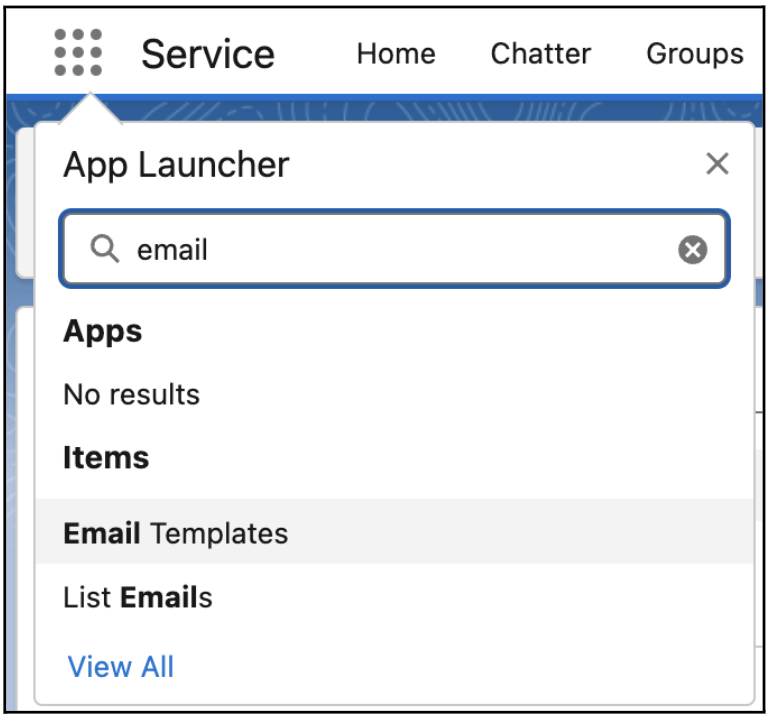
Create and manage templates from the Email
Templates tab, which you can navigate to from the App Launcher.
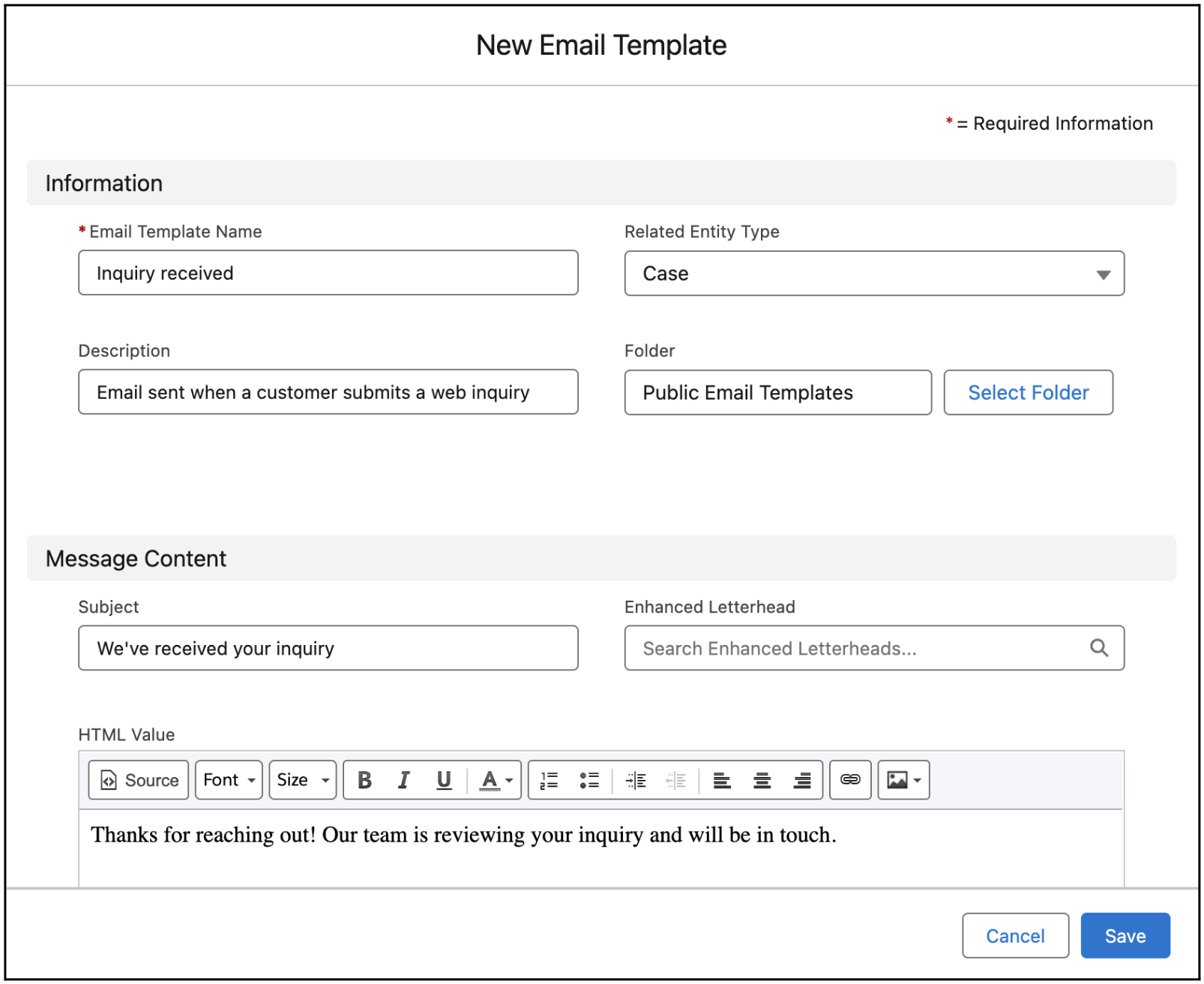
When you create an email template, keep these guidelines in mind.
To include specific data such as the date or the customer’s name, insert merge fields
into the email subject or body. Merge fields are placeholders for variable text that you
want replaced with data from your Salesforce records.
If you want, select an object in the Related Entity Type field. The object you choose
affects which merge fields are available in the merge picker. If you select Contact or
Lead or leave the field blank, the template is a global template, which can use global
merge fields only.
We use three kinds of cookies on our websites: required, functional, and advertising. You can choose whether functional and advertising cookies apply. Click on the different cookie categories to find out more about each category and to change the default settings.
Privacy Statement
Required Cookies
Always Active
Required cookies are necessary for basic website functionality. Some examples include: session cookies needed to transmit the website, authentication cookies, and security cookies.
Functional Cookies
Functional cookies enhance functions, performance, and services on the website. Some examples include: cookies used to analyze site traffic, cookies used for market research, and cookies used to display advertising that is not directed to a particular individual.
Advertising Cookies
Advertising cookies track activity across websites in order to understand a viewer’s interests, and direct them specific marketing. Some examples include: cookies used for remarketing, or interest-based advertising.