
You are here:
Activate Your Einstein Classification Model
When you’re ready to let Einstein start making predictions, activate your model.
Required Editions
| View supported editions. |
| User Permissions Needed | |
|---|---|
| To build and manage Einstein Case Classification and Einstein Case Wrap-Up: | View Setup AND Customize Application AND Manage Profiles and Permission Sets AND Edit on cases OR Modify All Data |
- From the Einstein Classification Setup page, click the name of the model.
-
Click Activate.
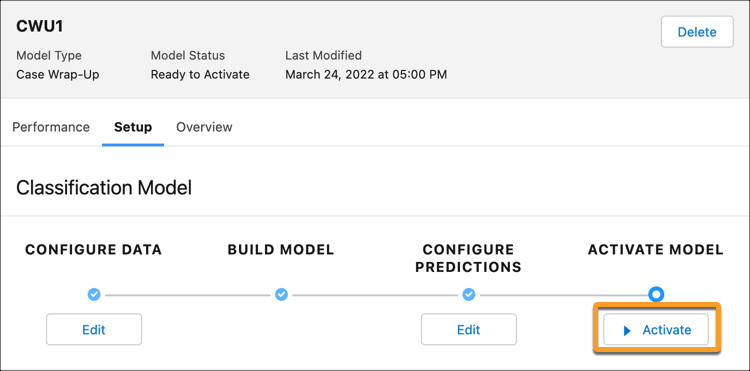
The admin who configured and built the model is notified when the model is activated or updated. For Einstein Case Classification, chat service reps see recommendations right after the case is created. For Einstein Case Wrap-Up, chat service reps see recommendations on-demand or when the chat conversation ends.
If service reps aren’t seeing recommendations, check these common issues.
- The case doesn’t match the filter criteria in your segment.
- The case was created when Einstein Classification Apps weren’t enabled.
- The case’s input fields are empty, so no information is available for Einstein to analyze.
- The case was closed on or immediately after creation. Only open cases receive recommendations, and recommendations are typically available a few seconds after a case is created.

Important
If you disable Live Agent (Chat), you can’t access your Case Wrap-Up models.
Did this article solve your issue?
Let us know so we can improve!
