To build and manage Einstein Case Classification and Einstein Case Wrap-Up:
View Setup
AND
Customize Application
AND
Manage Profiles and Permission Sets
AND
Edit on cases OR Modify All Data
As Einstein completes learning for each field, the model’s owner is notified about build
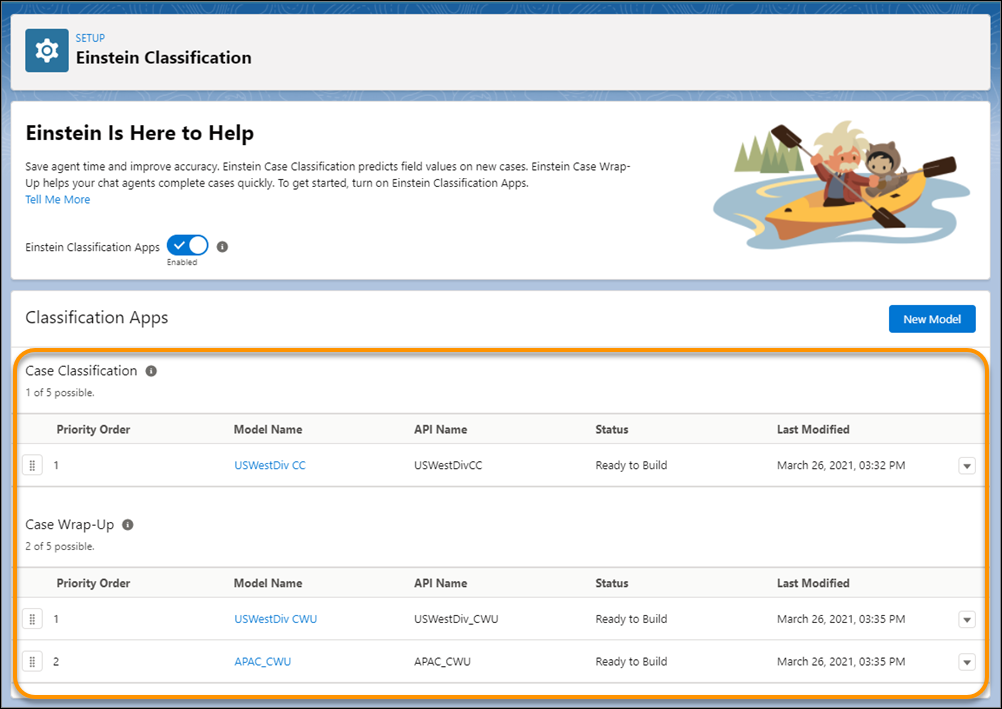
progress. To check if the build is completed, visit the Einstein Classification Setup page.
To build a model, on the Setup page, select the model name.
Click the model’s Setup tab.
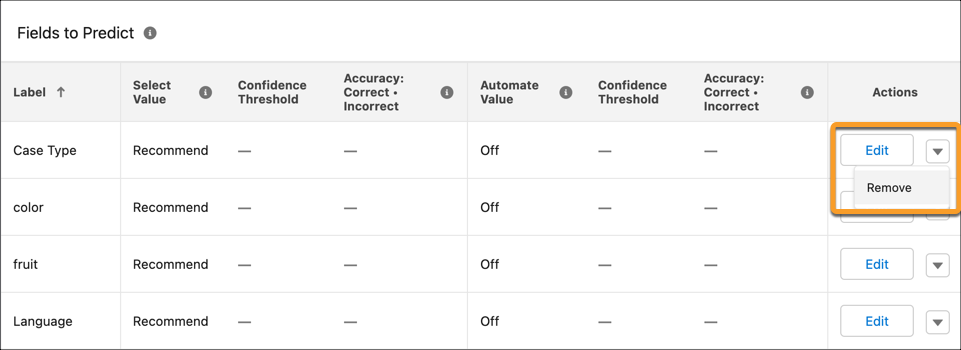
The Fields to Predict section lists the fields whose values Einstein predicts. To remove a
field from the model, click Remove in the field’s action menu. To add
fields, click Edit under Configure Data.
Build the model.
Einstein starts analyzing your closed cases and building the model for the fields
you selected. Depending on your case volume and the number of fields that you selected,
building the model can take a few hours. The process runs in the cloud, and won’t impact
performance for your agents. We notify the model’s owner as Einstein completes learning for
each predicted field.
Note You can’t pause a model build, but you can update the model’s settings after it’s built.
To add more fields later, edit the model, add the fields, and then rebuild.
After the model finishes building, you can configure each field’s prediction settings. Then,
activate the model to start showing recommendations in the Service Console. After the initial
build date, Einstein retrains your model every 30 days.
Note You can’t copy a built model into multiple orgs. Each model is unique because it’s trained
on your orgs data set.
Did this article solve your issue?
Let us know so we can improve!
Loading
Salesforce Help | Article
Cookie Consent Manager
General Information
Required Cookies
Functional Cookies
Advertising Cookies
General Information
We use three kinds of cookies on our websites: required, functional, and advertising. You can choose whether functional and advertising cookies apply. Click on the different cookie categories to find out more about each category and to change the default settings.
Privacy Statement
Required Cookies
Always Active
Required cookies are necessary for basic website functionality. Some examples include: session cookies needed to transmit the website, authentication cookies, and security cookies.
Functional Cookies
Functional cookies enhance functions, performance, and services on the website. Some examples include: cookies used to analyze site traffic, cookies used for market research, and cookies used to display advertising that is not directed to a particular individual.
Advertising Cookies
Advertising cookies track activity across websites in order to understand a viewer’s interests, and direct them specific marketing. Some examples include: cookies used for remarketing, or interest-based advertising.