
You are here:
Let Customers Create Contact Requests
Respect your customers' time by giving them a web form where they can ask support to contact them. Then, route contact requests to service reps in the Service Console.
Required Editions
| View supported editions. |
| User Permissions Needed | |
|---|---|
| To create contact request flows: | Manage Flow |
| To add contact request flows to Experience Cloud sites: | View Setup and Configuration AND Create and Set Up Experiences |
| To add contact requests to the Service Console: | View Setup and Configuration AND Customize Application |
| To set up Omni-Channel routing for contact requests: | Customize Application |
-
Create a contact request flow. The flow creates the form that your customers fill out to
request contact from support.
- In Setup, enter Customer Contact Requests in the Quick Find box, and then select Customer Contact Requests.
- Click New Flow.
-
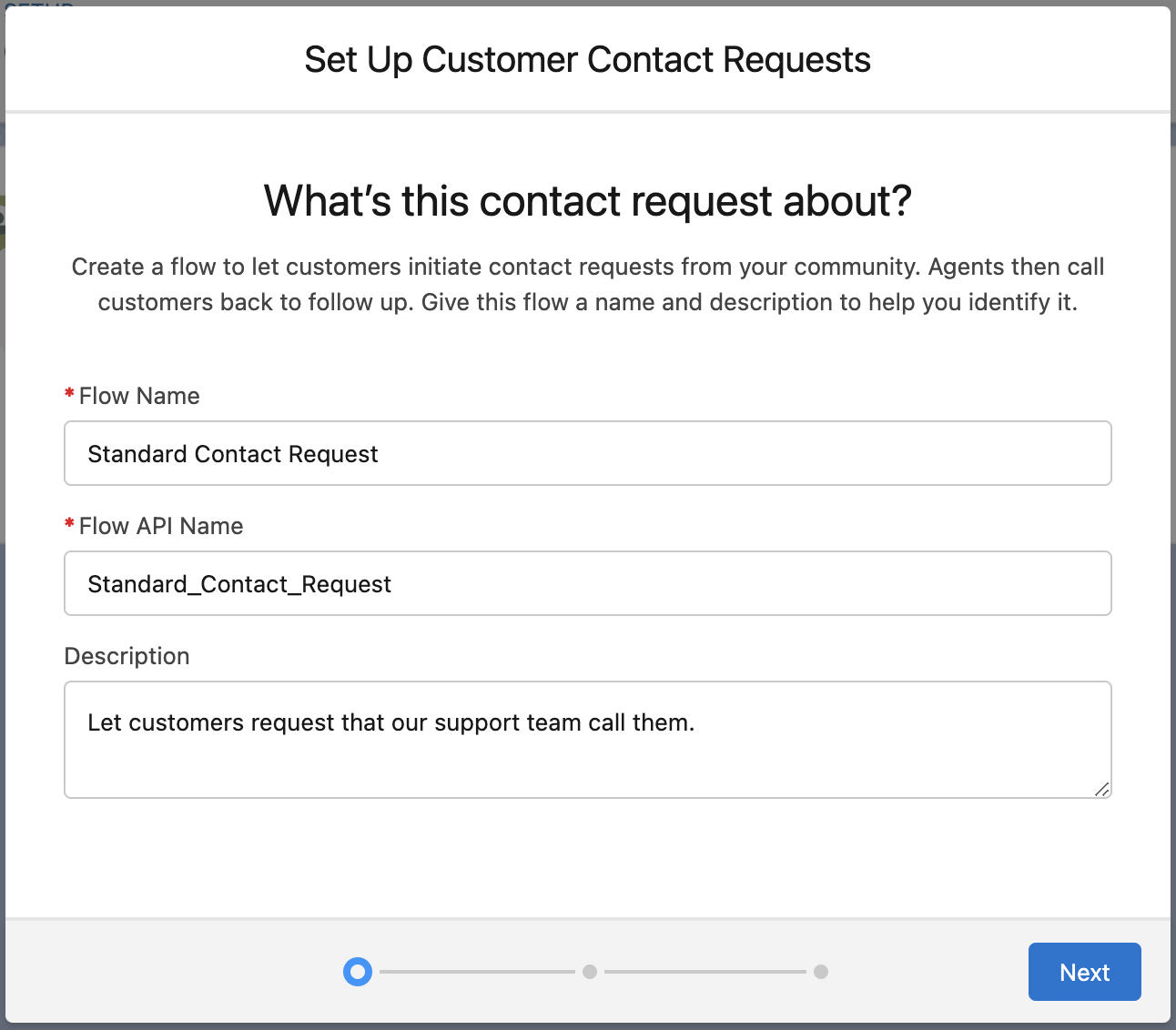
Enter a name and description for your contact request flow. These values aren’t visible
to customers.
-
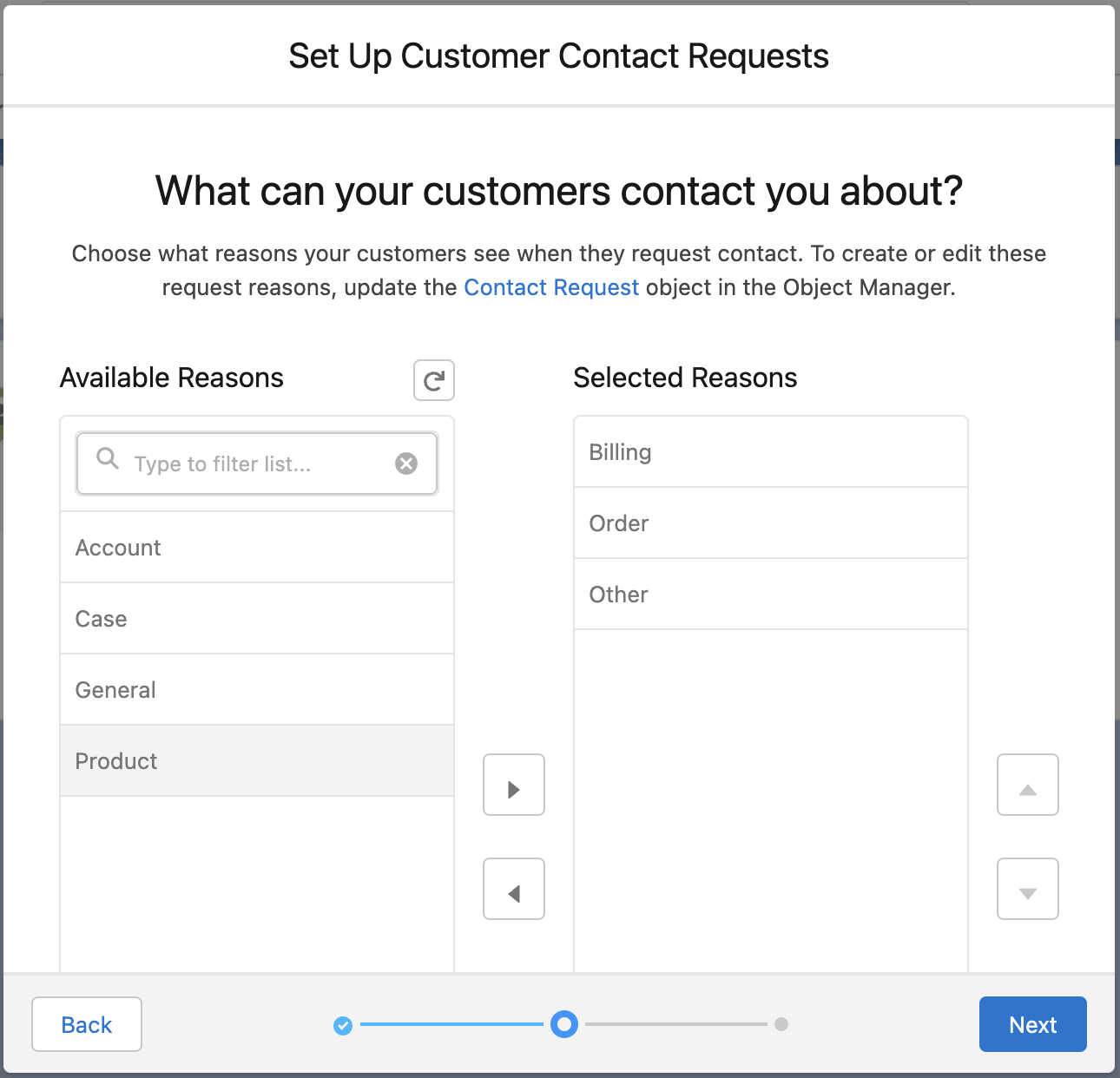
Customize the list of reasons that customers select from to describe why they’re
submitting a contact request.
- Select a user or queue to own incoming contact requests.
-
Implement contact requests in your Experience Cloud site or Interactive Voice Response
(IVR) system.
- To add the flow to your Experience Cloud site, use a component in Experience Builder.
- To add the flow to your IVR system, work with your telephony provider.
-
Set up your service rep experience.
Contact requests work alongside your other service-related records. Service reps can use the Requested By field to relate the contact request to people, like contacts and leads. And the Related To field connects the contact request to accounts, cases, opportunities, work orders, voice calls, and custom objects.
-
Review your service reps’ access levels.
Make sure that your service reps have at least read access on the contact request object. Also make sure that they can see the Contact Request tab.
- Add the Contact Request object to the navigation items in your Service Console.
-
Optionally, set up Omni-Channel routing.
To route contact requests with Omni-Channel, create or edit a queue that’s used by Omni-Channel to include the contact request object. Then, specify this queue as the owner when you set up the contact request flow.
-
Review your service reps’ access levels.
- Add Contact Requests to Experience Cloud Sites
In Experience Builder, add a contact request flow to your Experience Cloud site so site members can request that customer support contact them. - Contact Request Considerations
Review the following considerations for setting up and working with contact requests in Service Cloud.
