
You are here:
Enable Einstein Conversation Mining
Enable Einstein Conversation Mining in minutes.
Required Editions
| View supported editions. |
| User Permissions Needed | |
|---|---|
| To build and manage Einstein Conversation Mining reports: | Customize Application OR Modify Metadata OR Manage Bots |
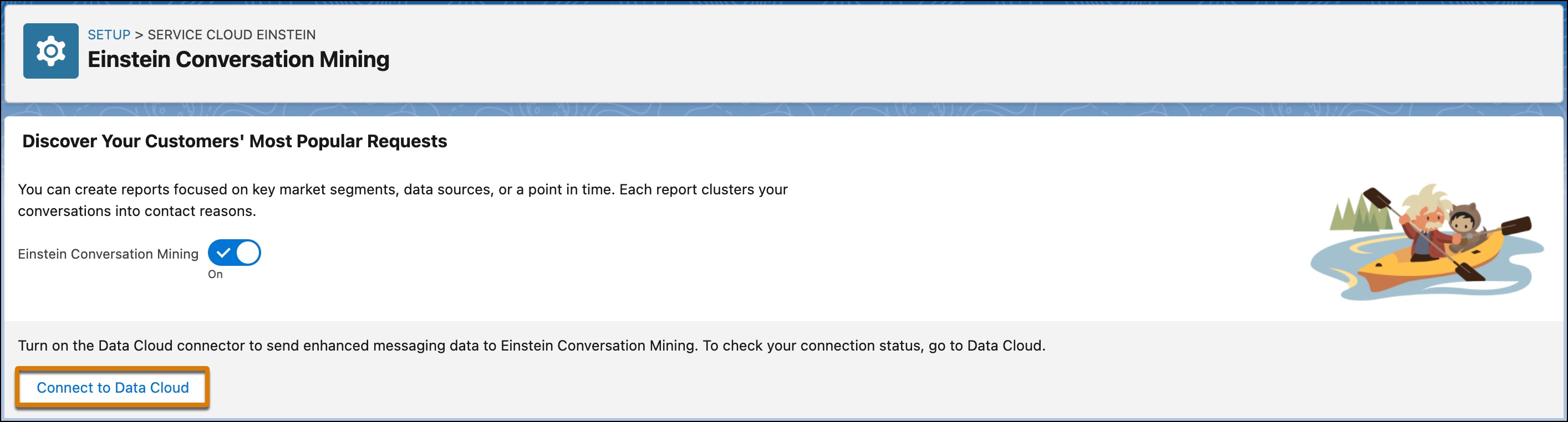
- From Setup, in the Quick Find box, enter Einstein Conversation Mining, and then select Einstein Conversation Mining.
- Turn on Einstein Conversation Mining.
-
(Optional) To get reports on your Enhanced Conversations data, turn on Connect
to Data Cloud. When you turn on Data 360, your conversational data connects to
Data 360 for your Einstein Conversation Mining reports. To verify that it’s ready for use,
look for the Connected status.
Your data can take up to 1 hour to process from Conversation Storage Service (CSS) to Data 360 before you can start building an Enhanced Conversations report. The Enhanced Conversations channel is available to admins who store their conversational data in Conversation Storage Service (CSS). Admins with conversational data stored on the Salesforce platform don’t have access to this channel.

Note
As of October 14, 2025, Data Cloud has been rebranded to Data 360. During this transition, you may see references to Data Cloud in our application and documentation. While the name is new, the functionality and content remains unchanged.
Did this article solve your issue?
Let us know so we can improve!
