
You are here:
Add an Attachments Component to the My Support Tickets Page
Add the Attachment component to the My Support Tickets Page and the IT Case Page Layout to attach files to a ticket or edit a list of files attached to a ticket.
- From Setup, in the Quick Find box, enter All Sites, and then select All Sites.
- Next to the name of your Employee Service site, click Builder.
-
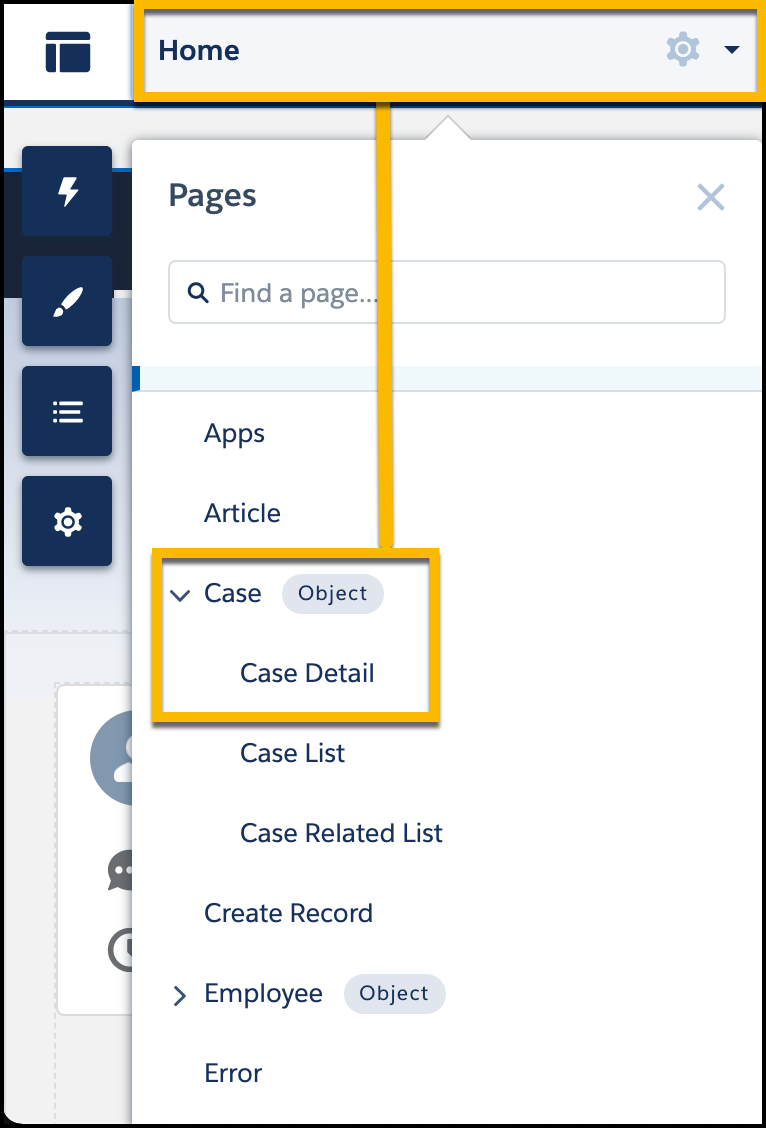
From the Pages menu in the top toolbar, select Case, and
then select Case Detail.
 The Case Detail page opens.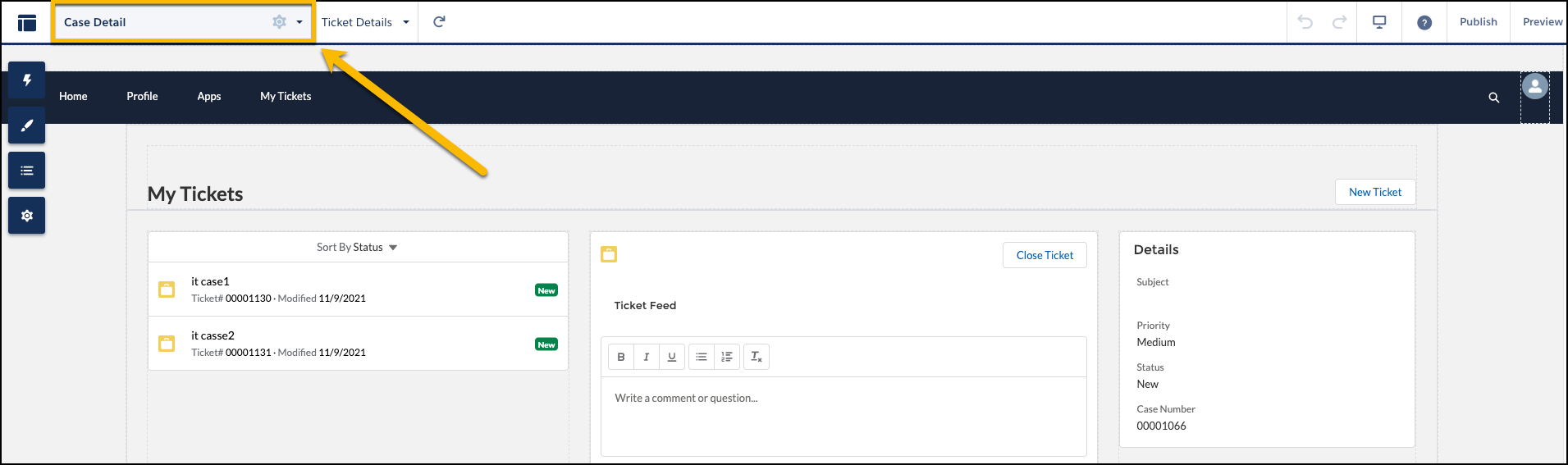
- On the Case Detail page, delete the Activity History and Related Lists Attachments components if they’re present in the builder canvas.
-
Click
 on the left side bar
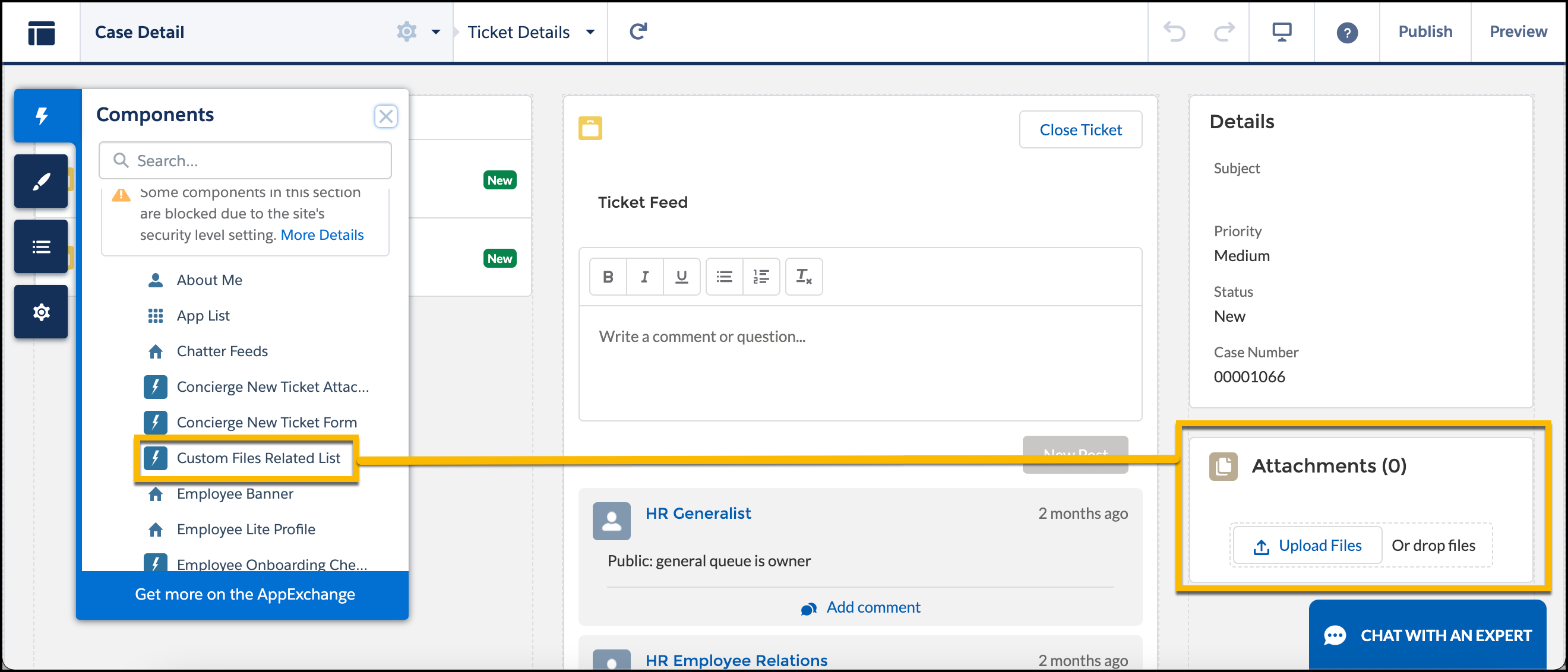
and search Custom Files Related List.
on the left side bar
and search Custom Files Related List.
-
Select Custom Files Related List, and place it under the
My Support Tickets Ticket Details component.
- To verify how the updated My Support Tickets page looks on different devices, click Preview.
Did this article solve your issue?
Let us know so we can improve!
