
Loading
Salesforce now sends email only from verified domains. Read More
Put Employees First with Work.com
Table of Contents
Select Filters

          No results
          No results
          Here are some search tips

          Check the spelling of your keywords.
          Use more general search terms.
          Select fewer filters to broaden your search.

          Search all of Salesforce Help
          Configure Feed Tracking for a Standard Platform User

          Configure Feed Tracking for a Standard Platform User

          Review the Case fields that you enabled for Feed Tracking to ensure the proper Field Level Security for the fields that you don’t want visible to Standard Platform users.

          1. From Setup, select Object Manager.
          2. Click Case.
          3. Click Fields and Relationships.
          4. Select a field that you don’t want visible for a Standard Platform user.
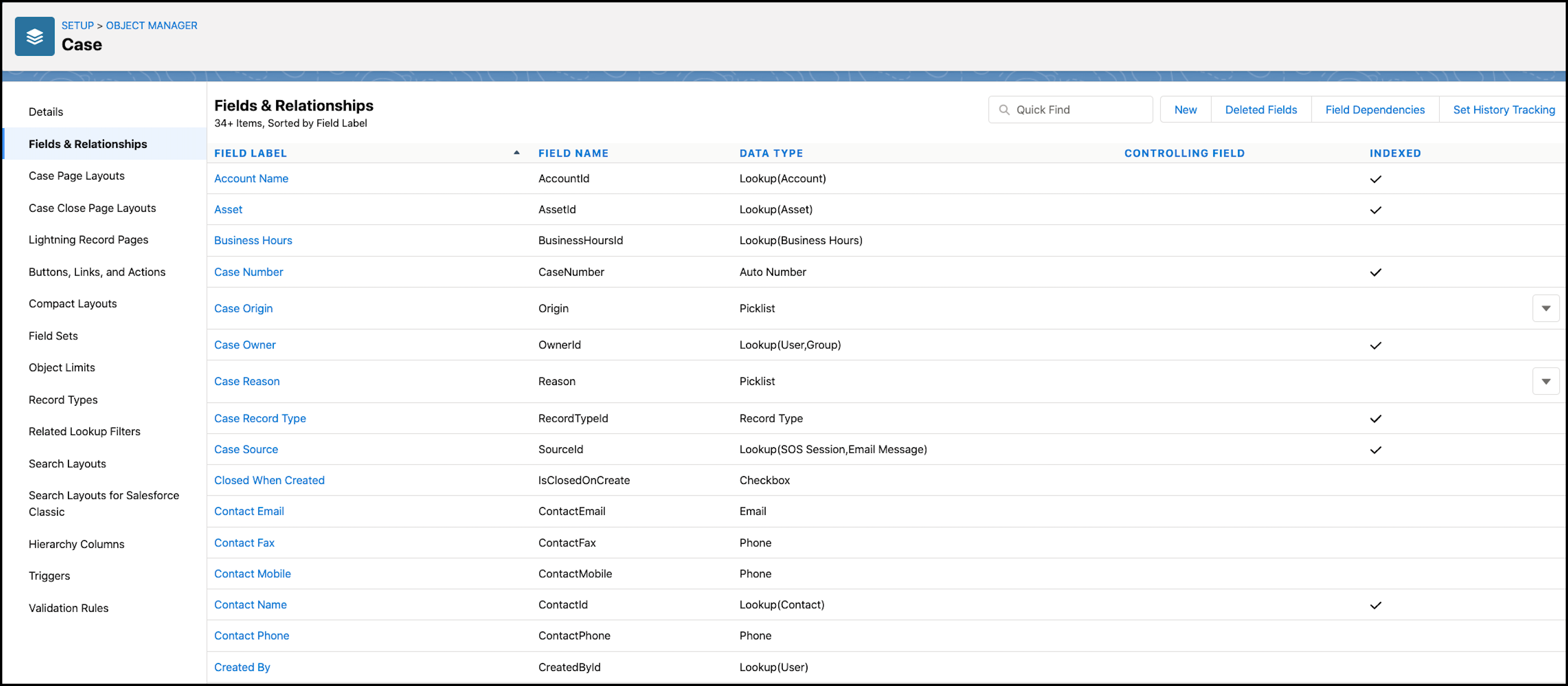
            Level Security
          5. For your selected field, click Set Field Level Security.
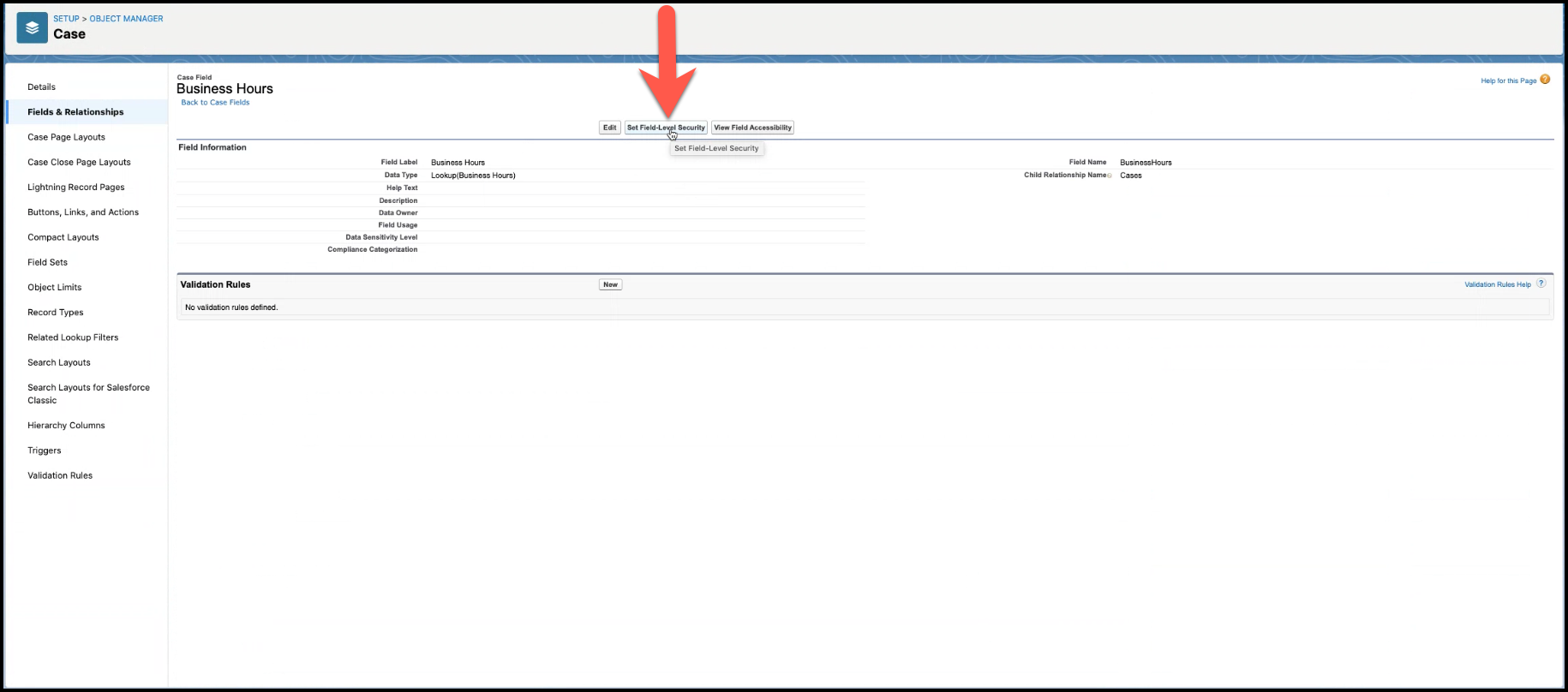
            Level Security Profiles
          6. Deselect Visibility for the Standard Platform user.
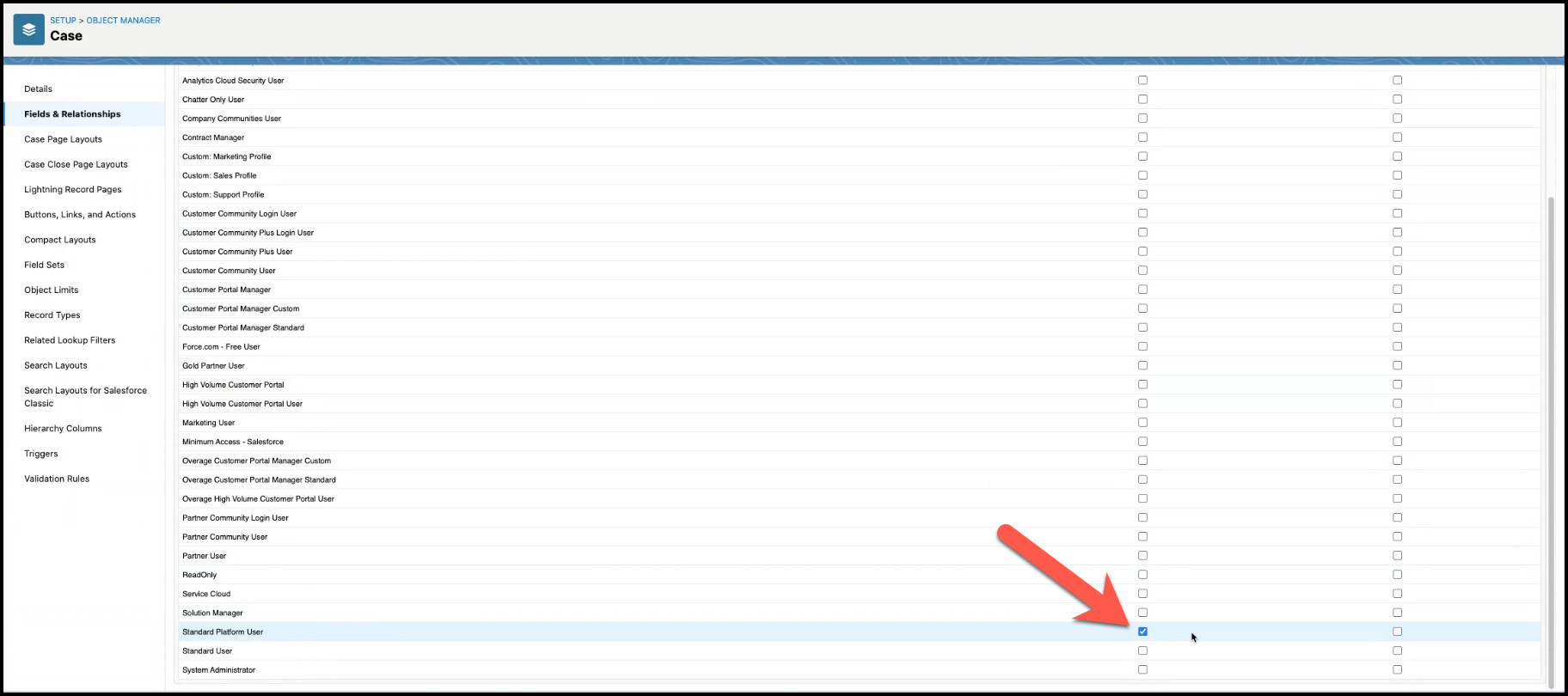
            Level Security Profiles
          7. Save your updates.
           
          Loading
          Salesforce Help | Article