
You are here:
Manage and Resolve Tickets with Agent Desk
Update, edit, and resolve support tickets from one screen in the Agent Desk app.
As a Salesforce console app, Agent Desk gives you multiple panels in a single window so you can manage and resolve tickets quickly. Console app navigation lets you open records as tabs, which means you can have several tickets or records open at the same time.
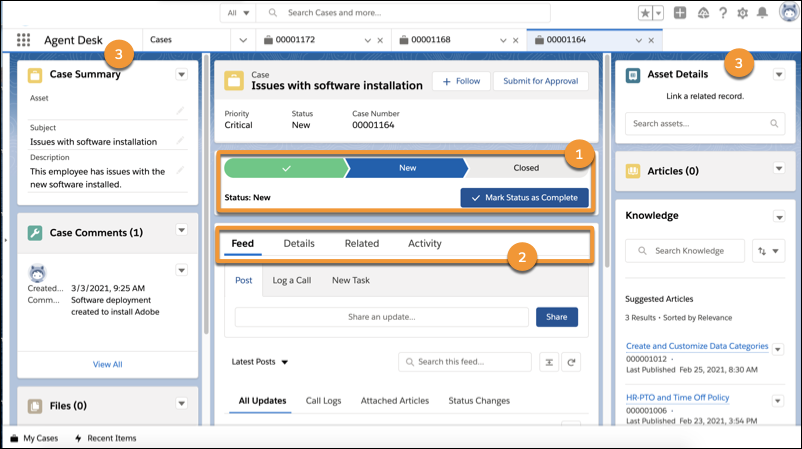
The center panel includes key information about the case record you’re currently working with. Use the Path (1) to see and update the case status quickly. Use Feed, Details, Related Records, and Activity (2) to toggle between updating or commenting on the case. Side panels (3) provide more context and information related to the case or the employee.
For more information on console app navigation and options, review Salesforce Help and Trailhead. Talk to your Salesforce admin for information about Agent Desk and Employee Concierge.
