
You are here:
View and Manage Your Tickets
Create, update, and track the progress of your support requests from My Tickets.
To get to My Tickets, go to the My Tickets tab in your Employee Workspace.
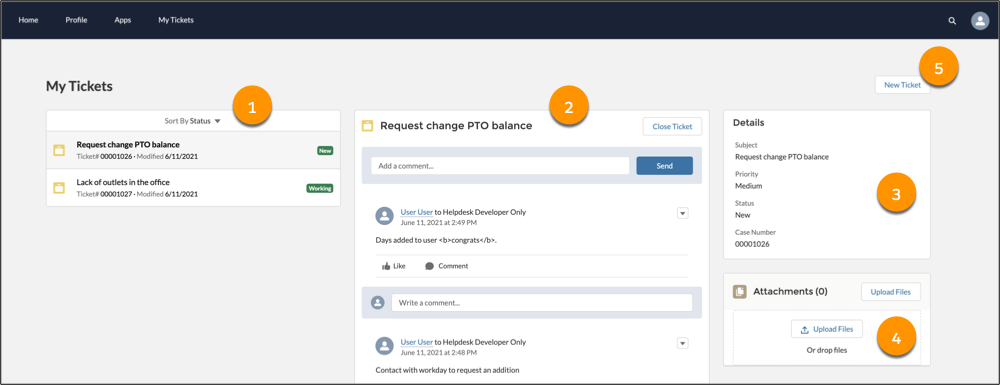
My Tickets includes a sortable list of your tickets and their current statuses. Select a ticket from the list (1) to see the feed and history for that ticket (2), including status changes and comments from IT Agents. Use this feed to add a comment, attach a file, or close your ticket. The Details panel (3) displays important fields for your selected ticket. You can view and edit a list of files for the ticket in the Attachments panel (4). You can also create tickets (5) from My Tickets.
After you create one or more tickets, the tickets also appear in your Employee Workspace search results. You can search for tickets by keyword or ticket number.
