Create Multiple Maintenance Schedules
To keep assets in tip-top shape, you often need multiple maintenance schedules running at different frequencies.
Required Editions
| Available in: both Salesforce Classic (not available in all orgs) and Lightning Experience |
| The Agentforce Field Service and Operations core features, managed package, and mobile app are available in Enterprise, Unlimited, and Developer Editions. |
For example, a building maintenance company performs minor maintenance on an air conditioning system every three months and a major service, which includes the three monthly service tasks, once a year. With enhanced preventative maintenance, the service manager sets up the minor maintenance on its three-month schedule and the major service yearly. Field service then generates three quarterly service calls for minor maintenance followed by one annual service call for the major service.
Similarly, a pool maintenance company cleans a pool monthly and applies a chemical treatment every three months. With enhanced preventative maintenance, the pool service manager sets up schedules for both activities. Field service then generates monthly pool cleaning jobs and every three months adds the chemical treatment task.
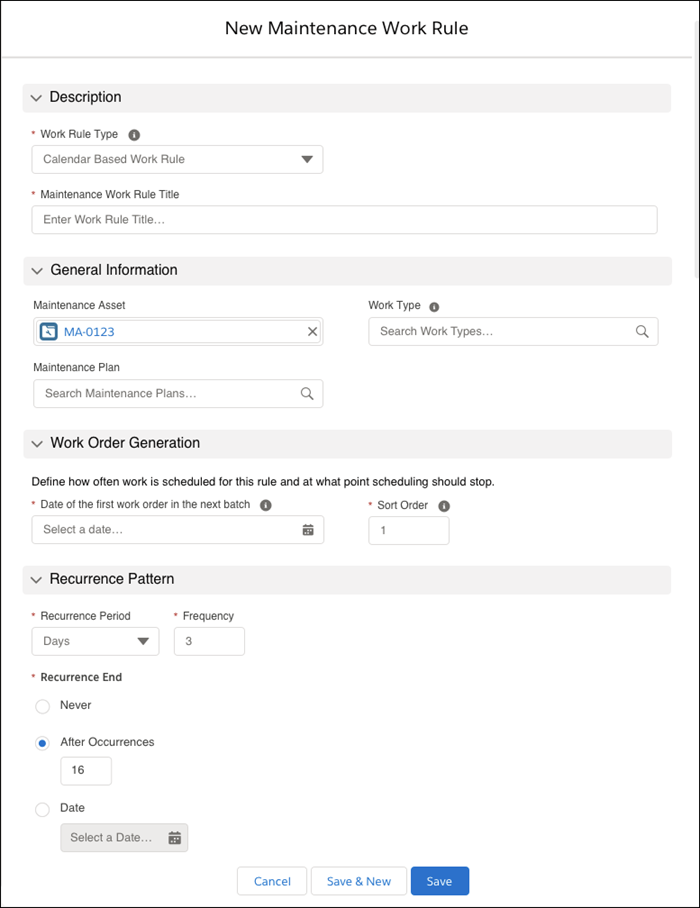
Multiple maintenance schedules are defined using maintenance work rules. These rules can be defined:
- On maintenance plans to define schedules for all of the plan’s maintenance assets that don’t have maintenance work rules.
- On maintenance assets.
To add maintenance work rules, open a maintenance plan or, from Related Lists, one of its maintenance assets. In the maintenance plan or asset, open the Maintenance Work Rule related list and click New to create a maintenance work rule item.