Download a free package of Field Service dashboards and reports from Salesforce Labs
AppExchange. Use these optional dashboards to create customized reports and dashboards for your
field service operation.
Required Editions
Available in: both Salesforce Classic (not available in all orgs) and Lightning
Experience
The Agentforce Field Service and Operations core features, managed package, and
mobile app are available in Enterprise, Unlimited, and Developer
Editions.
Note Salesforce Labs apps are free to use, but aren’t official Salesforce
products and are considered community projects. These apps aren’t officially tested or
documented. For help on any Salesforce Labs app, consult the Salesforce Trailblazer Community. Salesforce Customer Support isn’t
available for these applications.
The package easily installs three standard dashboards that chart objects in your Field Service
org. It’s a good starting point for customizing performance and management dashboards that you
can reconfigure and modify as needed.
Some of metrics tracked include:
Number of completed appointments by a resource
Management by territory and utility
Total hours worked by resource
Number of maintenance plan checkins
Resource capacity by territory
Upcoming priority appointments
Total number of completed appointments by week
Products consumed by work orders
Average appointment and travel times
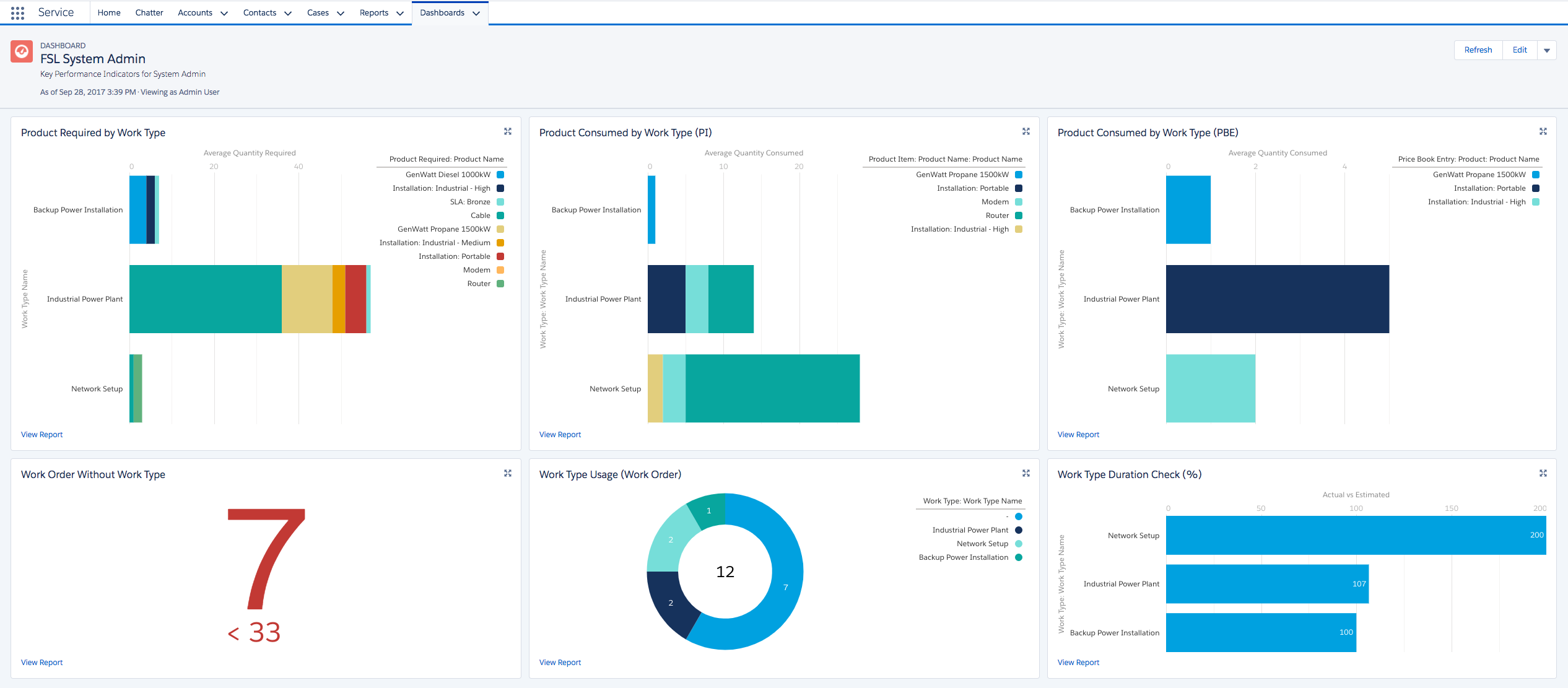
System Administrator Dashboard
This dashboard displays metrics - such as products needed and consumed, and overall
performance for each type of work.
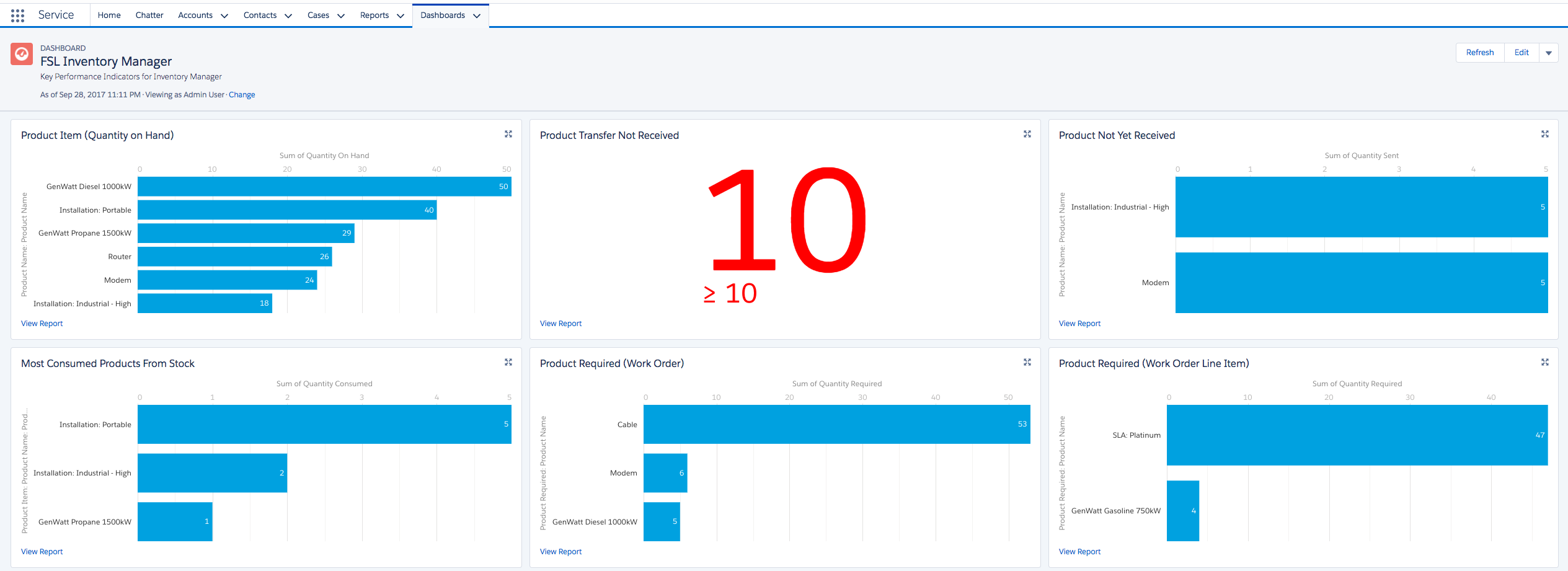
Inventory Manager Dashboard
This dashboard displays information
on how products are consumed and used, and by work order types.
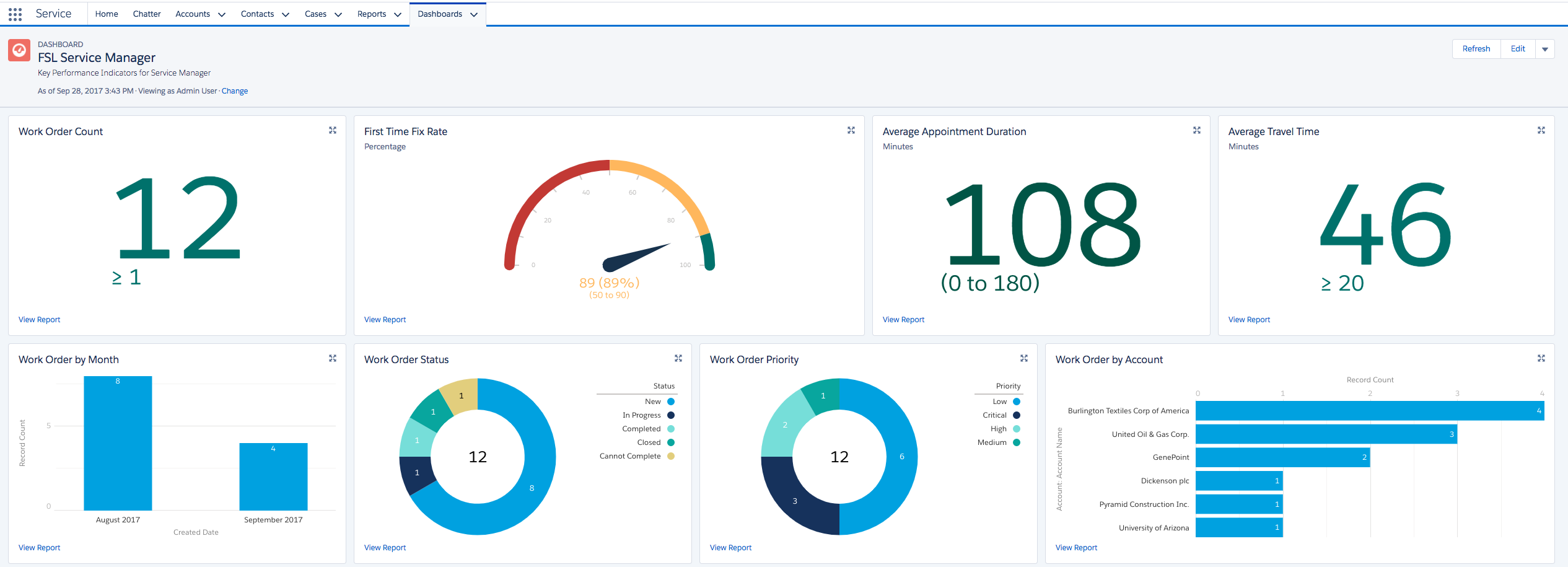
Service Manager Dashboard
This dashboard focuses on the work
performance of resources and additional work order metrics.
Download
To download the dashboards, click Get It Now on the the Field Service
Dashboards page on AppExchange.
We use three kinds of cookies on our websites: required, functional, and advertising. You can choose whether functional and advertising cookies apply. Click on the different cookie categories to find out more about each category and to change the default settings.
Privacy Statement
Required Cookies
Always Active
Required cookies are necessary for basic website functionality. Some examples include: session cookies needed to transmit the website, authentication cookies, and security cookies.
Functional Cookies
Functional cookies enhance functions, performance, and services on the website. Some examples include: cookies used to analyze site traffic, cookies used for market research, and cookies used to display advertising that is not directed to a particular individual.
Advertising Cookies
Advertising cookies track activity across websites in order to understand a viewer’s interests, and direct them specific marketing. Some examples include: cookies used for remarketing, or interest-based advertising.