Loading
Feature degradation | Gmail Email delivery failureRead More
Put Employees First with Work.com
Table of Contents
Select Filters

          No results
          No results
          Here are some search tips

          Check the spelling of your keywords.
          Use more general search terms.
          Select fewer filters to broaden your search.

          Search all of Salesforce Help
          Link to Relevant Flows Directly from Knowledge Articles

          Link to Relevant Flows Directly from Knowledge Articles

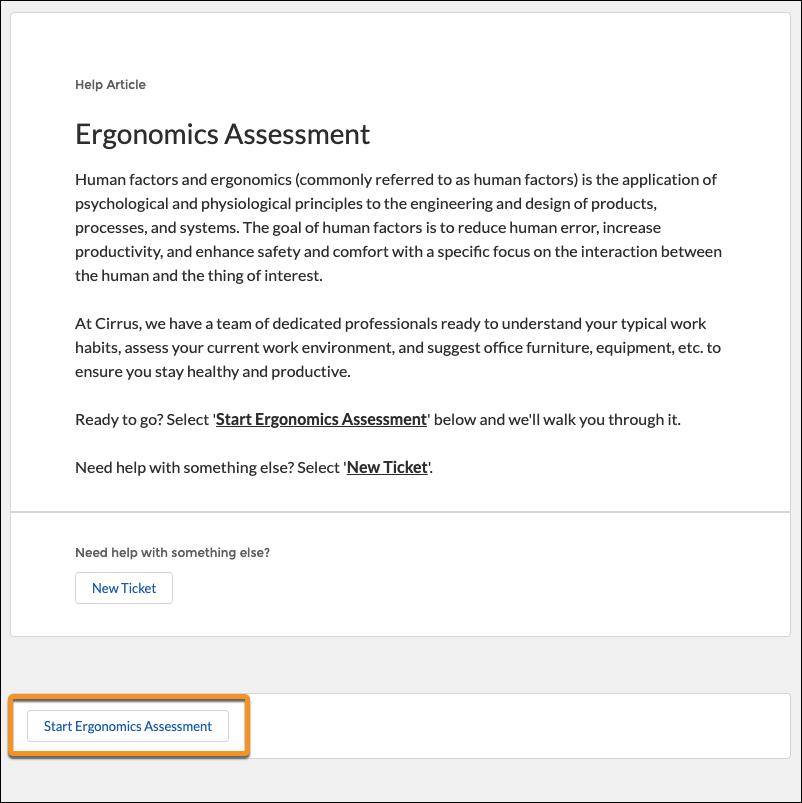
          Link knowledge articles with relevant flows to create an efficient, easily discoverable way to initiate key processes directly from a knowledge article. For example, let’s say employees want to complete an ergonomic assessment of their home office. When they search from concierge, the returned article can include a button that launches the ergonomic assessment flow.
          Required Editions

          Available in: Lightning Experience
          Available in: Enterprise and Unlimited Editions
          HR Service Center requires the Employee Productivity Plus add-on license.
          A knowledge article for an ergonomics assessment with the Start Ergonomics Assessment flow highlighted.

          To links flows with your knowledge articles, you must have an active flow and knowledge articles in your Experience Cloud site.

          1. From the HR Service Center, select Article to Flow Links from the navigation menu.
          2. Click New.
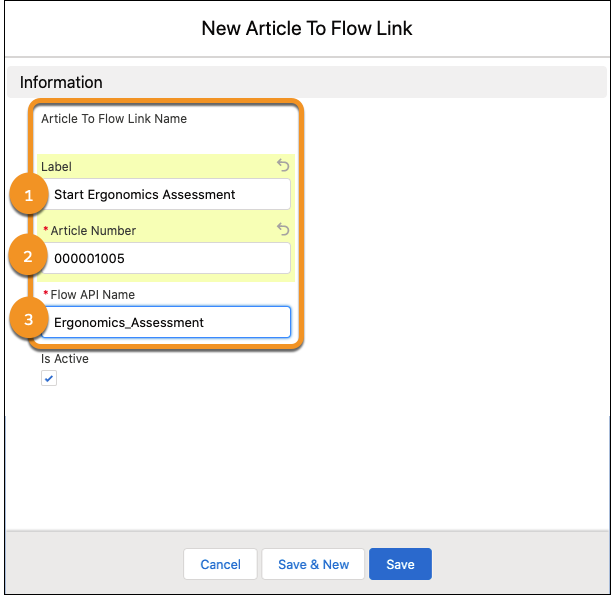
          3. Enter a label (1), article number (2), and flow API name (3). The label appears on the button to launch the flow, so we recommend something that clearly communicates the purpose of the flow.
            New article flow link with the label, article number and flow api name textbox highlighted.
          4. Click Save.
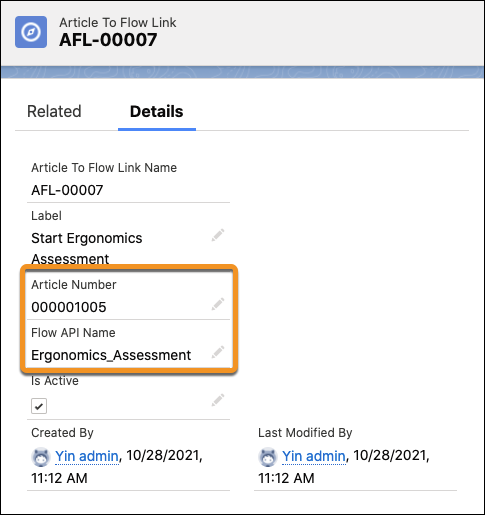
            The article to flow link detail page with the article number and flow api name highlighted.
          Note
          Note You can add more than one button to a knowledge article to launch different flows.
           
          Loading
          Salesforce Help | Article