
You are here:
Configuration Item Types in CMDB
A configuration item (CI) type specifies which attributes, relationships, and rules apply to the CIs that belong to it. Defining CI types helps your team maintain consistency and simplify data management across different asset categories.
Required Editions
| Available in: Lightning Experience |
| Available in: Unlimited, Enterprise, and Performance Editions with Agentforce IT Service that have CMDB and Service Graph enabled. |
A CI type represents a category of IT assets that share similar characteristics. For example, workstations, servers, databases, and applications are all CI types. When you create a CI, you assign it to a CI type to determine which attributes are required and which relationships it can support. Each CI type includes:
- A label and description to identify the category
- A set of attributes that define the data structure for its CIs
- Optional attribute sets to group related fields
- Supported relationship types for mapping dependencies between CIs
- Identification rules that ensure data quality
-
- Component Configuration Item Types
- When you create a CI type, you can mark it as a component to indicate that it is a logical part of another system or service. Component types help group related sub-elements within larger assets. For example, a processor or disk drive might be a component of a workstation. When you select Mark as Component while creating a CI type, the CI type becomes available for component-level tracking and reporting.
- Child Configuration Item Types
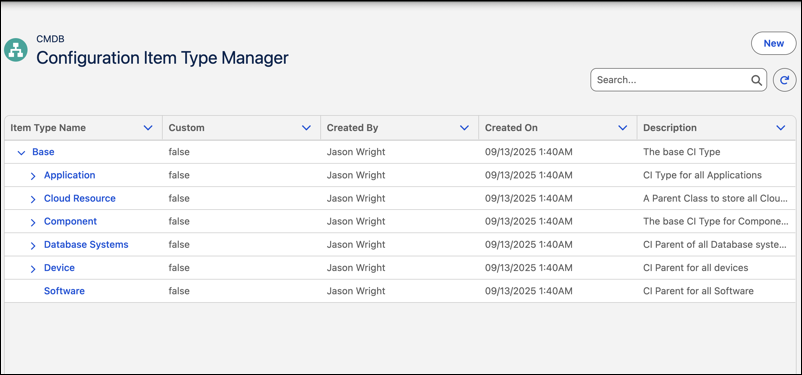
- CI types support hierarchical relationships. You can create a child item type in any existing CI type to represent a more specific category. The child item type inherits structural context from its parent but can have its own attributes and rules. For example, in the application CI type, you might define a child type called web application for cloud-based or externally hosted apps. The hierarchy lets you break down asset categories into meaningful subtypes without losing consistency.

Consider the scenario where a system admin wants to standardize how laptops are represented in the CMDB. The admin defines a CI type called workstation. The workstation CI type includes attributes such as hostname, operating system, serial number, assigned user, and department.
When a new laptop is added, the CMDB creates a new workstation CI using the defined attributes. The admin can also specify that all workstation CIs must include a valid operating system and assigned user, helping prevent incomplete records from entering the system.
If the organization uses cloud-based virtual desktop infrastructure, the admin can also define a child CI type called virtual workstation in the workstation CI type. The child CI type uses the same structural template defined by the parent. Admin can now standardize how virtual assets are represented, while keeping them separate from physical workstation records.
- Create a Configuration Item Type
Define a new configuration item (CI) type to represent a specific asset category in Configuration Management Database (CMDB). Each CI type includes required attributes, relationships, and rules that apply to the assets it manages. - Create a Child Configuration Item Type
Create a child configuration item (CI) type in Configuration Management Database (CMDB) to manage a more specific category of assets in a parent CI type. A child CI type organizes related assets into a structured hierarchy. It applies shared attributes and rules to similar infrastructure components. - Edit a Configuration Item Type
Update a configuration item (CI) type when you need to revise metadata, improve type classification, or modify relationship settings. Keeping CI types up-to-date helps teams maintain accuracy, support data integrity, and adapt to evolving asset structures. - Configure Asset Matching Criteria
Define criteria to automatically link discovered configuration items (CIs) to existing assets in IT Asset Management. Create global rules that apply to a parent CI hierarchy, or create specific rules for individual CI types. Setting up a global rule follows the same steps as creating a specific rule. - Configuration Item Type Record and Tabs
Each configuration item (CI) type record defines how related CIs behave in Configuration Management Database (CMDB). The record acts as a template and includes all required fields, rules, and supported relationships for the CI type. You can use the record to verify the structure, hierarchy, and logic that apply to CIs of this type.
