
You are here:
Send Broadcast Messages
Send a bulk SMS from a contact, employee, person account, or messaging user list view in a standard SMS channel. View your company’s sent broadcast messages in the Broadcast Messages tab.
Required Editions
| View supported editions. | |
 This article applies to:
|
Standard SMS channels |
 This article doesn’t apply to:
|
Enhanced In-App Chat, Enhanced Web Chat v1, Enhanced Web Chat v2, Enhanced WhatsApp, Standard and Enhanced Facebook Messenger, Enhanced SMS, Enhanced Apple Messages for Business, Enhanced LINE, and Bring Your Own Channel |
| User Permissions Needed | |
|---|---|
| To send one-to-many messages: | Send One-to-Many Messages |

Important Standard SMS channels were retired on February 14, 2026. To avoid
service interruptions, upgrade your standard SMS channels to enhanced channels now. Enhanced
SMS offers many of the standard SMS
features you love plus session transfers and AI agent support. See Upgrading from Standard to Enhanced Messaging.

Note Broadcast messages can't be sent in SMS channels that use Omni-Channel flow routing. In
your SMS channel settings, make sure that Enable Advanced Routing isn't
selected.
-
Open a contact, employee, person account, or messaging user list view. Employee is
available only if your company purchased Work.com.
If you want to message only a subset of people in the list view, select them. If you select no one, then your message is sent to everyone in the list view.
- Click Send Message.
- Confirm the sender numbers that you want to send this message from, and click Next.
- Give your message an internal name.
- Select a messaging template. If you don’t see one that fits, ask your Salesforce admin to create one for you.
- Click Next.
- Review your message, and click Send.
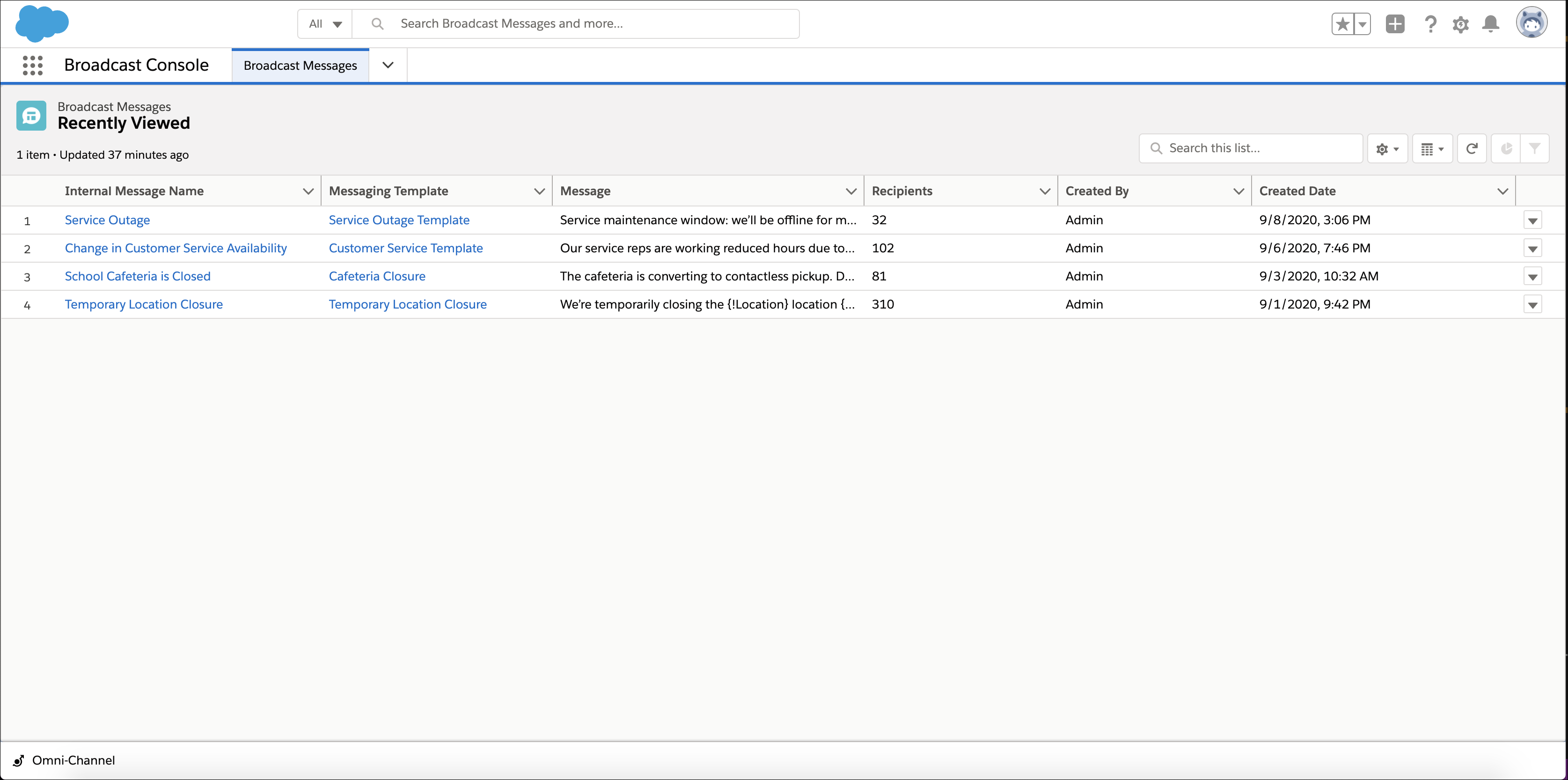
To see sent broadcast messages, open the app containing the Broadcast Messages tab. Then select Broadcast Messages from the navigation menu. You can see each message name, the template used, the message content, and the number of recipients.
Did this article solve your issue?
Let us know so we can improve!
